365tips · category Windows 11
Windows 11, the way you want it.
Settings, shortcuts, hidden features, Copilot and management of Windows 11, clearly explained for home and work.
88Windows 11 articles in English
88in Dutch too
88updated in 2026
0ads or cookies
Featured: Windows 11
The best Windows 11 guides to start with.
01 Windows 11The most useful keyboard shortcuts for Windows 11The handiest Windows 11 shortcuts: Start menu, File Explorer, Snap layouts, virtual desktops, Snipping Tool, clipboard and…
02
Windows 11The most useful keyboard shortcuts for Windows 11The handiest Windows 11 shortcuts: Start menu, File Explorer, Snap layouts, virtual desktops, Snipping Tool, clipboard and…
02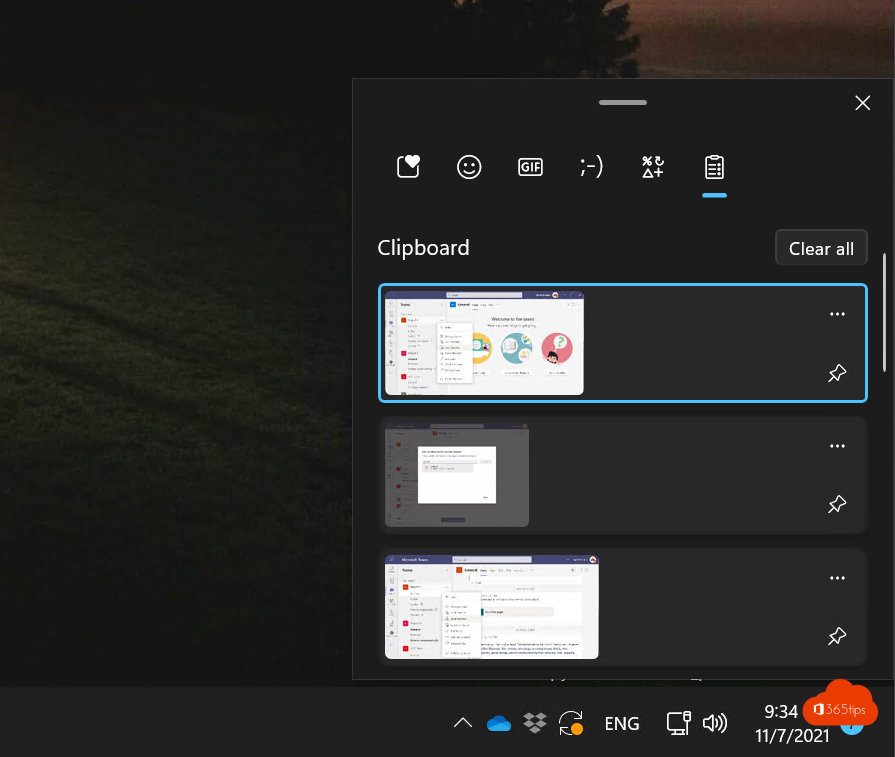 Windows 11Take a print screen, screenshot or screen recording in Windows 11Take a screenshot or screen recording in Windows 11 with Snipping Tool, Print Screen or Game Bar, and copy text from a…
03
Windows 11Take a print screen, screenshot or screen recording in Windows 11Take a screenshot or screen recording in Windows 11 with Snipping Tool, Print Screen or Game Bar, and copy text from a…
03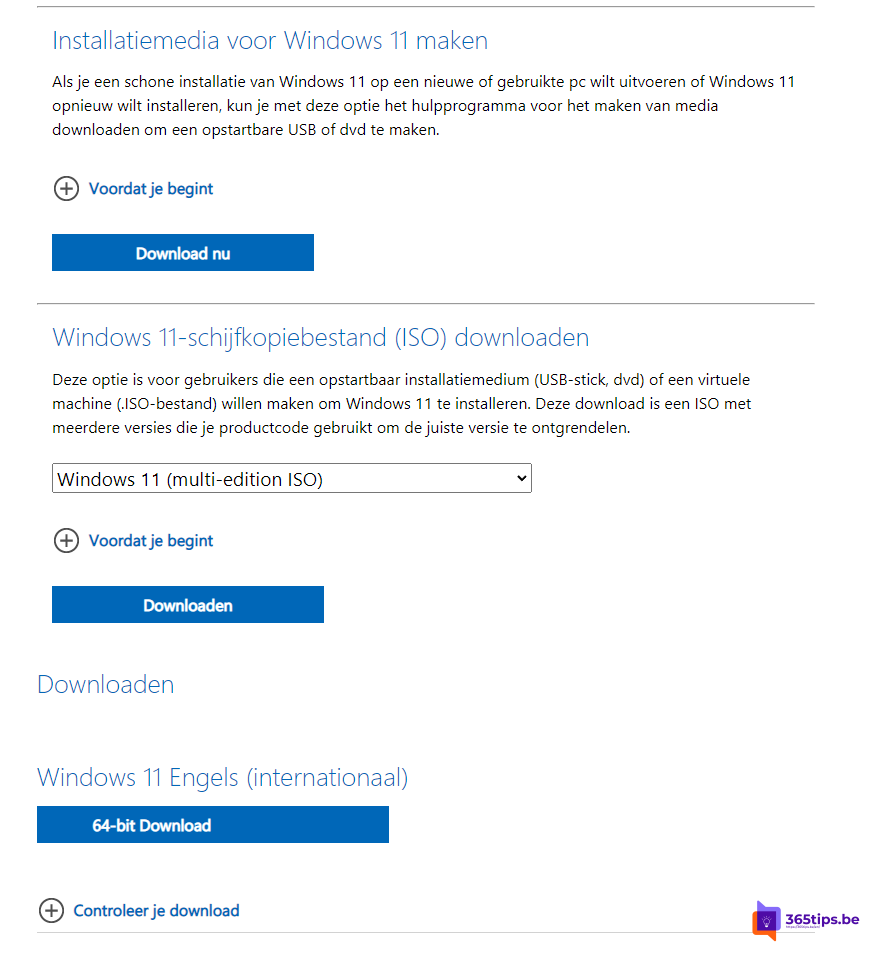 Windows 11Install or upgrade Windows 11 with an ISO fileDownload the Windows 11 ISO and use it to upgrade, do a clean install from USB or install Windows in a virtual machine.
04
Windows 11Install or upgrade Windows 11 with an ISO fileDownload the Windows 11 ISO and use it to upgrade, do a clean install from USB or install Windows in a virtual machine.
04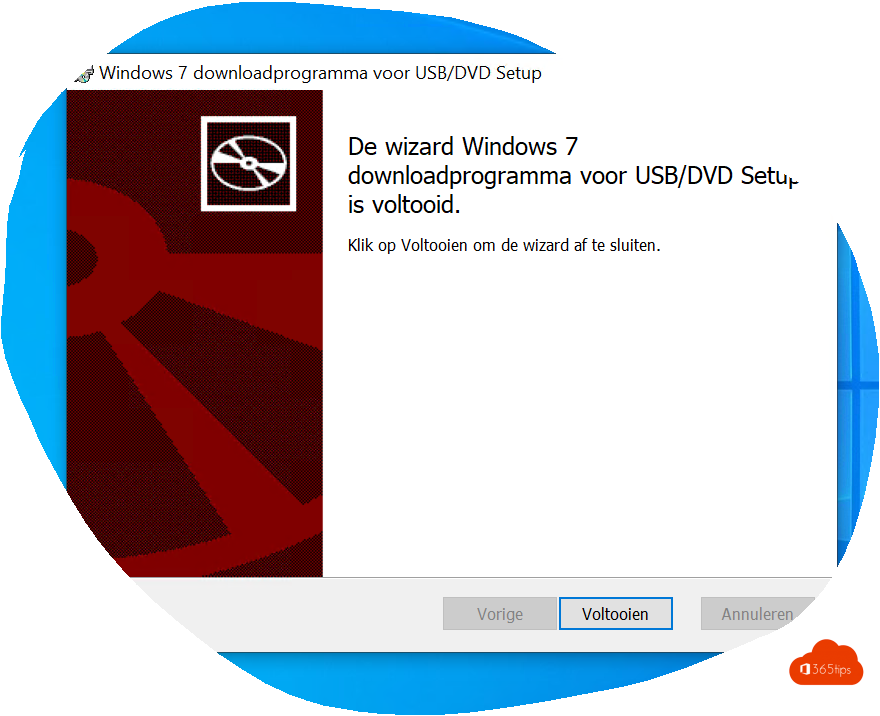 Windows 11Create a bootable Windows 11 USB driveCreate a bootable Windows 11 USB drive for free with Microsoft's Media Creation Tool or Rufus, and boot a PC from it to…
05
Windows 11Create a bootable Windows 11 USB driveCreate a bootable Windows 11 USB drive for free with Microsoft's Media Creation Tool or Rufus, and boot a PC from it to…
05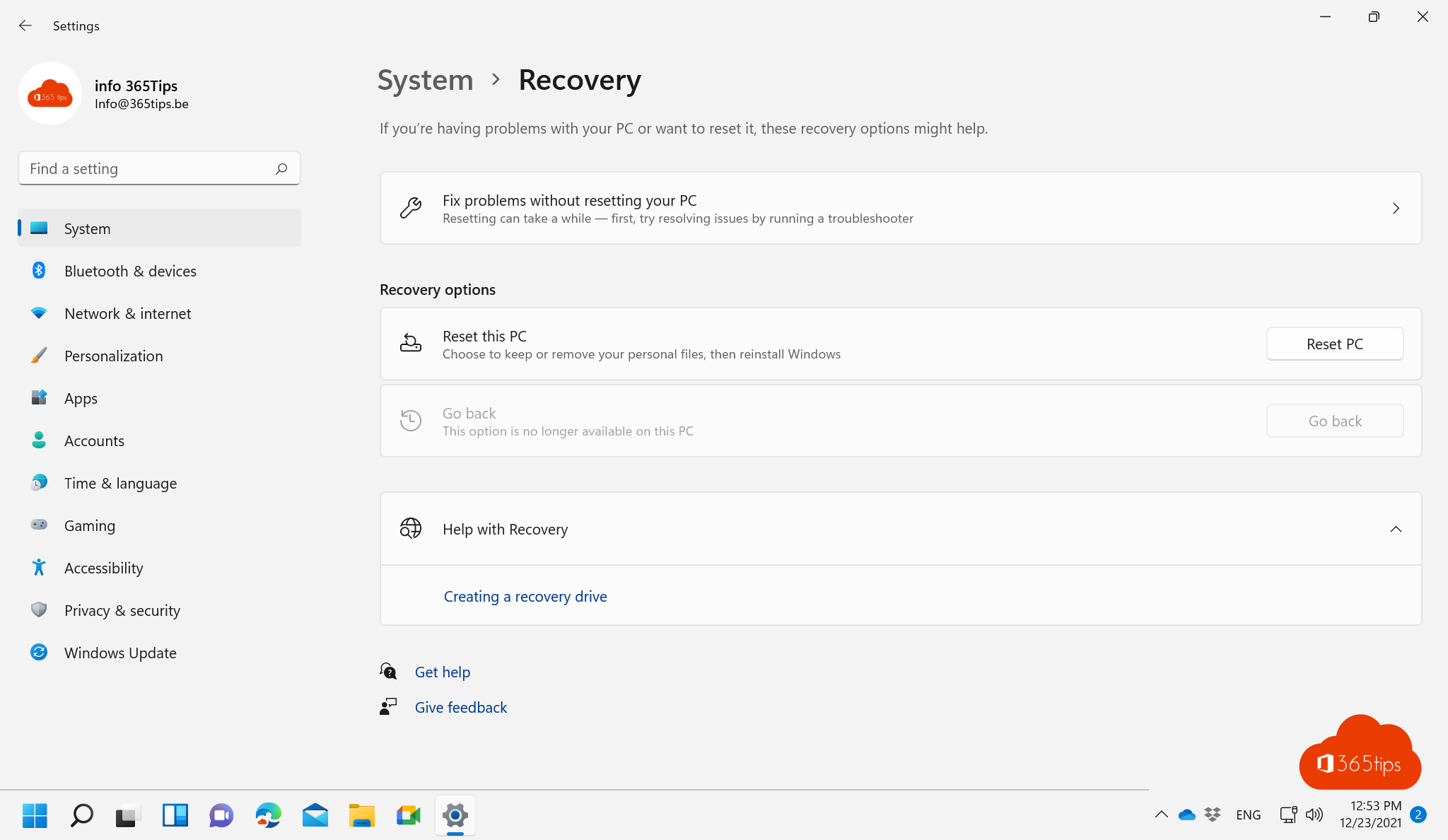 Windows 11Reset a Windows 11 PC to factory settingsReset your Windows 11 PC to factory settings, with or without your files, via cloud download or local reinstall. Even when…
06
Windows 11Reset a Windows 11 PC to factory settingsReset your Windows 11 PC to factory settings, with or without your files, via cloud download or local reinstall. Even when…
06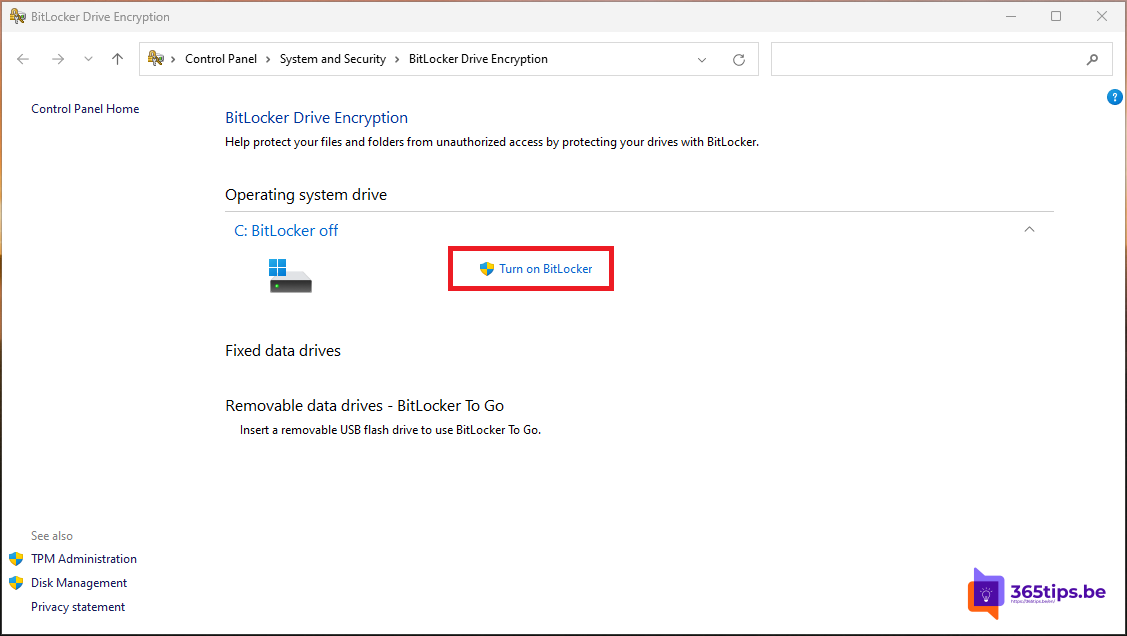 Windows 11Turn on BitLocker in Windows 11 and keep your recovery key safeEncrypt your drive with BitLocker in Windows 11. Device encryption in Home, storing and finding the recovery key, and…
07
Windows 11Turn on BitLocker in Windows 11 and keep your recovery key safeEncrypt your drive with BitLocker in Windows 11. Device encryption in Home, storing and finding the recovery key, and…
07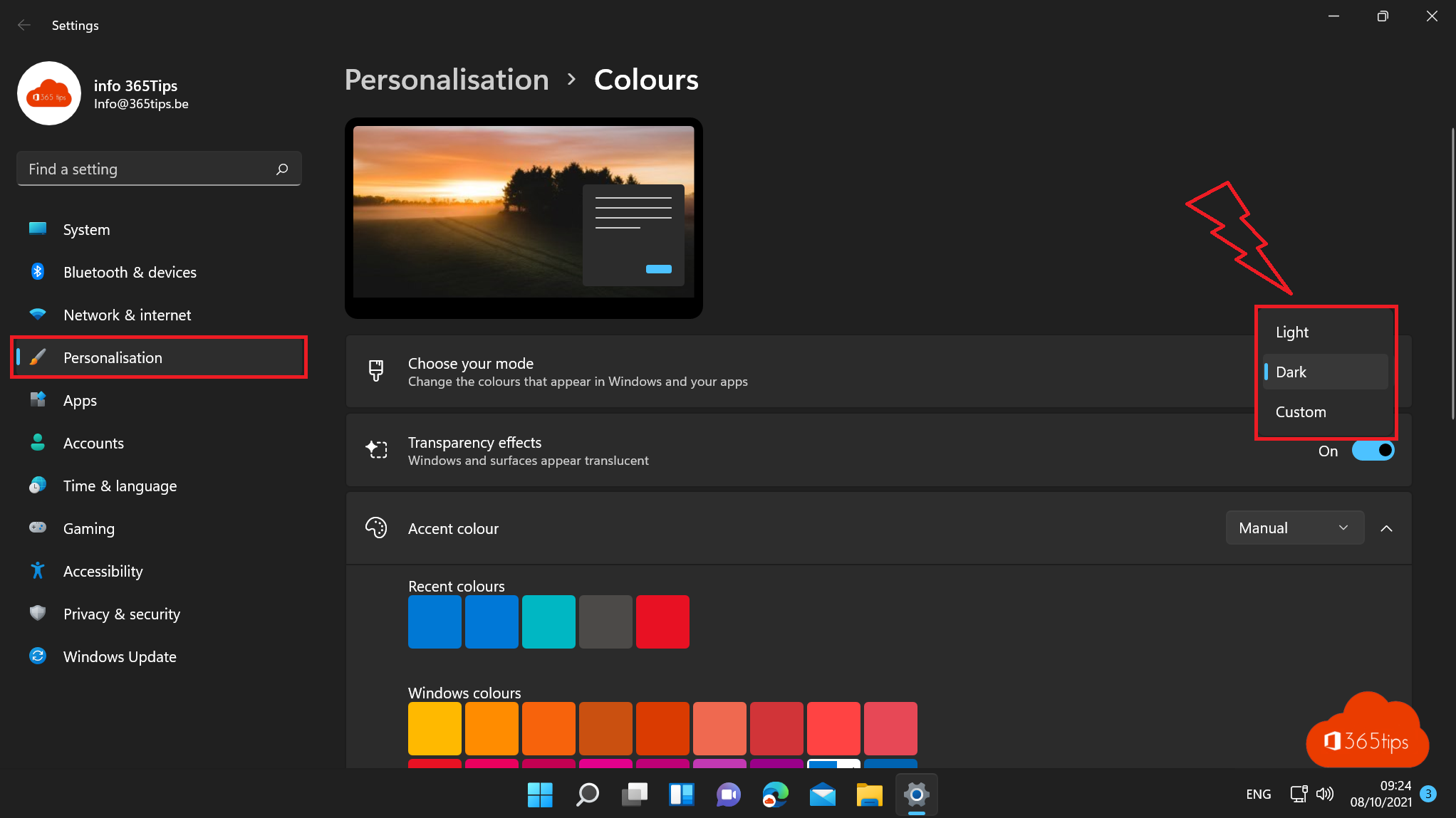 Windows 11How to turn on dark mode in Windows 11Turn on dark mode in Windows 11, combine dark and light apps, and make Word, Outlook, Teams and Edge dark too. Plus…
08
Windows 11How to turn on dark mode in Windows 11Turn on dark mode in Windows 11, combine dark and light apps, and make Word, Outlook, Teams and Edge dark too. Plus…
08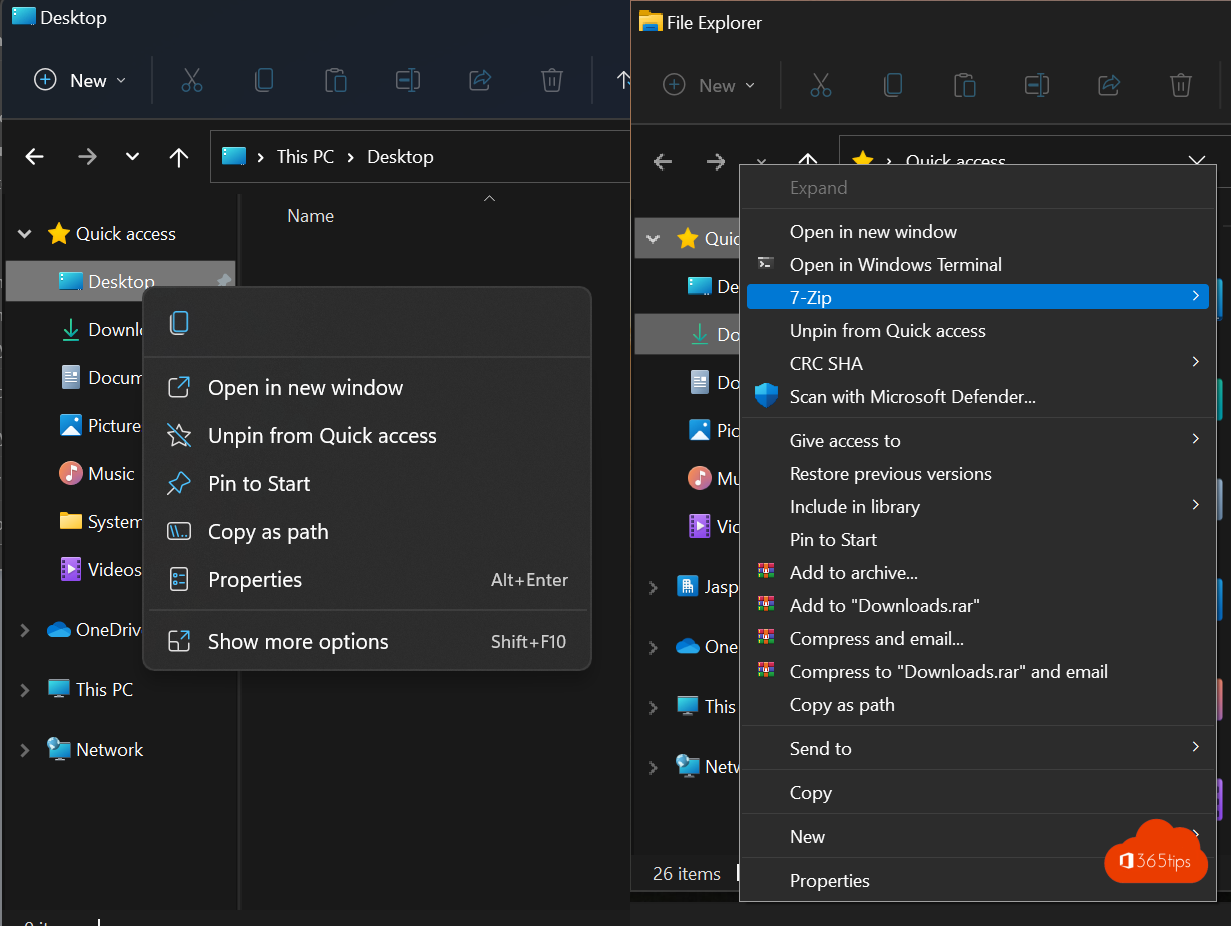 Windows 11How to get the full (classic) right-click menu back in Windows 11Get the full right-click menu back in Windows 11 like in Windows 10: once with Shift + right-click, or by default with one…
09
Windows 11How to get the full (classic) right-click menu back in Windows 11Get the full right-click menu back in Windows 11 like in Windows 10: once with Shift + right-click, or by default with one…
09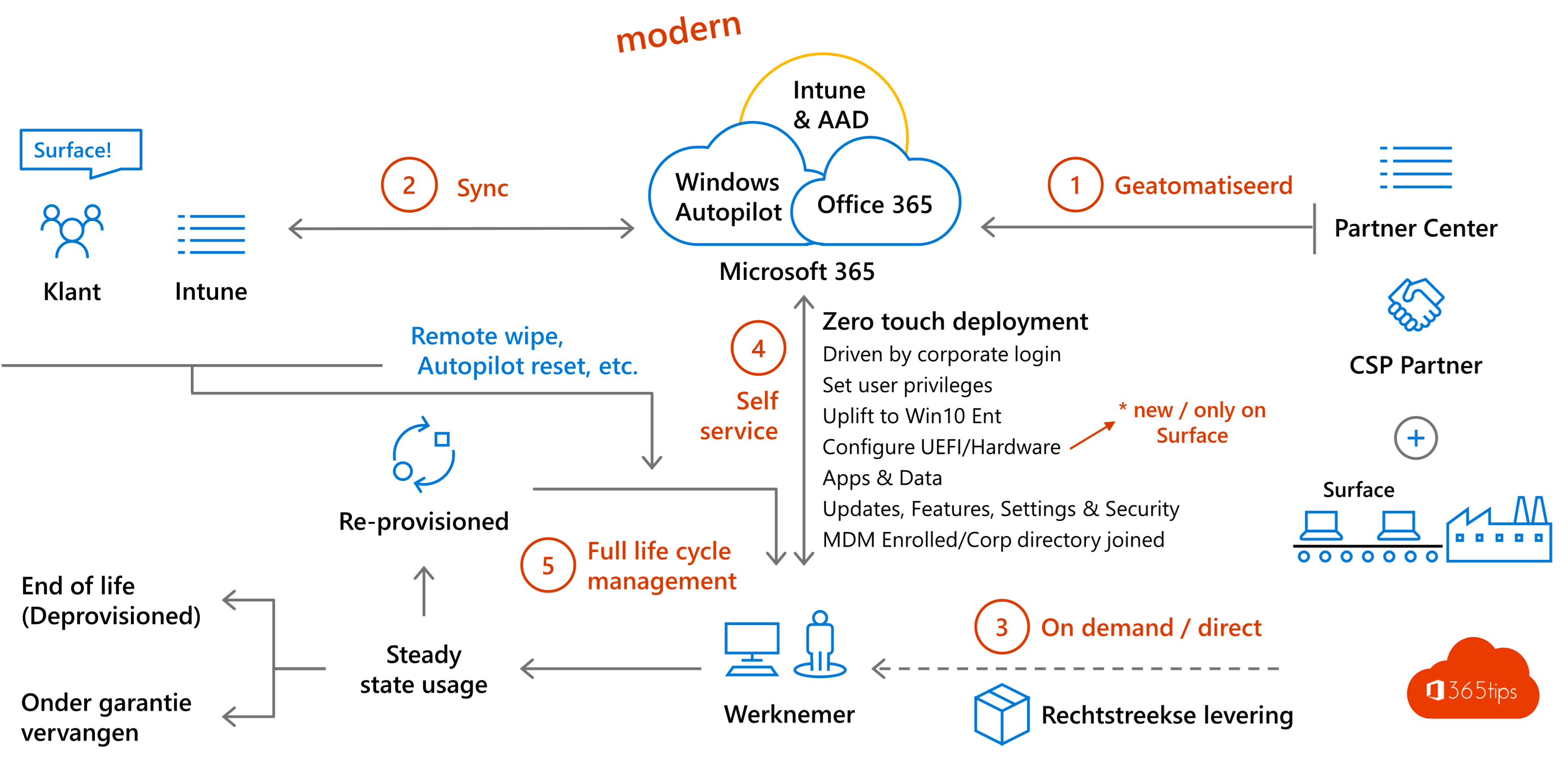 Windows 11Windows Autopilot: what it is and how to set it up in 4 stepsWith Windows Autopilot a new PC configures itself through Intune. What you need, which mode to pick and how to set up…
10
Windows 11Windows Autopilot: what it is and how to set it up in 4 stepsWith Windows Autopilot a new PC configures itself through Intune. What you need, which mode to pick and how to set up…
10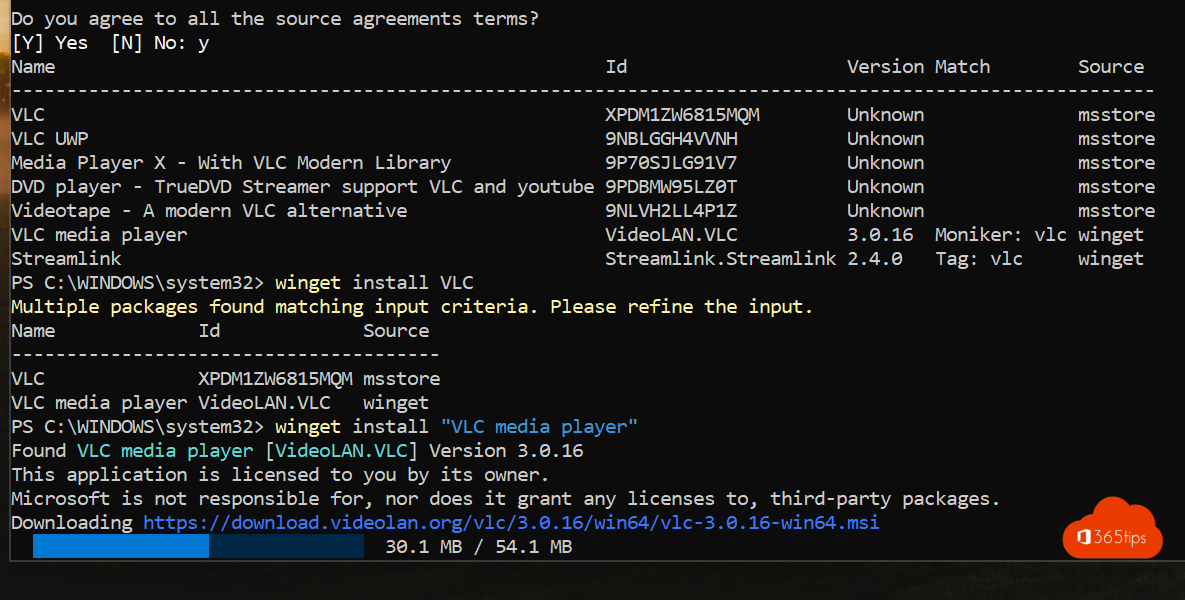 Windows 11Install and update software with winget on WindowsInstall, update and remove software with winget on Windows 11 or 10. Key commands, updating everything and exporting to a…
11
Windows 11Install and update software with winget on WindowsInstall, update and remove software with winget on Windows 11 or 10. Key commands, updating everything and exporting to a…
11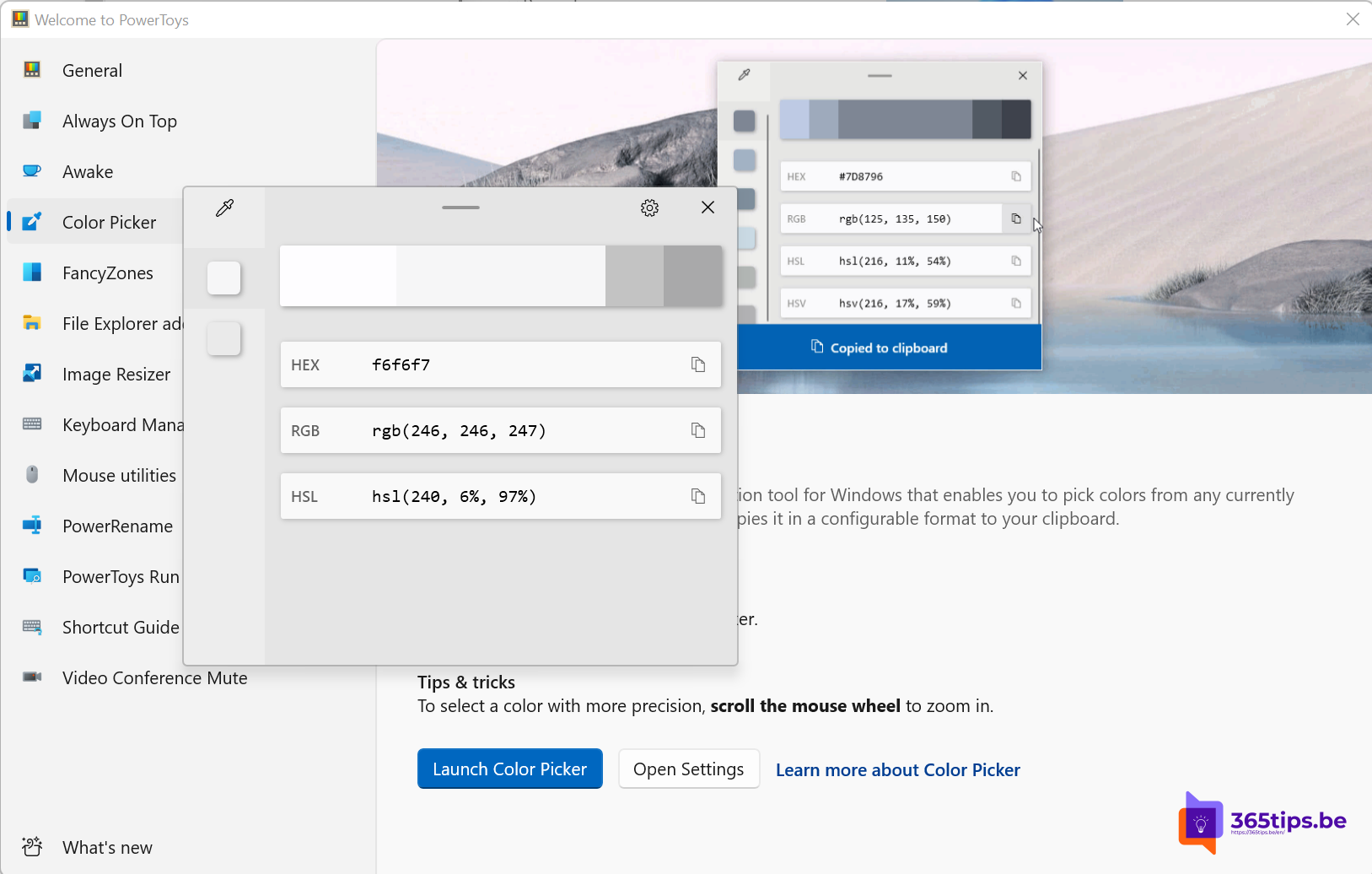 Windows 11Install PowerToys on Windows 11: the most useful toolsInstall Microsoft PowerToys on Windows 11 with winget or the Store and discover FancyZones, Text Extractor, Color Picker,…
12
Windows 11Install PowerToys on Windows 11: the most useful toolsInstall Microsoft PowerToys on Windows 11 with winget or the Store and discover FancyZones, Text Extractor, Color Picker,…
12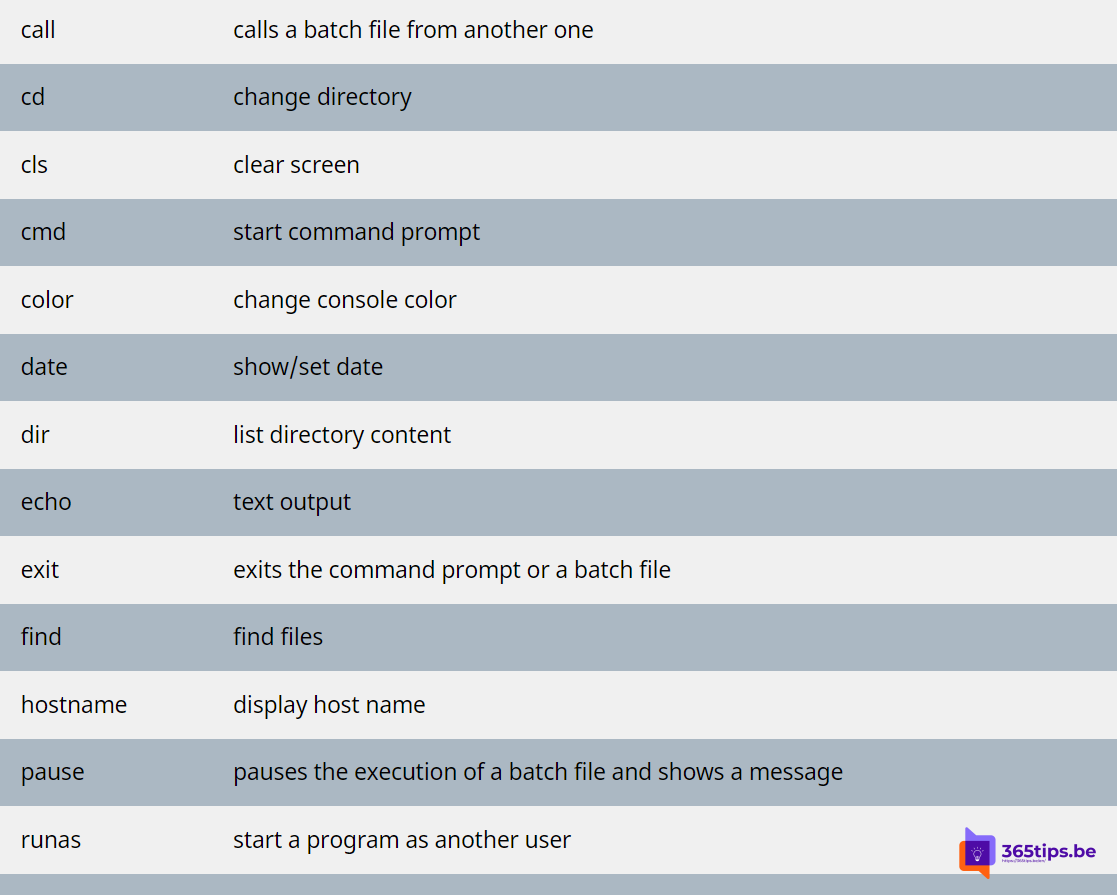 Windows 11The most useful CMD commands for WindowsAn overview of handy Command Prompt commands: network, system repair, Group Policy, processes and files, each with a short…
Windows 11The most useful keyboard shortcuts for Windows 11The handiest Windows 11 shortcuts: Start menu, File Explorer, Snap layouts, virtual desktops, Snipping Tool, clipboard and…
02Windows 11Take a print screen, screenshot or screen recording in Windows 11Take a screenshot or screen recording in Windows 11 with Snipping Tool, Print Screen or Game Bar, and copy text from a…
03Windows 11Install or upgrade Windows 11 with an ISO fileDownload the Windows 11 ISO and use it to upgrade, do a clean install from USB or install Windows in a virtual machine.
04Windows 11Create a bootable Windows 11 USB driveCreate a bootable Windows 11 USB drive for free with Microsoft's Media Creation Tool or Rufus, and boot a PC from it to…
05Windows 11Reset a Windows 11 PC to factory settingsReset your Windows 11 PC to factory settings, with or without your files, via cloud download or local reinstall. Even when…
06Windows 11Turn on BitLocker in Windows 11 and keep your recovery key safeEncrypt your drive with BitLocker in Windows 11. Device encryption in Home, storing and finding the recovery key, and…
07Windows 11How to turn on dark mode in Windows 11Turn on dark mode in Windows 11, combine dark and light apps, and make Word, Outlook, Teams and Edge dark too. Plus…
08Windows 11How to get the full (classic) right-click menu back in Windows 11Get the full right-click menu back in Windows 11 like in Windows 10: once with Shift + right-click, or by default with one…
09Windows 11Windows Autopilot: what it is and how to set it up in 4 stepsWith Windows Autopilot a new PC configures itself through Intune. What you need, which mode to pick and how to set up…
10Windows 11Install and update software with winget on WindowsInstall, update and remove software with winget on Windows 11 or 10. Key commands, updating everything and exporting to a…
11Windows 11Install PowerToys on Windows 11: the most useful toolsInstall Microsoft PowerToys on Windows 11 with winget or the Store and discover FancyZones, Text Extractor, Color Picker,…
12Windows 11The most useful CMD commands for WindowsAn overview of handy Command Prompt commands: network, system repair, Group Policy, processes and files, each with a short…
All Windows 11 articles
Search above or pick another category.- Add your work account to your own Windows computerWindows 11 · 20 Oct 2026
- Build a Windows Autopilot demo environment in about an hourWindows 11 · 20 Oct 2026
- The best free software for Windows 11 by categoryWindows 11 · 20 Oct 2026
- The best VPN for Windows 11: how to choose the right oneWindows 11 · 20 Oct 2026
- Install and update software with ChocolateyWindows 11 · 20 Oct 2026
- Use Copilot in classic Outlook on Windows 11Microsoft 365 · 20 Oct 2026
- Turn on dark mode in Windows 10 (and Windows 11)Windows 11 · 20 Oct 2026
- Configure Delivery Optimization in Microsoft Intune: a good starting pointWindows 11 · 20 Oct 2026
- Download and install Windows 11: all official methodsWindows 11 · 20 Oct 2026
- Download and update SQL Server Management Studio (SSMS)How-to · 20 Oct 2026
- Download Windows 11 Insider Preview via Settings or ISOWindows 11 · 20 Oct 2026
- Manage Microsoft Edge with the Edge management service in the Microsoft 365 admin centerMicrosoft 365 · 20 Oct 2026
- Use emoji in Windows 11, Outlook and Microsoft TeamsWindows 11 · 20 Oct 2026
- Use tabs in Windows 11 File Explorer: tips and keyboard shortcutsWindows 11 · 20 Oct 2026
- Fix the DRIVER_PNP_WATCHDOG blue screen in Windows 11Windows 11 · 20 Oct 2026
- Fix the 0x0 0x0 error code on a Windows PCWindows 11 · 20 Oct 2026
- The best free software for drawing on a Windows PCWindows 11 · 20 Oct 2026
- Install the Copilot app in Windows 11 from the Microsoft StoreWindows 11 · 20 Oct 2026
- Install Windows 11 and bring the PC into Intune right awayWindows 11 · 20 Oct 2026
- Install Windows 11 from a USB drive in 3 stepsWindows 11 · 20 Oct 2026
- Manually download and install the latest version of Windows 11Windows 11 · 20 Oct 2026
- Stop traditional management and start modern management with IntuneWindows 11 · 20 Oct 2026
- Set nature wallpapers in Windows 11Windows 11 · 20 Oct 2026
- The new Outlook for Windows: switching and what changesExchange · 20 Oct 2026
- The most useful keyboard shortcuts for Paint in WindowsWindows 11 · 20 Oct 2026
- Pause the process list in Task Manager with the Ctrl keyWindows 11 · 20 Oct 2026
- Use Phone Link with your iPhone on Windows 11Windows 11 · 20 Oct 2026
- Search quickly in Windows 11 and Microsoft TeamsWindows 11 · 20 Oct 2026
- Align the Start button and taskbar to the left in Windows 11Windows 11 · 20 Oct 2026
- Microsoft Teams in Windows 11: what changedTeams · 20 Oct 2026
- Windows 10 is no longer supported: update and move onWindows 11 · 20 Oct 2026
- Windows 11 22H2 is out of support: update and use the Start menu featuresWindows 11 · 20 Oct 2026
- AI features in Windows 11: the Copilot app, Paint, Photos and moreWindows 11 · 20 Oct 2026
- Seven tips to work more productively in Windows 11Windows 11 · 20 Oct 2026
- The Windows 11 wallpapers in 4K: download and set themWindows 11 · 20 Oct 2026
- Test Windows Insider builds with an update ring in IntuneWindows 11 · 20 Oct 2026
- WordPad removed from Windows 11: the best alternativesWindows 11 · 20 Oct 2026
- Add a user in Windows 11 with a Microsoft or local accountWindows 11 · 19 Oct 2026
- Android apps on Windows 11: the subsystem is gone, here are the alternativesWindows 11 · 19 Oct 2026
- Change or fix your keyboard layout in Windows 11 (QWERTY, AZERTY)Windows 11 · 19 Oct 2026
- Change the Windows display language, region and keyboardWindows 11 · 19 Oct 2026
- The most useful CMD commands for WindowsWindows 11 · 19 Oct 2026
- Create a bootable Windows 11 USB driveWindows 11 · 19 Oct 2026
- Install the Intune Company Portal automatically on all computersWindows 11 · 19 Oct 2026
- Enhanced security mode in Microsoft EdgeSecurity · 19 Oct 2026
- Use tabs in File Explorer in Windows 11Windows 11 · 19 Oct 2026
- Install PowerToys on Windows 11: the most useful toolsWindows 11 · 19 Oct 2026
- Install Remote Server Administration Tools (RSAT) on Windows 11Windows 11 · 19 Oct 2026
- Install or upgrade Windows 11 with an ISO fileWindows 11 · 19 Oct 2026
- Join a Windows 11 computer to an Active Directory domainWindows 11 · 19 Oct 2026
- Join the Windows Insider Program for Windows 11Windows 11 · 19 Oct 2026
- Keep all Windows PCs up to date with Microsoft IntuneWindows 11 · 19 Oct 2026
- Limit your mobile data usage in Windows 11Windows 11 · 19 Oct 2026
- Stop combining taskbar buttons in Windows 11Windows 11 · 19 Oct 2026
- Open replies and forwards in a new window in OutlookExchange · 19 Oct 2026
- Updates for other Microsoft products and optional updates in Windows 11Windows 11 · 19 Oct 2026
- Reset a Windows 11 PC to factory settingsWindows 11 · 19 Oct 2026
- Record your screen in Windows 11 without extra softwareWindows 11 · 19 Oct 2026
- Take a print screen, screenshot or screen recording in Windows 11Windows 11 · 19 Oct 2026
- Shut down, restart or hibernate a Windows 11 PCWindows 11 · 19 Oct 2026
- Skype has been retired: switch to Microsoft Teams (free)Teams · 19 Oct 2026
- Speed up a slow Windows 11 computer: 10 tipsWindows 11 · 19 Oct 2026
- Enable, create and use system restore points in Windows 11Windows 11 · 19 Oct 2026
- Open Task Manager and stop or start services in Windows 11Windows 11 · 19 Oct 2026
- Set or create a theme in Windows 11Windows 11 · 19 Oct 2026
- Turn on BitLocker in Windows 11 and keep your recovery key safeWindows 11 · 19 Oct 2026
- Disable, uninstall or block Microsoft Teams in Windows 11Windows 11 · 19 Oct 2026
- Set the desktop background and lock screen with Microsoft IntuneWindows 11 · 19 Oct 2026
- Create a shortcut to a website on the desktop or taskbarWindows 11 · 19 Oct 2026
- Upgrade from Windows 10 to Windows 11 with the Installation AssistantWindows 11 · 19 Oct 2026
- The most useful keyboard shortcuts for Windows 11Windows 11 · 19 Oct 2026
- Enable Hyper-V and install Windows 11 in a virtual machineWindows 11 · 19 Oct 2026
- Windows Autopilot: what it is and how to set it up in 4 stepsWindows 11 · 19 Oct 2026
- Install and update software with winget on WindowsWindows 11 · 19 Oct 2026
- How to check your PowerShell version in WindowsWindows 11 · 16 Oct 2026
- How to get the full (classic) right-click menu back in Windows 11Windows 11 · 16 Oct 2026
- How to view and use clipboard history in Windows 11 and 10 (Windows + V)Windows 11 · 16 Oct 2026
- How to customize the Windows 11 Start menu: left, without Recommended or like Windows 10Windows 11 · 16 Oct 2026
- How to turn on dark mode in Windows 11Windows 11 · 16 Oct 2026
- How to edit the hosts file in Windows 11 and Windows 10Windows 11 · 16 Oct 2026
- Find and delete large files in Windows 11 and 10: 5 waysWindows 11 · 16 Oct 2026
- How to install a font in Windows 11 and 10Windows 11 · 16 Oct 2026
- How to pause or delay Windows 11 updates and prevent restartsWindows 11 · 16 Oct 2026
- Run Command Prompt as administrator in Windows 11 and 10: 6 waysWindows 11 · 16 Oct 2026
- How to show file extensions in File Explorer in Windows 11 and 10Windows 11 · 16 Oct 2026
- How to put windows side by side in Windows 11 with SnapWindows 11 · 16 Oct 2026
- Turn Windows features on or off in Windows 11 and 10: 4 waysWindows 11 · 16 Oct 2026
- How to update drivers in Windows 11 and 10Windows 11 · 16 Oct 2026