Want to try new Windows 11 features before everyone else, or test as an IT department whether your software works with the next version? Then become a Windows Insider. You choose how early and how stable. This article covers the channels, how to sign up, the risks and how to leave again.
The four channels
| Channel | What you get | For whom |
|---|---|---|
| Canary | The very latest, rough builds; can be unstable | Enthusiasts with a test device |
| Dev | New features early, regular bugs | Developers, testers |
| Beta | Features that are nearly done, fairly stable | People who want features early, on a second PC |
| Release Preview | The next version shortly before official release | IT departments testing compatibility |
Don't use Canary, Dev or Beta on your only work PC. Release Preview is fine for a small test group in a business.
Sign up
- Back up your important files.
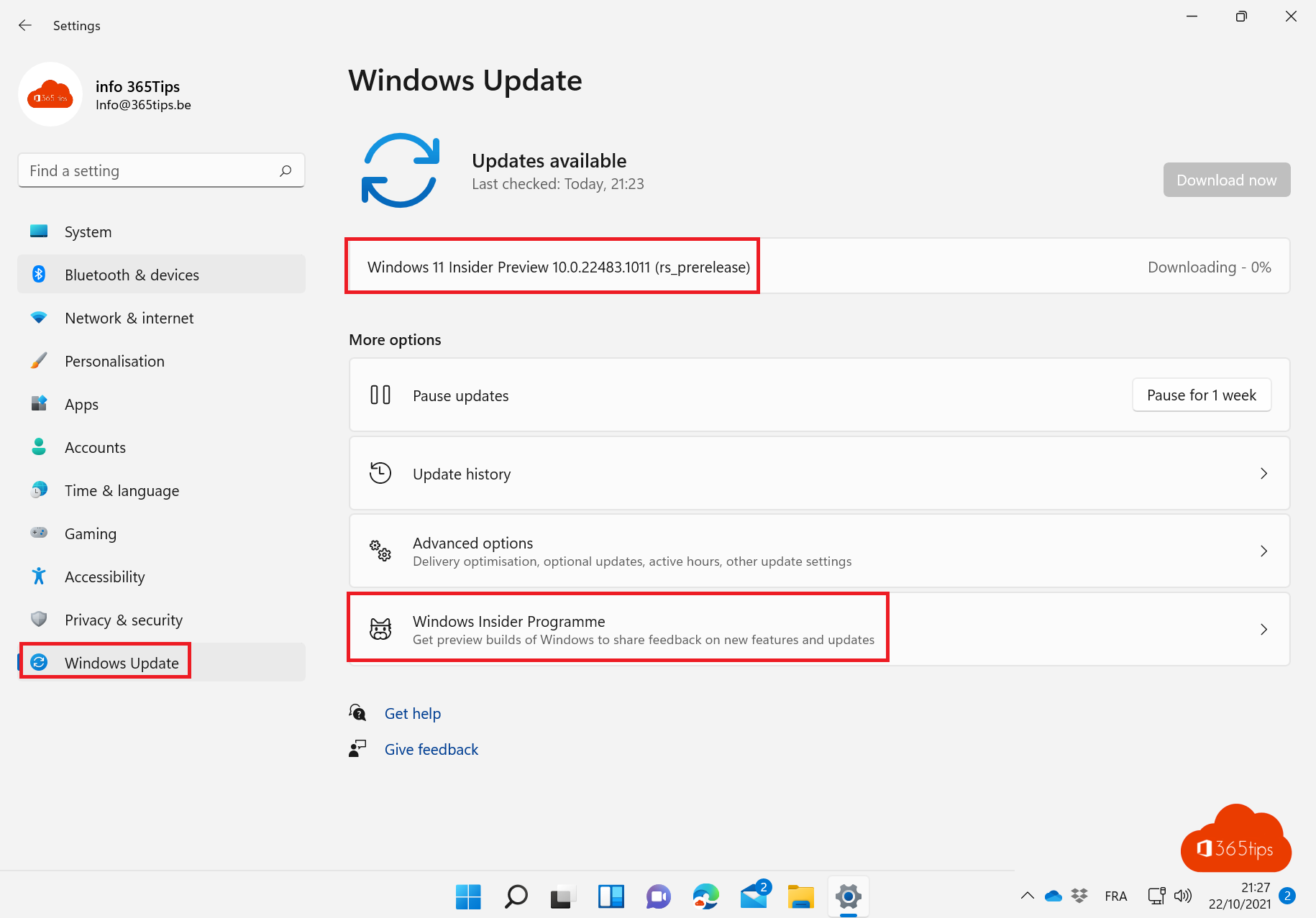
- Open Settings > Windows Update > Windows Insider Program and select Get started.
- Link a Microsoft account or your work account.
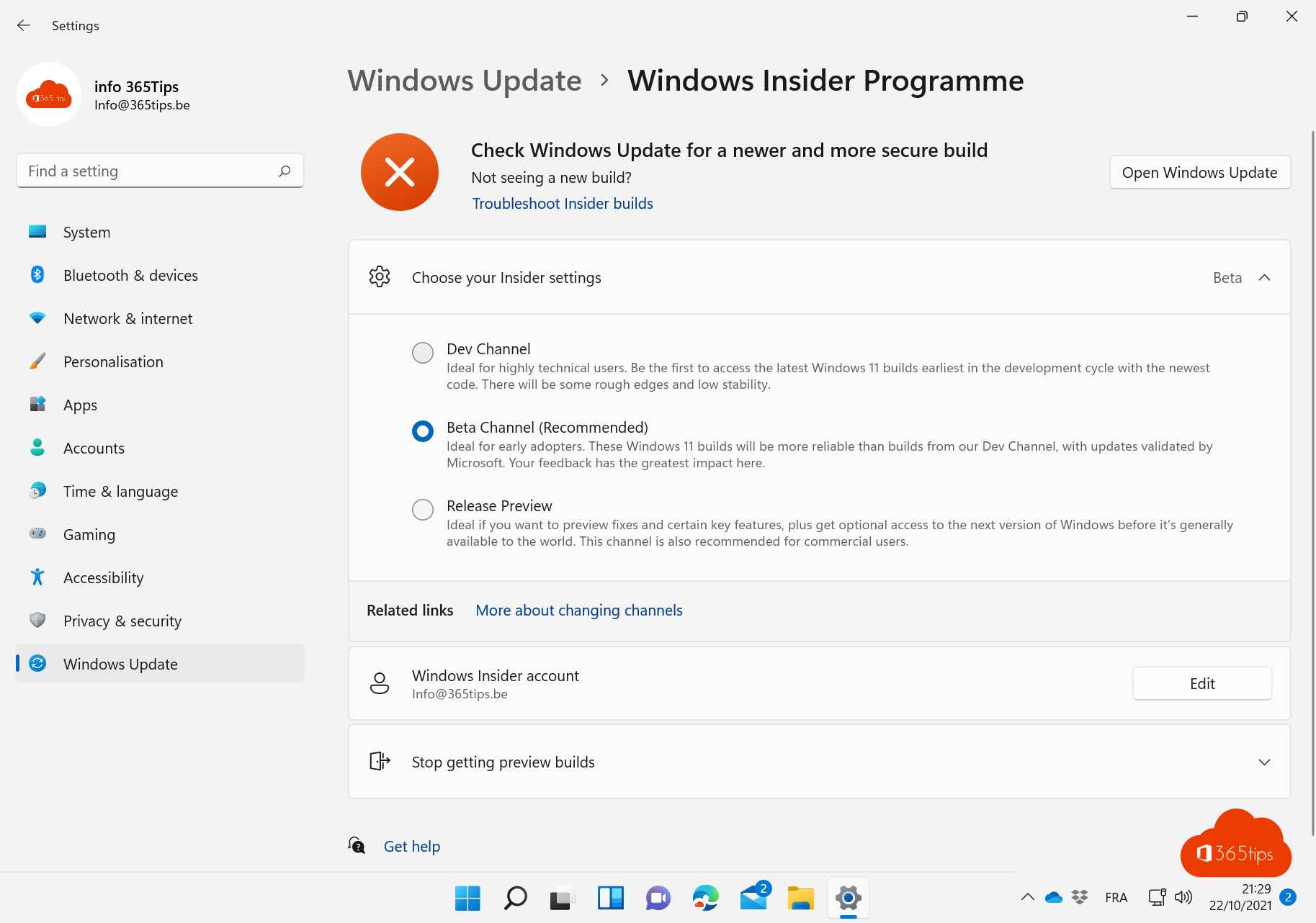
- Choose the channel and confirm.
- Restart the PC and go to Windows Update. The first Insider build downloads.
Windows asks you to share optional diagnostic data; that's required for Insiders so Microsoft can analyze problems.
Give feedback
Use the Feedback Hub app (Windows + F) to report problems and suggest improvements. First search whether someone already reported the same thing, then upvote it. The more votes, the sooner Microsoft picks it up.
Leave the program
- Beta and Release Preview: in Windows Insider Program, turn on Stop getting preview builds. Once the official release catches up with your build, you leave without reinstalling.
- Dev and Canary: usually the only way back is a clean install of regular Windows 11. See create a bootable USB drive.
- Within 10 days after a major update you can sometimes go back via System > Recovery > Go back.
For businesses
With the Windows Insider Program for Business you register your organization at insider.windows.com and manage Insider builds through Intune or Windows Update for Business. A small group tests the next Windows version while the rest stays stable. Combine it with update rings in Intune.
Read also
Upgrade from Windows 10 to Windows 11 with the Installation Assistant
Create a bootable Windows 11 USB drive
Updates for other Microsoft products and optional updates in Windows 11
Nederlandstalige versie: Deelnemen aan het Windows Insider-programma voor Windows 11