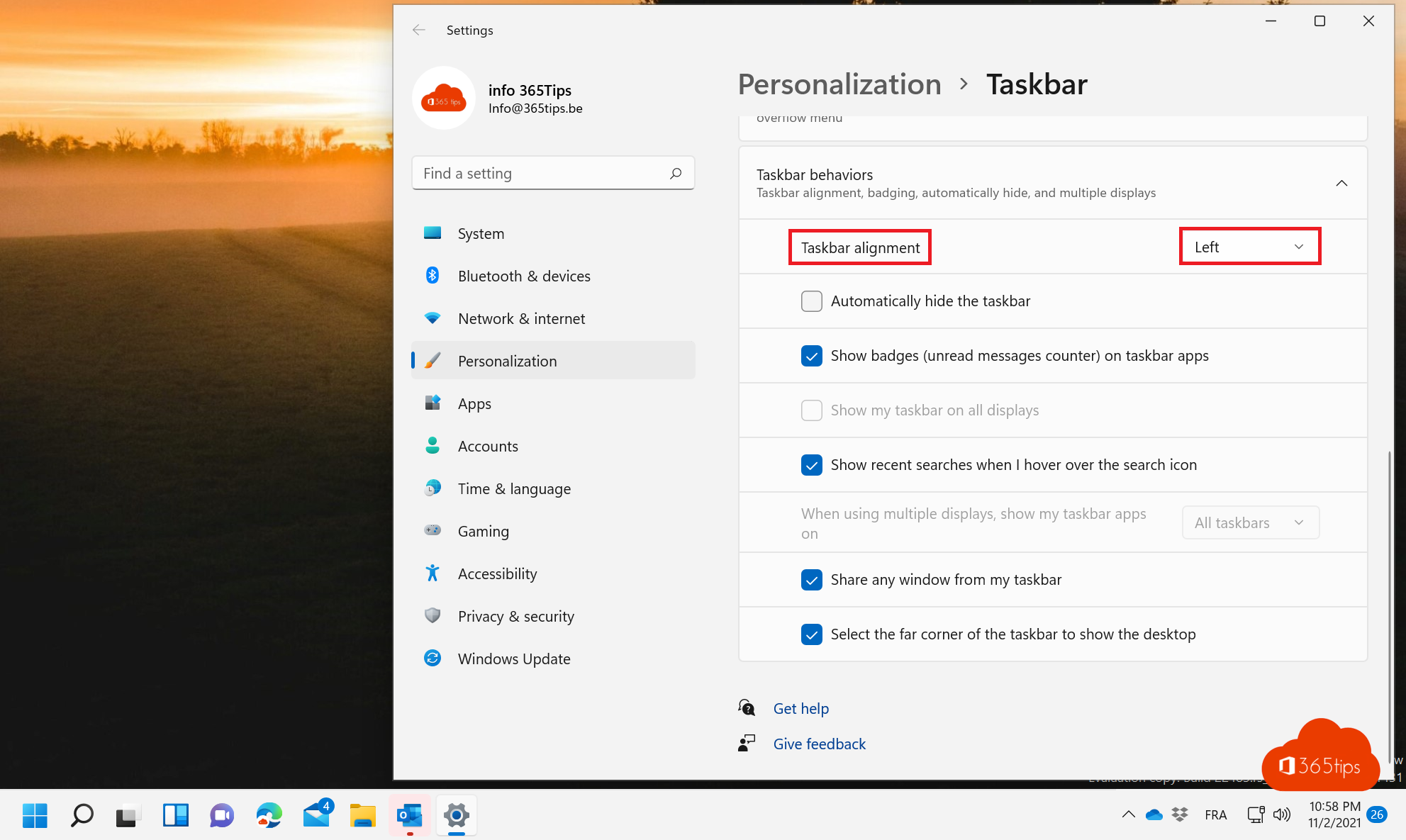
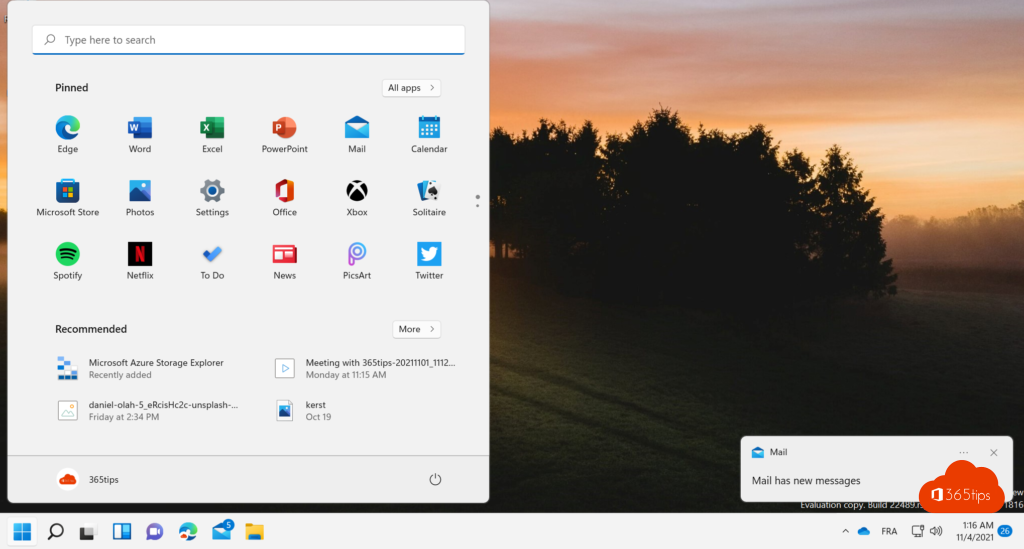
In Windows 11 the Start button and taskbar icons sit in the middle by default. Used to Windows 10 and looking for Start on the left? One setting moves everything back to the left.
Align the taskbar left
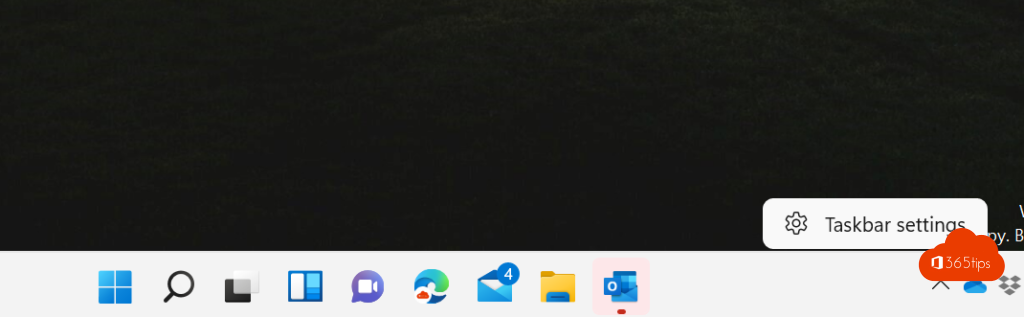
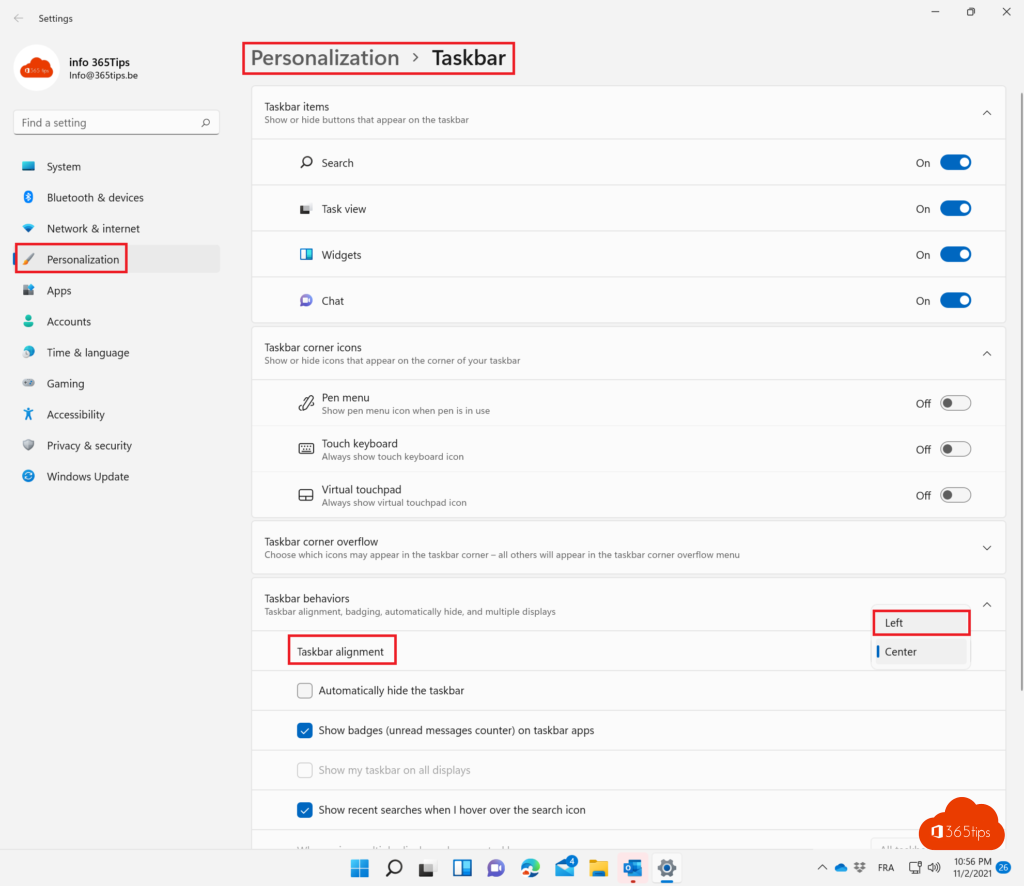
- Right-click the taskbar and choose Taskbar settings. Or go to Settings > Personalization > Taskbar.
- Expand Taskbar behaviors.
- Under Taskbar alignment, choose Left.
The Start button and all icons move to the left right away.
More tweaks
- Hide Search, Task view or Widgets under Taskbar items.
- Never combine taskbar buttons. Read never combine taskbar buttons.
- Customize the Start menu with pinned apps and folders. See customize the Start menu.
For admins
In Intune or Group Policy you can set the taskbar alignment centrally, for example with the taskbar alignment setting in the settings catalog.
Read also
How to customize the Windows 11 Start menu: left, without Recommended or like Windows 10
Stop combining taskbar buttons in Windows 11
How to get the full (classic) right-click menu back in Windows 11
Nederlandstalige versie: De Start-knop en taakbalk links uitlijnen in Windows 11
More in English
▸The most useful keyboard shortcuts for Windows 11The handiest Windows 11 shortcuts: Start menu, File Explorer, Snap layouts, virtual desktops, Snipping Tool,…
▸Set or create a theme in Windows 11Pick a theme in Windows 11, download free themes from the Microsoft Store, create your own theme with photos…
▸How to turn on dark mode in Windows 11Turn on dark mode in Windows 11, combine dark and light apps, and make Word, Outlook, Teams and Edge dark…
▸How to put windows side by side in Windows 11 with SnapPut two, three or four windows side by side in Windows 11 with snap layouts, dragging, Windows + arrow keys…