Still working with an on-premises domain, Group Policy and a golden image you update every quarter? Then it's time for modern management. With Microsoft Intune, Windows Autopilot and Microsoft Entra ID you manage devices from the cloud, wherever your users work: in the office, at home or on the road. Since Windows 10 reached end of support on 14 October 2025, the move to modern management often goes hand in hand with the move to Windows 11.
1. Why modern management?
- Less infrastructure: no VPN needed to receive policies or updates.
- Built-in automation and self-service for users.
- Stronger security thanks to compliance and Conditional Access.
- Works anywhere: policies reach the device over the internet.
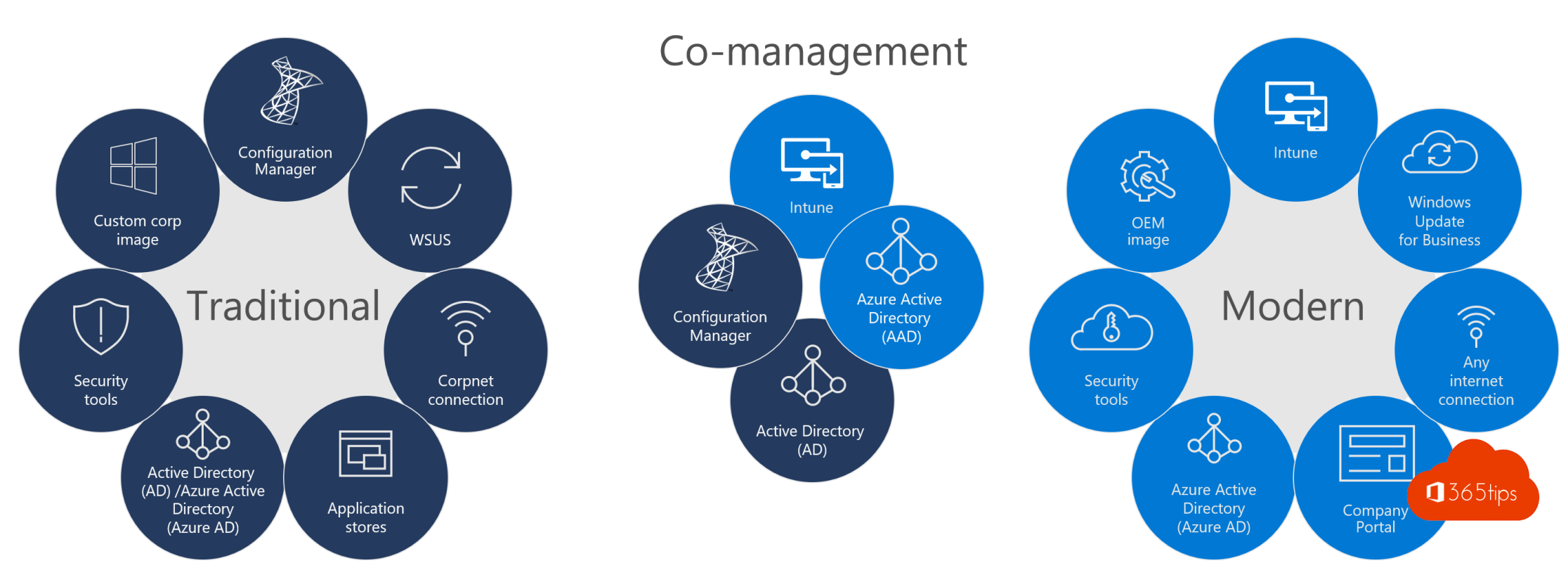
Using Configuration Manager? Then co-management is a good intermediate step: you move workloads to Intune one by one.
2. Deploy devices with Autopilot
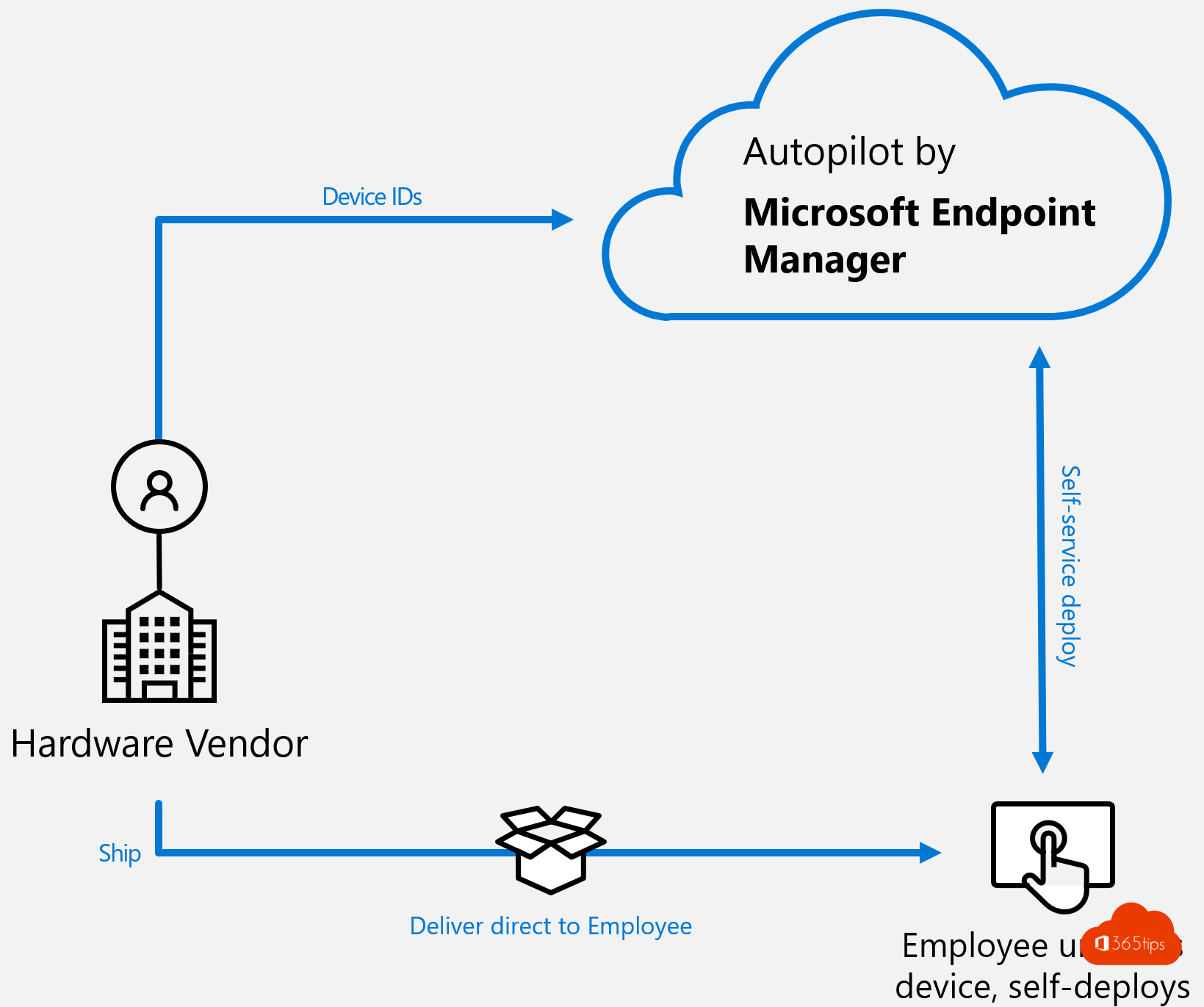
With Windows Autopilot the user unboxes a new PC, signs in and automatically gets the right settings and apps. No more golden image to maintain. Prefer devices that are joined to Entra ID only, not hybrid.
3. Move Group Policy to Intune
- Use Group Policy analytics in Intune to import your existing GPOs and see which settings exist in Intune.
- Build new profiles in the Settings catalog. Only take over what you really need.
- Use Microsoft's security baselines as a starting point.
4. Updates in waves
Use update rings or Windows Autopatch to send updates to a test group first and then to everyone. Delivery Optimization lets devices share updates and saves bandwidth.
5. Compliance and Conditional Access
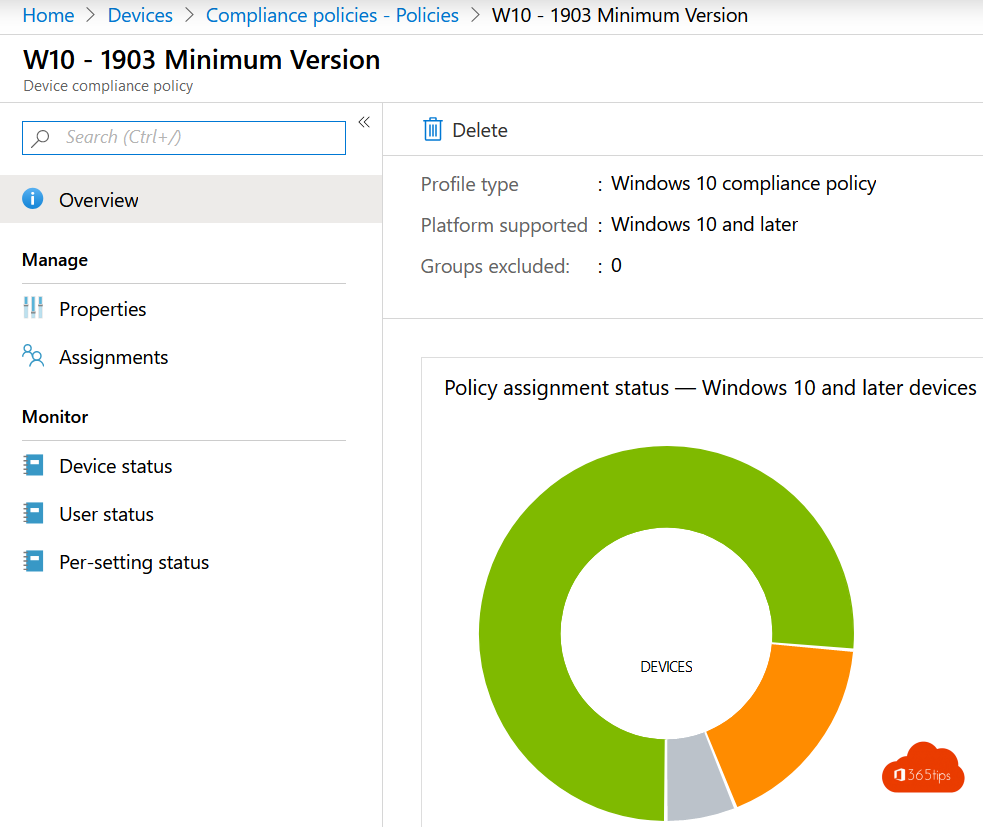
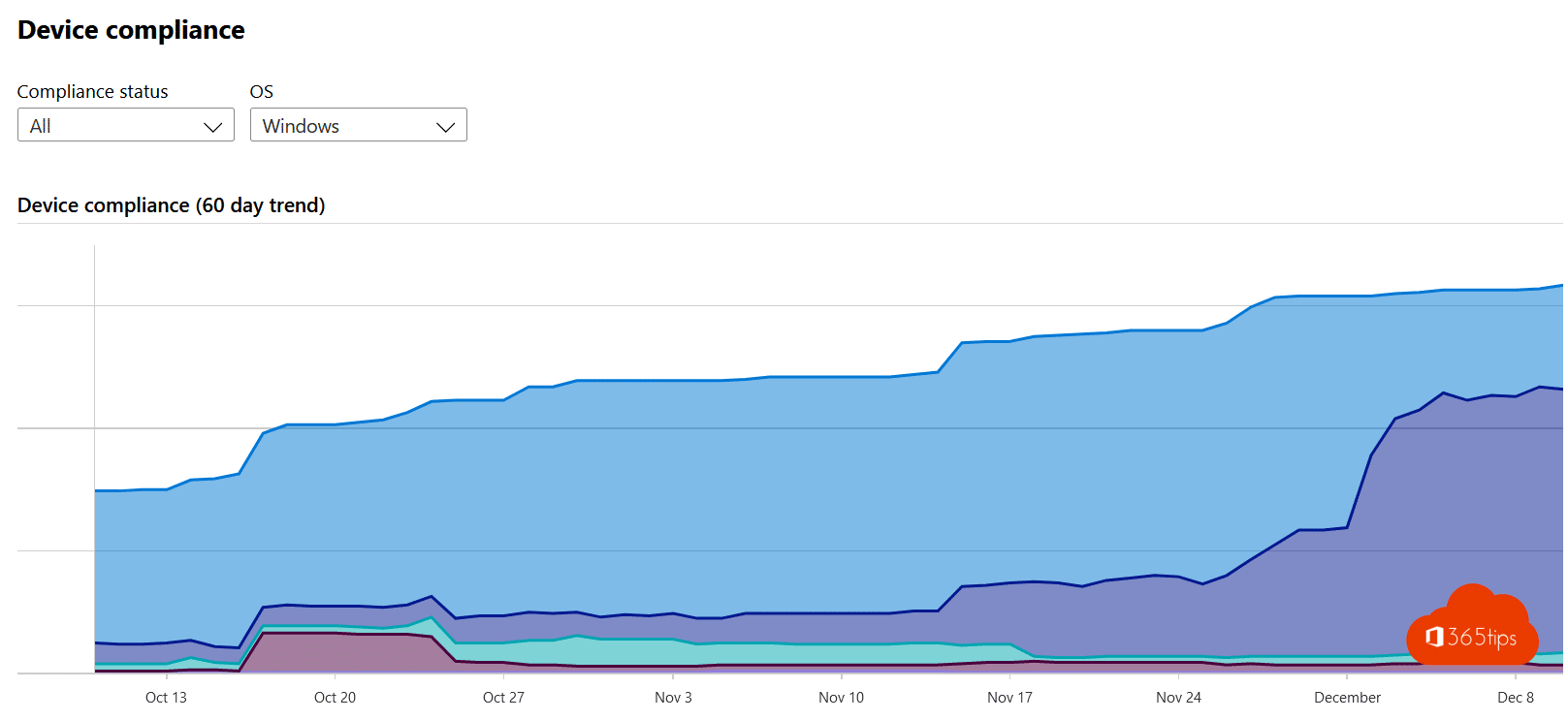
With compliance policies you define what a secure device is: encrypted, up to date, with a PIN. Link that to Conditional Access, so only compliant devices can reach company data.
6. Self-service password reset
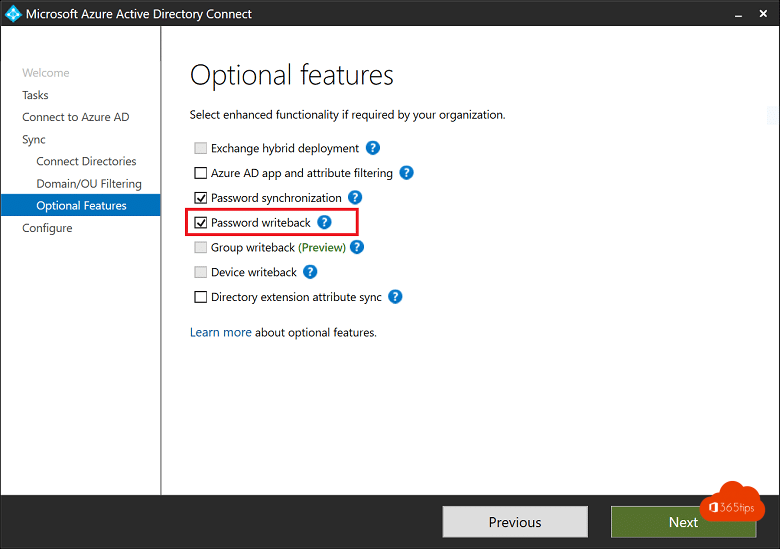
Turn on SSPR so users can reset their own password with MFA. Still syncing from Active Directory? Turn on password writeback in Entra Connect or Cloud Sync.
7. Known folders to OneDrive
With OneDrive folder backup (Known Folder Move), Desktop, Documents and Pictures move into OneDrive. Users work as always, and on a new PC their files are back immediately.
8. Microsoft Defender for Endpoint
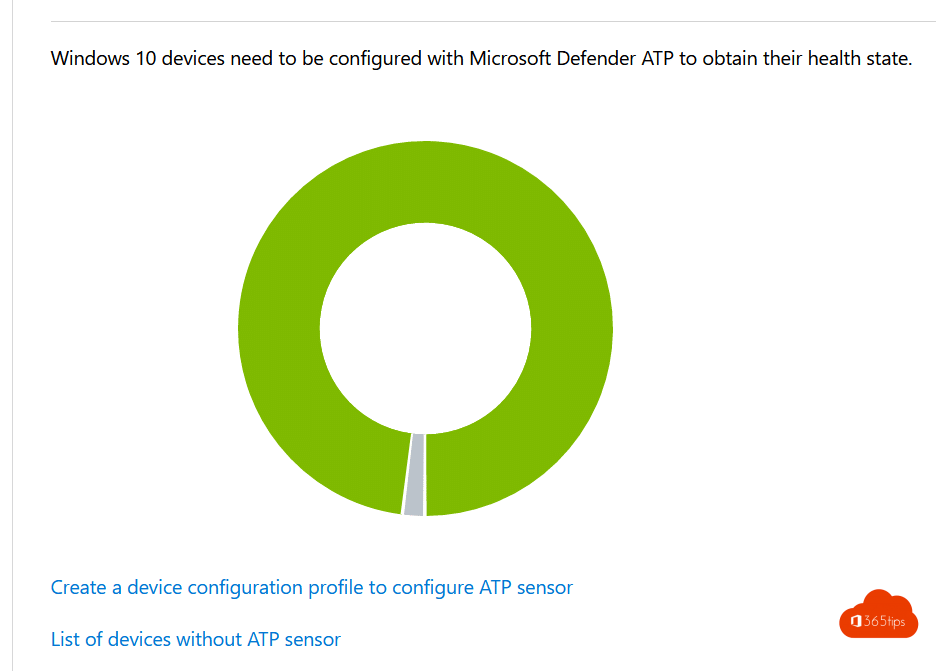
Connect Defender for Endpoint to Intune. You get insight into threats and vulnerabilities, and a high-risk device can automatically be marked non-compliant.
Also see Windows Autopilot explained and Entra joined vs hybrid joined.
Read also
Windows Autopilot: what it is and how to set it up in 4 steps
Entra joined, hybrid joined or registered: which should you choose?
Automatically back up your desktop, documents and pictures with OneDrive
Nederlandstalige versie: Stop met traditioneel beheer en start met modern beheer in Intune