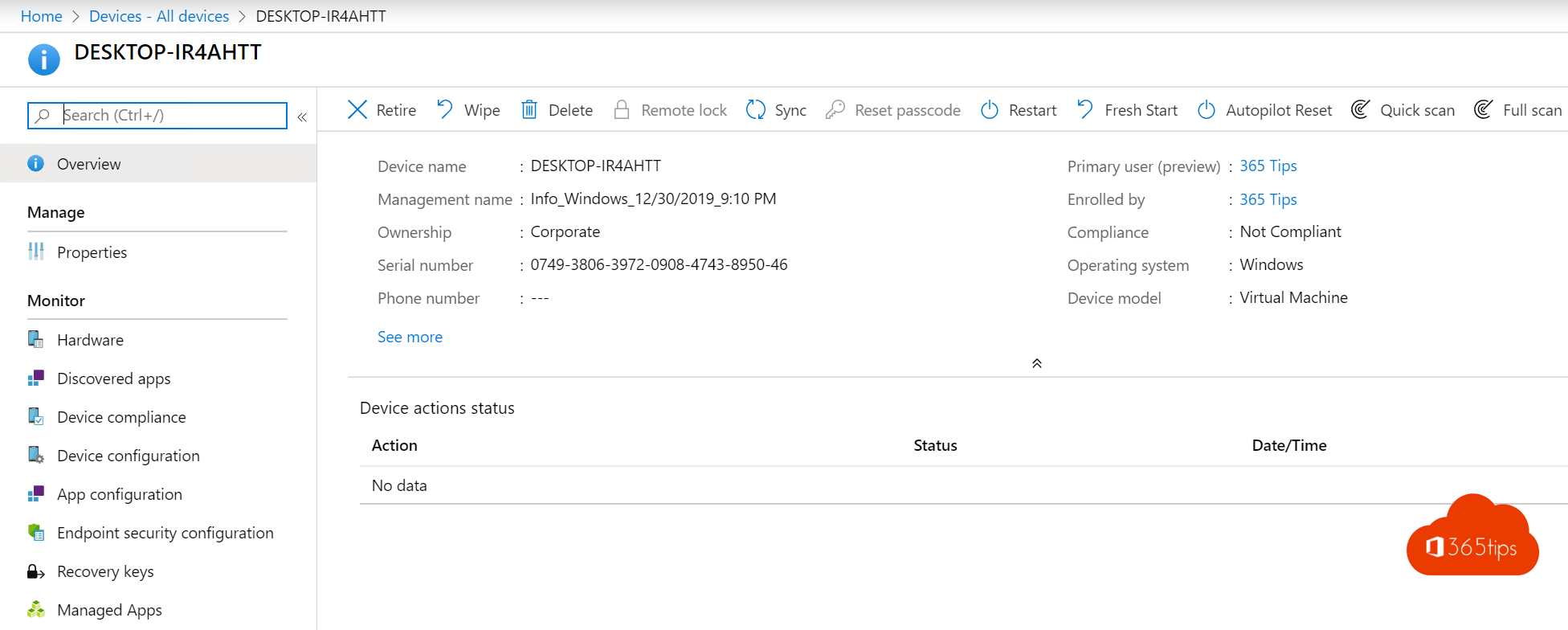
A laptop going to a new colleague, or a classroom PC that needs to be clean again? With Autopilot Reset you return a Windows device to company settings without setting it up from scratch. The device stays joined to Entra ID and enrolled in Intune, and is ready for the next user right after the reset. This article shows how.
What does Autopilot Reset do?
- Removes personal files, apps and settings.
- Keeps the Microsoft Entra join and Intune enrolment, plus Wi-Fi settings.
- Then reapplies all Intune policies and apps.
From Intune
- Go to intune.microsoft.com > Devices > Windows and select the device.
- Select Autopilot Reset at the top (possibly under the three dots).
- Confirm with Yes.
The reset starts at the next sync and usually takes 30 to 60 minutes.
Locally on the device
If IT has allowed it by policy, an admin can press Ctrl + Windows + R on the lock screen and sign in with an admin account. Handy in schools or without a connection to Intune.
Requirements
- The device is Entra joined (not hybrid) and enrolled in Intune.
- Windows RE (recovery environment) is enabled on the device.
- Windows Pro, Enterprise or Education.
Reset, wipe or fresh start?
| Action | What happens? | When? |
|---|---|---|
| Autopilot Reset | Clean, but stays managed | Device going to a new colleague |
| Wipe | Factory reset; then Autopilot again | Device lost, sold or needs a full redo |
| Fresh Start | Removes manufacturer's preinstalled software | A PC full of bloatware |
Nederlandstalige versie: Een Windows-toestel resetten met Autopilot Reset in Intune
Related articles
▸Add a Windows device to Microsoft Entra and Intune manuallyJoin a company PC to Microsoft Entra ID and Intune via Access work or school, or register a personal device…
▸Change the primary user of a device in Microsoft IntuneChange or remove a device's primary user in Intune, for a new user or a shared device.
▸Reset a Windows 11 PC to factory settingsReset your Windows 11 PC to factory settings, with or without your files, via cloud download or local…
▸Entra joined, hybrid joined or registered: which should you choose?The difference between Microsoft Entra registered, Entra joined and hybrid joined devices, and what to choose…
▸How to remove a device from your Microsoft account or Microsoft 365 accountRemove a device from your personal Microsoft account or work account, sign out of Office on an old device…