A PC that takes minutes to start, apps that stutter and a fan that never stops: sound familiar? Often it's not your hardware but what's running in the background. With these tips you speed up a slow Windows 11 PC without buying anything.
1. Restart
It sounds simple, but a PC that hasn't restarted for weeks gets slow. Choose Restart, not shut down. Read the difference between shutting down and restarting.
2. Disable startup apps
Go to Settings > Apps > Startup and turn off everything you don't need right away. Each app shows its impact on startup. Teams doesn't always need to start with Windows either.

3. Check Task Manager
Open Task Manager (Ctrl + Shift + Esc) and sort by CPU, Memory or Disk. See an app using a lot? Close it or uninstall it.
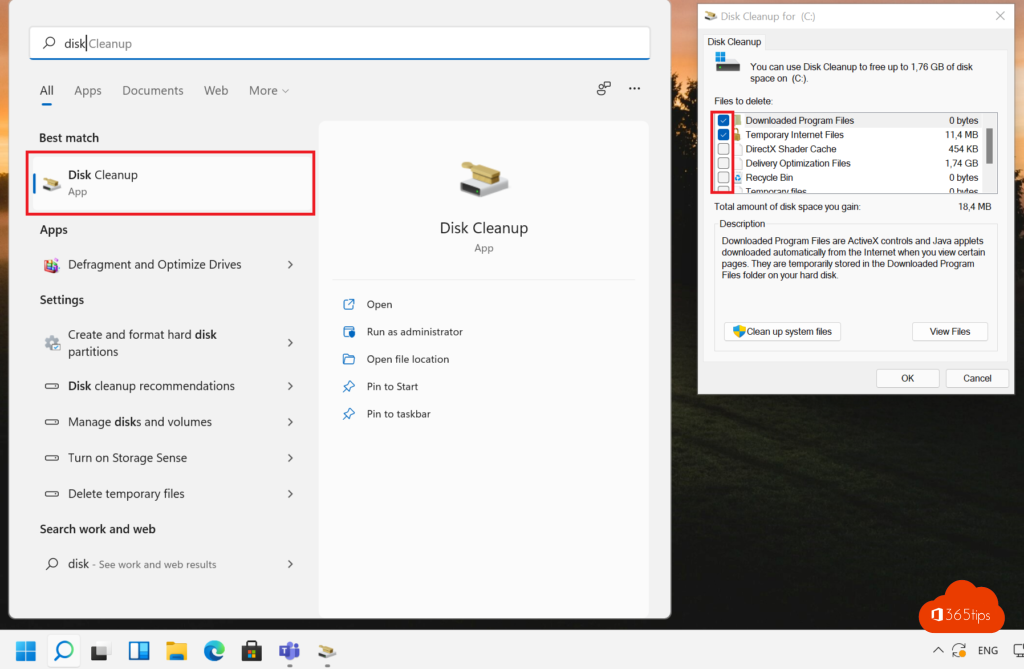
4. Free up space
A full drive slows everything down. Turn on Storage Sense via Settings > System > Storage, and check Cleanup recommendations. See also find and delete large files.
5. Power mode to Best performance
Go to Settings > System > Power & battery and set Power mode to Best performance when plugged in.
6. Reduce visual effects
In Settings > Accessibility > Visual effects, turn off Transparency effects and Animation effects. On older PCs you'll notice it straight away.
7. Remove apps you don't use
Go to Settings > Apps > Installed apps and remove preinstalled software and old programs.
8. Updates and drivers
Install the latest updates through Windows Update, including optional updates for drivers. Read update drivers.
9. Scan for malware
Open Windows Security > Virus & threat protection > Quick scan. Malware can slow a PC down considerably.
10. If nothing helps
- Still on a hard disk (HDD)? An SSD is the biggest speed gain there is.
- With 8 GB of memory or less, extra RAM often helps.
- Or reset your PC: read reset Windows 11 to factory settings. Create a restore point before changing settings.
Read also
Find and delete large files in Windows 11 and 10: 5 ways
How to update drivers in Windows 11 and 10
Shut down, restart or hibernate a Windows 11 PC
Nederlandstalige versie: Een trage Windows 11-computer sneller maken: 10 tips