
An end-of-year drink, a Christmas quiz or just a cosy last meeting before the holidays: you can celebrate together online too. Teams has a few handy features for that. Here are some ideas and where to find them in the new Teams. In 2020, Microsoft released special winter scenes for Together mode; which scenes and backgrounds you see today can vary. The old Snap Camera tip no longer works: that app was discontinued in 2023.
Together in one room with Together mode
With Together mode, Teams puts all participants in one virtual space, such as an auditorium or a café. That feels more like being together than a grid of tiles. Turn it on during the meeting via View > Together mode. The organizer can pick a different scene.
A festive background
Pick a Christmas or winter background via Video effects and settings. You can also upload your own photo.

A quiz or game with breakout rooms
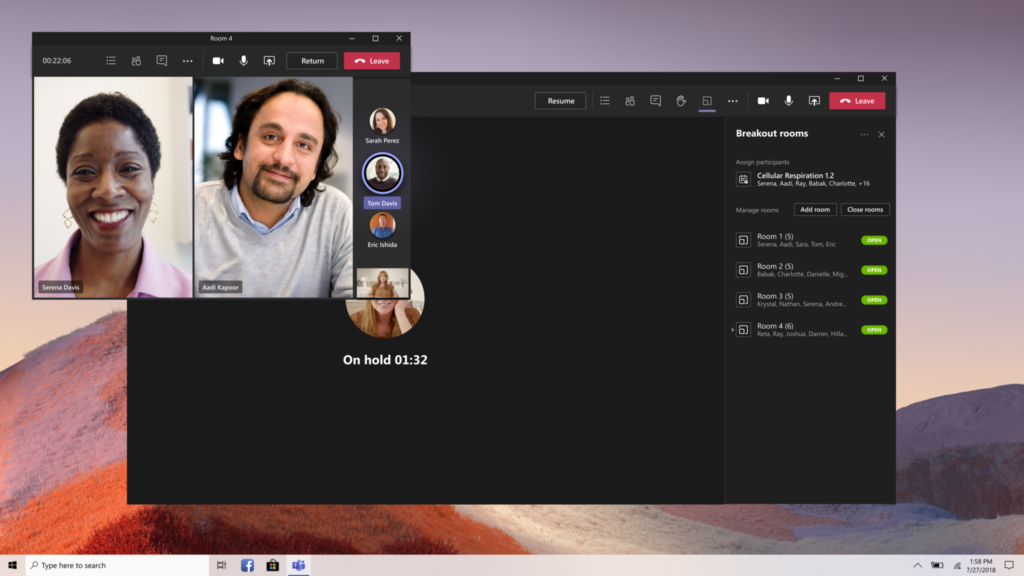
Split the group into small teams with breakout rooms, for example for a Christmas quiz. After a set time, everyone comes back to the main meeting.
More ideas
- Send reactions, GIFs and stickers in the chat.
- Use the built-in filters and avatars for a playful touch.
- Create a Christmas card with AI and share it in the chat.
Also see Christmas backgrounds for Teams and breakout rooms in Teams.
Read also
Together mode in Microsoft Teams: one shared virtual space
Everything about breakout rooms in Microsoft Teams
Christmas backgrounds for Microsoft Teams
Nederlandstalige versie: De feestdagen vieren met Microsoft Teams