Microsoft ships new Teams features every month. Want to know what's new or what's coming? Here is where to follow it best, and what became of the big announcements from late 2020, which are all standard features by now.
Where to follow new features
- The Microsoft Teams blog on Microsoft Tech Community: a monthly "What's New in Microsoft Teams" overview.
- Message center in the Microsoft 365 admin center: official notices about changes in your tenant, with dates and any required actions.
- Microsoft 365 roadmap: planned features with an ID and an expected month. Those dates can shift.
- Microsoft Ignite and other events: where Microsoft announces the big changes.
- In Teams itself: check Help for what's new.
What became of the 2020 announcements?
- Together mode: puts participants together in a virtual space, with different scenes.
- Custom layouts: the presenter can show their video over the slides, as in presenter mode.
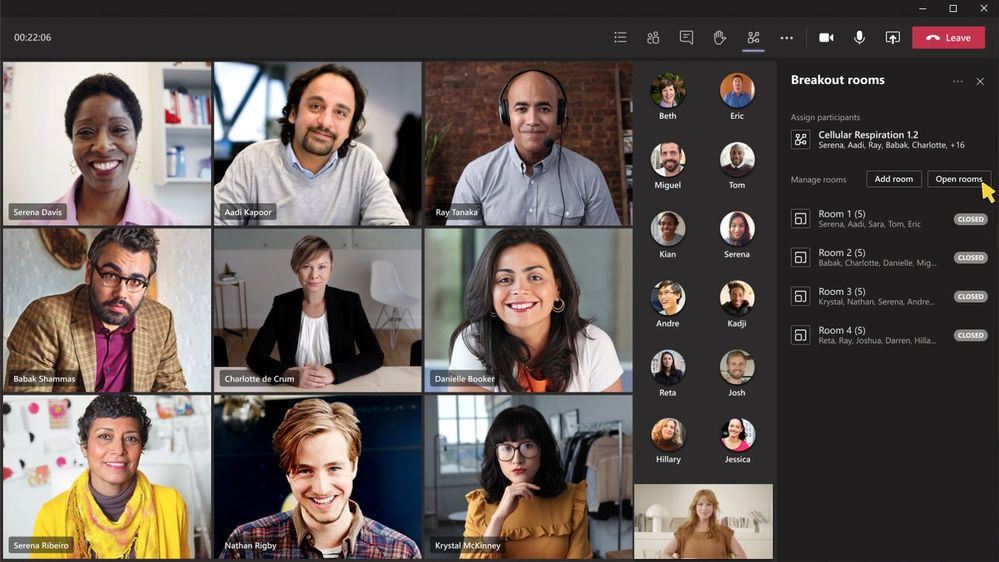
- Breakout rooms: split a meeting into small groups.
All of these are standard in Teams today.
Tip for admins
Have the weekly Message center digest sent to your mailbox and choose which services you follow. That way you don't miss changes that affect your users.
Also see when Microsoft Teams updates and Together mode in Teams.
Nederlandstalige versie: Wat is er nieuw in Microsoft Teams? Zo volg je nieuwe functies op
Related articles
▸All Microsoft Teams blogs: articles, sources and community blogsThe most useful Teams articles on 365tips by topic, plus official Microsoft sources and well-known community…
▸How the Microsoft Teams update mechanism worksTeams updates itself. Here's how to check your version, look for updates and get new features earlier with…
▸Celebrate the holidays with Microsoft TeamsCelebrate the holidays online with Together mode, festive backgrounds, breakout rooms for a quiz and…
▸Create custom scenes for Together mode in Microsoft TeamsDesign your own Together mode scene in Teams with the scene designer in the Developer Portal, and see what…
▸Set a timer for breakout rooms in TeamsSet a time limit for breakout rooms, so everyone returns to the main meeting automatically.