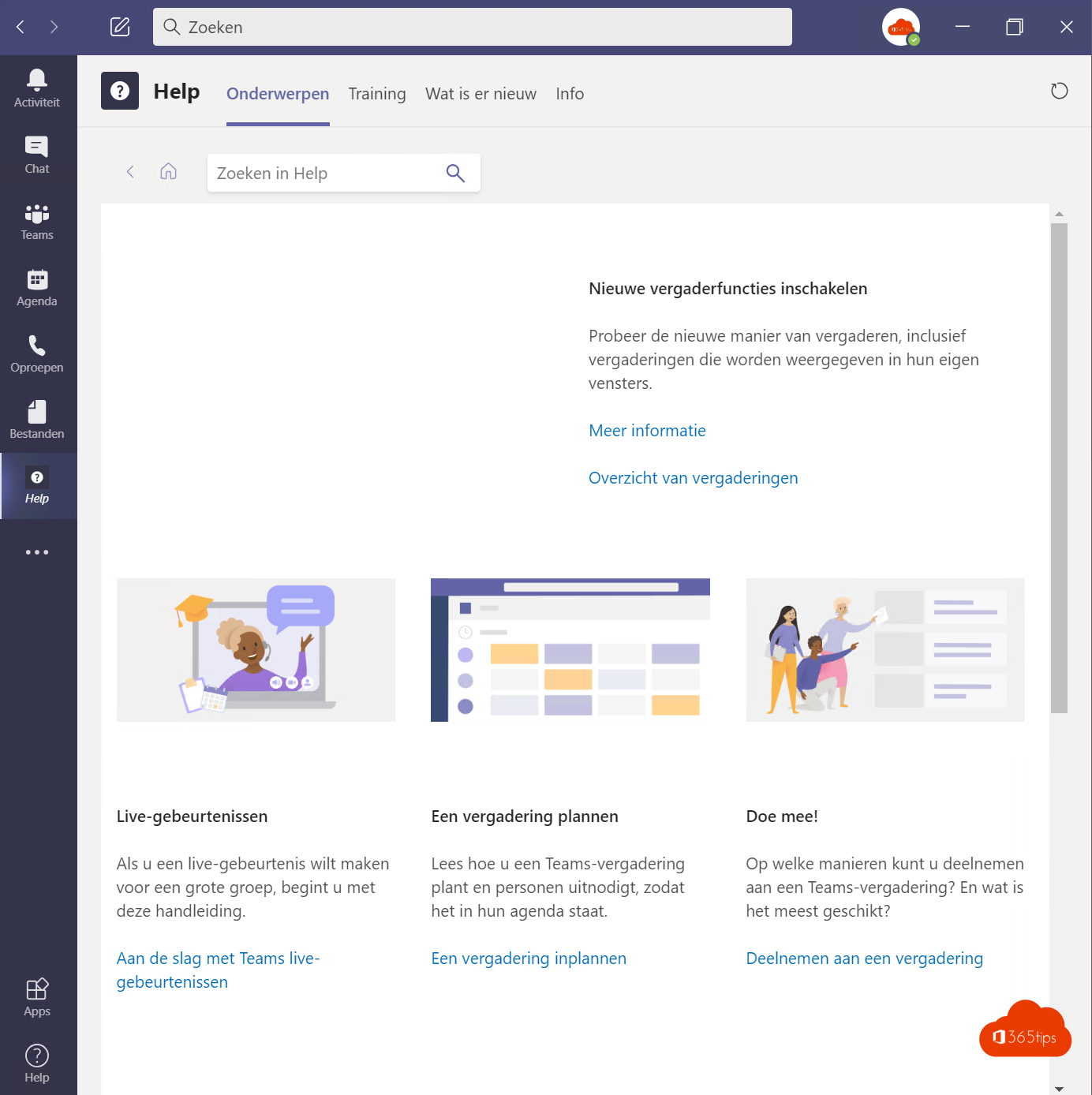
Did you know Microsoft Teams has its own help menu with explanations, short videos and an overview of what's new? Ideal for learning yourself or for helping new colleagues get started. Here's where to find it and how to use it in your own training.
Open the help menu
- At the top of Teams, click Settings and more (...) next to your profile picture.
- Choose Help.
- You'll see options such as Help, Training, What's new, Keyboard shortcuts and Give feedback. The exact list can vary by version.

What's in it?
| Option | What you use it for |
|---|---|
| Help | Search help articles without leaving Teams. |
| Training | Short videos about chat, meetings, files and more. |
| What's new | An overview of recent features. |
| Keyboard shortcuts | All key combinations at a glance. |
| Give feedback | Report a problem or idea directly to Microsoft. |

Use it in your own training
- Show the videos during a session. They're short and clear, so you don't have to demo everything yourself.
- Give homework: ask attendees to watch one video and then try it themselves.
- Teach people to search: whoever knows where the help menu is asks the helpdesk fewer questions.
- Discuss "What's new" briefly every month in your team meeting.
More learning material
- Microsoft Support (
support.microsoft.com) with step-by-step instructions and videos. - Microsoft Adoption (
adoption.microsoft.com) with free training material, posters and email templates. - Microsoft Learn for admins, with free online courses.
Also see Microsoft Teams keyboard shortcuts and handy Teams tips and tricks.
Read also
The most useful Microsoft Teams keyboard shortcuts for Windows and Mac
The most useful Microsoft Teams features in one list
Five reasons to start with Microsoft Teams, and how to begin
Nederlandstalige versie: Het hulpmenu van Microsoft Teams gebruiken voor trainingen
More in English
▸Sign in to Microsoft Teams: a basic guideSign in to Teams on your computer, in the browser and on your phone, with tips for when it doesn't…
▸How the Microsoft Teams update mechanism worksTeams updates itself. Here's how to check your version, look for updates and get new features earlier with…
▸Chatting in Microsoft Teams: four scenarios and when to use eachOne-on-one, group chat, channel or external: the four ways to chat in Teams and when to use…
▸Ten tips for good meeting etiquette in Microsoft TeamsAgenda, headset, muting, raising your hand, PowerPoint Live and ending on time: ten tips for better Teams…