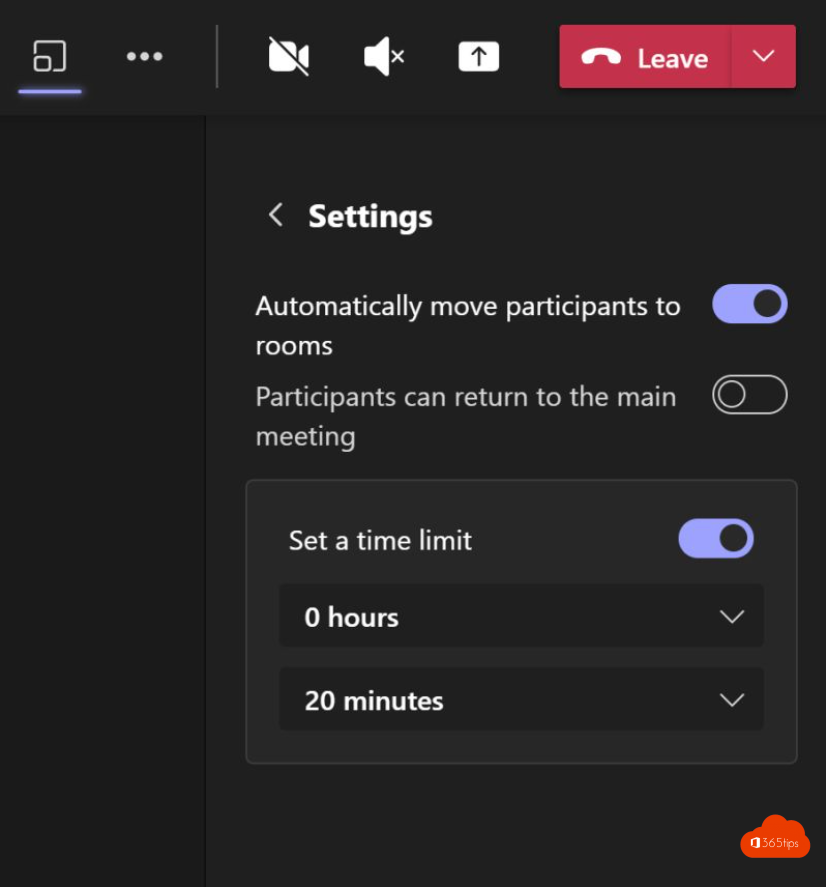
With breakout rooms you split the participants of a Teams meeting into small groups. Add a timer, and everyone comes back to the main meeting automatically when the time is up. No need to close each room separately.
Set a time limit
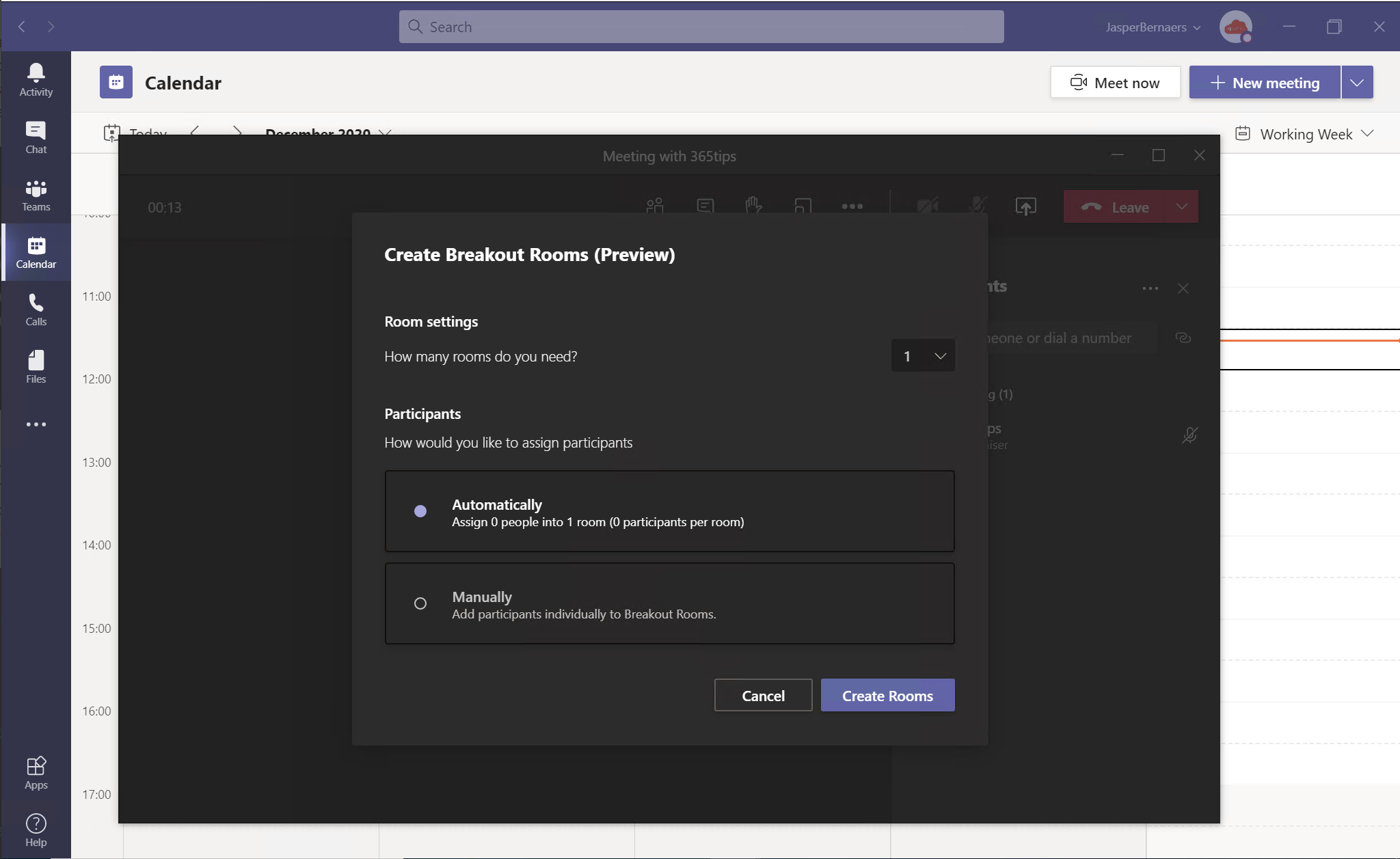
- Create the rooms via Rooms in the meeting toolbar. Read use breakout rooms.
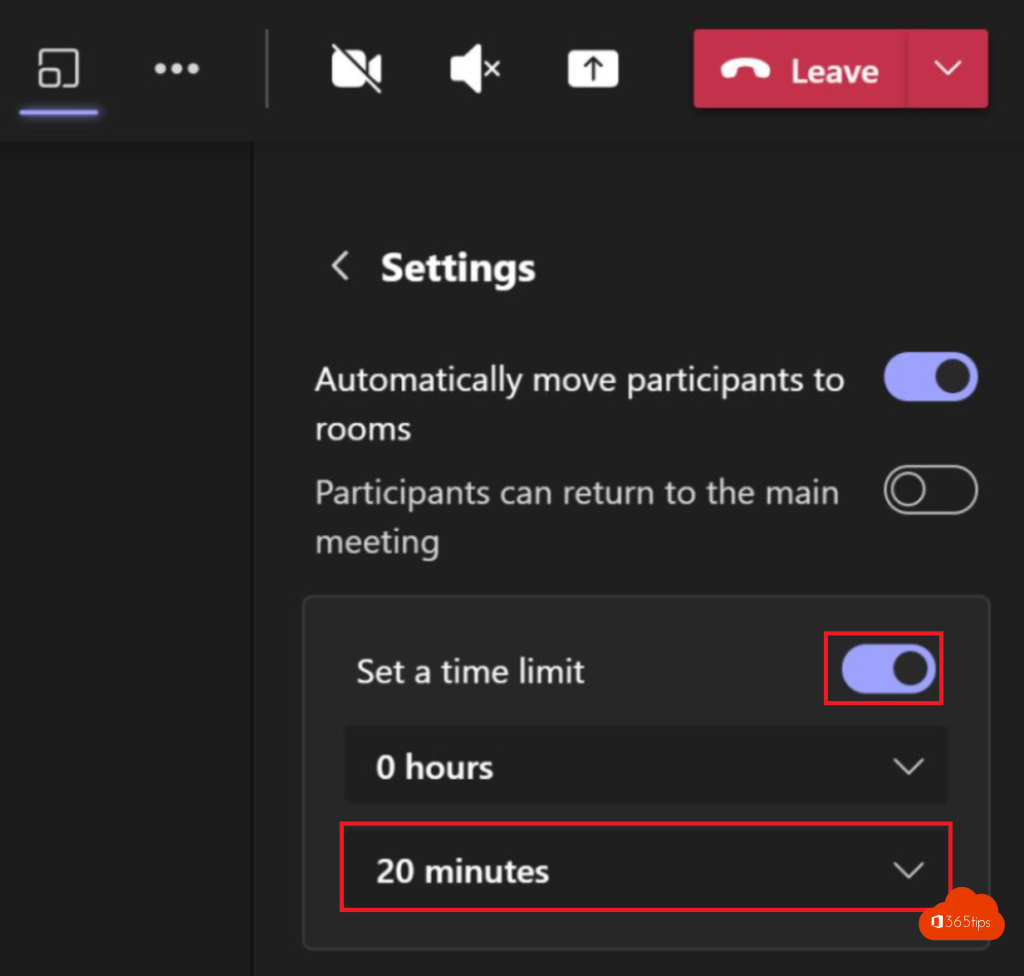
- In the pane, select More options (...) > Rooms settings.
- Turn on Set a time limit and choose the duration, for example 15 minutes.
- Open the rooms. Participants see a countdown.
What happens when time's up?
The rooms close automatically and everyone goes back to the main meeting. Want to close them earlier? Select Close rooms.
Other useful settings
- Automatically move people into opened rooms: otherwise they have to select Join themselves.
- Participants can return to the main meeting when they finish early.
- Announcement: send a message to all rooms, such as "2 minutes left".
Also see meeting roles and tips for better Teams meetings.
Read also
Everything about breakout rooms in Microsoft Teams
Meeting roles in Microsoft Teams: organizer, presenter and attendee
Ten tips for good meeting etiquette in Microsoft Teams
Nederlandstalige versie: Een timer instellen voor breakout rooms in Teams
More in English
▸Schedule and host a webinar with Microsoft TeamsRun a webinar in Microsoft Teams with a registration page, speakers, Q&A and reports. Plus how it compares to…
▸Create polls in Microsoft Teams with Polls and Microsoft FormsCreate a poll in a Teams chat, channel or meeting with the Polls app. Prepare questions, use quizzes and word…
▸Track attendance with the Microsoft Teams attendance reportWho joined your Teams meeting or class, and for how long? Download the attendance list during and after the…
▸End a Microsoft Teams meeting for everyone at onceEnd a Teams meeting for all participants in one click. Who can do it, how it works with breakout rooms and…