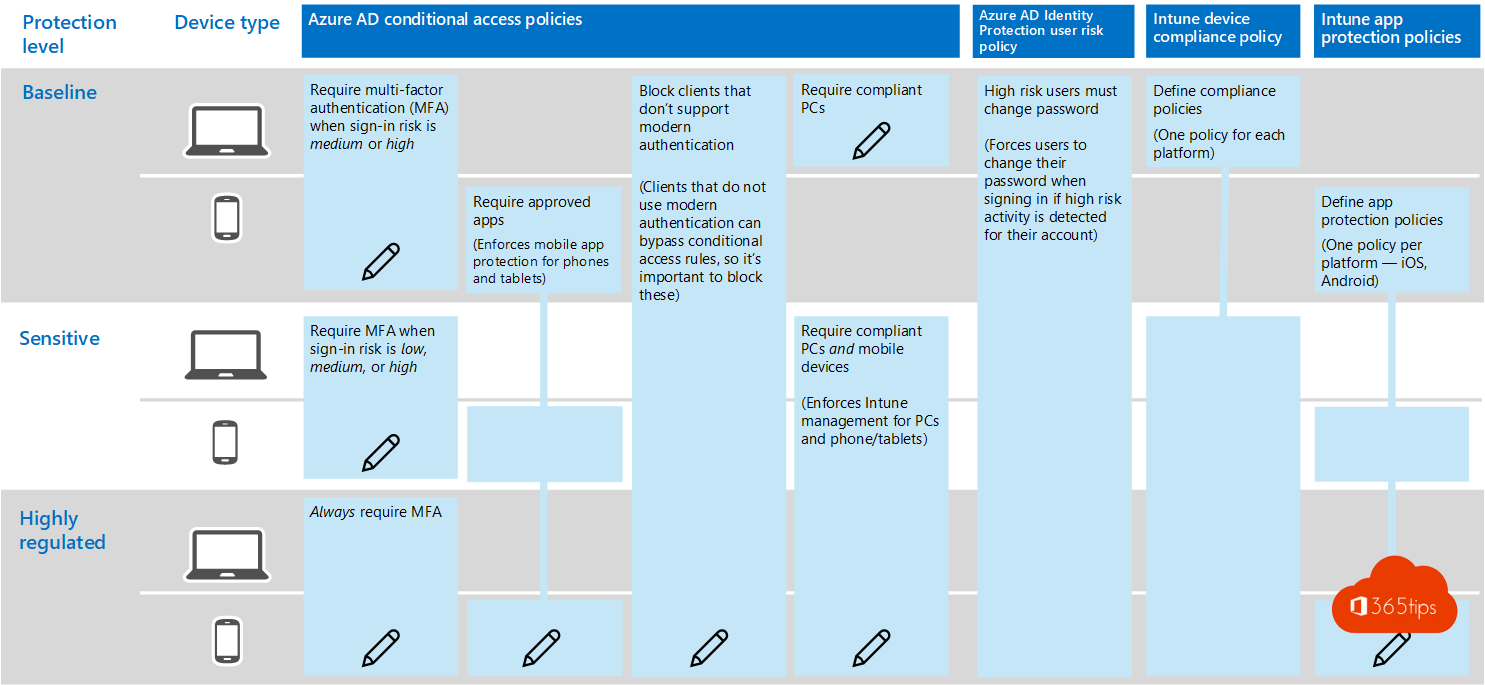
Teams holds chats, files and meetings, which makes it an attractive target. With four steps you make Microsoft Teams a lot safer, without users noticing much.
Step 1: secure sign-in
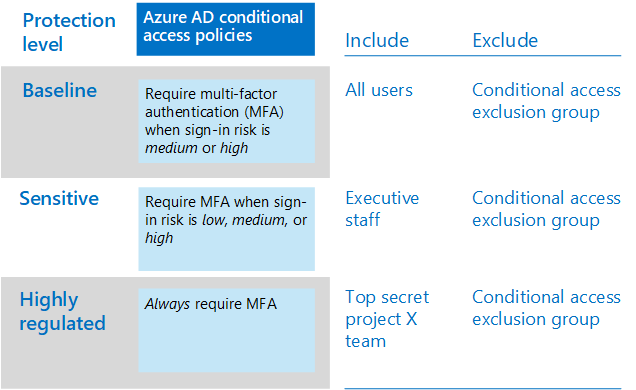
- Turn on MFA for all users. Read what is MFA?
- Use Conditional Access: block legacy sign-in protocols and require a managed or compliant device for Teams.
Step 2: external users and guests
- Decide who users can chat with via external access.
- Set up guest access and limit what guests can do.
- Review guests regularly with access reviews.
Step 3: protect data
- Use sensitivity labels for teams and files.
- Turn on DLP (data loss prevention) for chats and channels. Read DLP in Teams.
- Set retention policies for messages and recordings.
Step 4: apps and meetings
- Allow only approved apps in the Teams admin center.
- Set the lobby so anonymous participants have to wait.
- Use Microsoft Defender for Office 365 to check links and attachments in Teams.
Also see technical governance in Teams and 10 security tips for remote work.
Read also
What is Multi-Factor Authentication (MFA)?
Set up Data Loss Prevention (DLP) in Microsoft Teams with Purview
Set up external access in Microsoft Teams
Nederlandstalige versie: Microsoft Teams veiliger maken in vier stappen
More in English
▸Technical governance for Microsoft Teams: best practicesWho can create teams, naming and expiration policies, sensitivity labels, guests and retention: the technical…
▸The ten most important security measures for remote workMFA, Conditional Access, Intune, BitLocker, Defender and more: ten measures for working safely from home with…
▸Who can bypass the lobby in Microsoft Teams: every option explainedLet only invited people join your Teams meeting directly. Every Who can bypass the lobby option, per meeting…
▸Security defaults in Microsoft Entra ID: what they do and how to enable themWhat security defaults in Microsoft Entra ID (formerly Azure AD) do, who they are for, how to turn them on or…