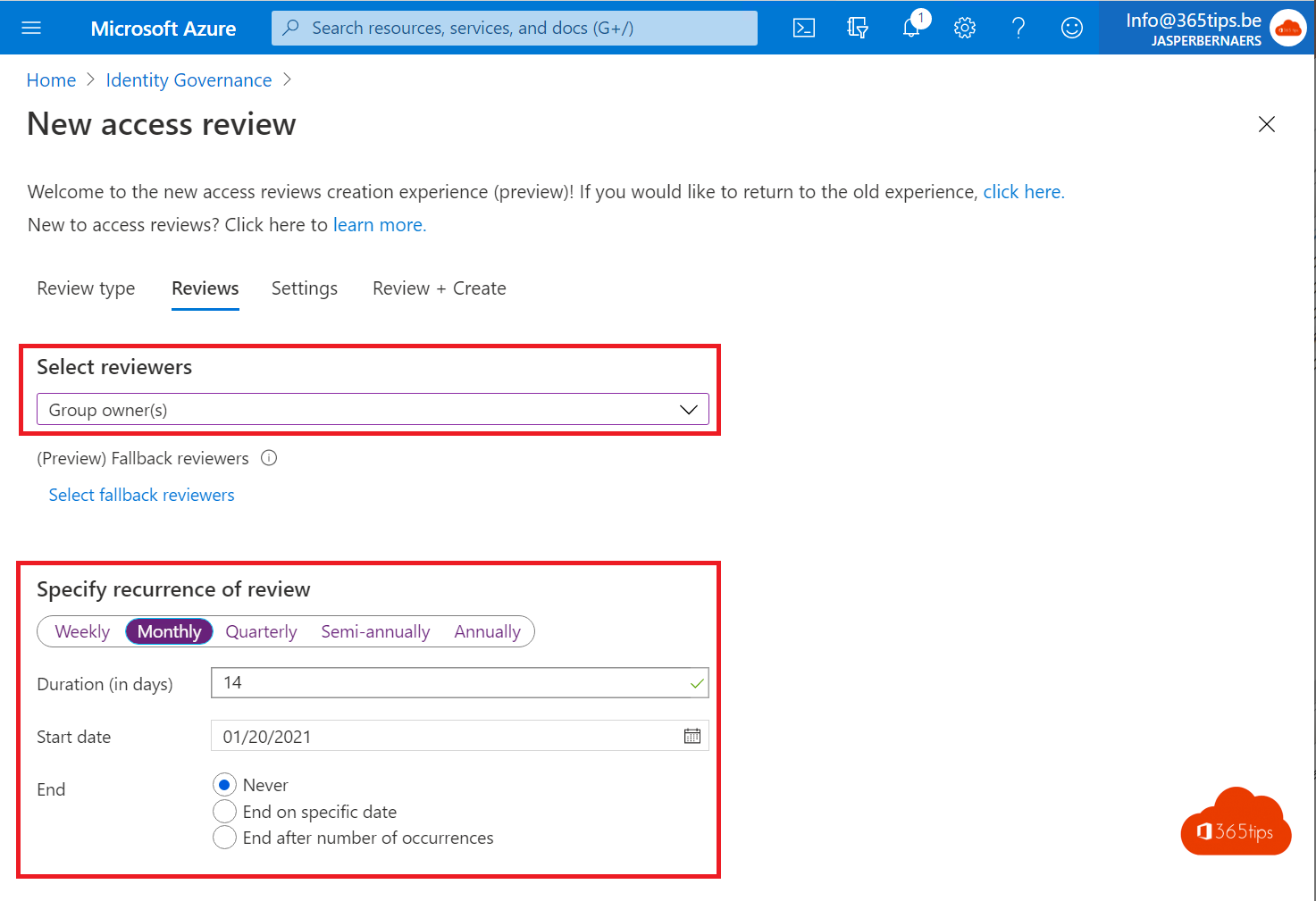
Adding guests to a team is easy. Removing them when the project is over is something we often forget. With access reviews you automatically ask team owners to check the guests in their team. Anyone who's no longer needed gets removed. You now set this up in the Microsoft Entra admin center under ID Governance, no longer in the Azure portal.
What does an access review do?
- On a fixed schedule, for example every quarter, the owner of each team gets an email.
- The owner approves or denies each guest, optionally with a reason.
- After the review, Microsoft Entra automatically removes the denied guests from the team.
- You decide what happens if nobody responds.
Which license do you need?
Access reviews require Microsoft Entra ID P2 or Microsoft Entra ID Governance, for example through Microsoft 365 E5. Check Microsoft's current licensing terms for the users and guests you review.
Set up a review for guests in all teams
- Go to
https://entra.microsoft.com. - Choose ID Governance > Access reviews > New access review.
- Under what to review, choose Teams + Groups.
- Choose All Microsoft 365 groups with guest users and limit the scope to Guest users only.
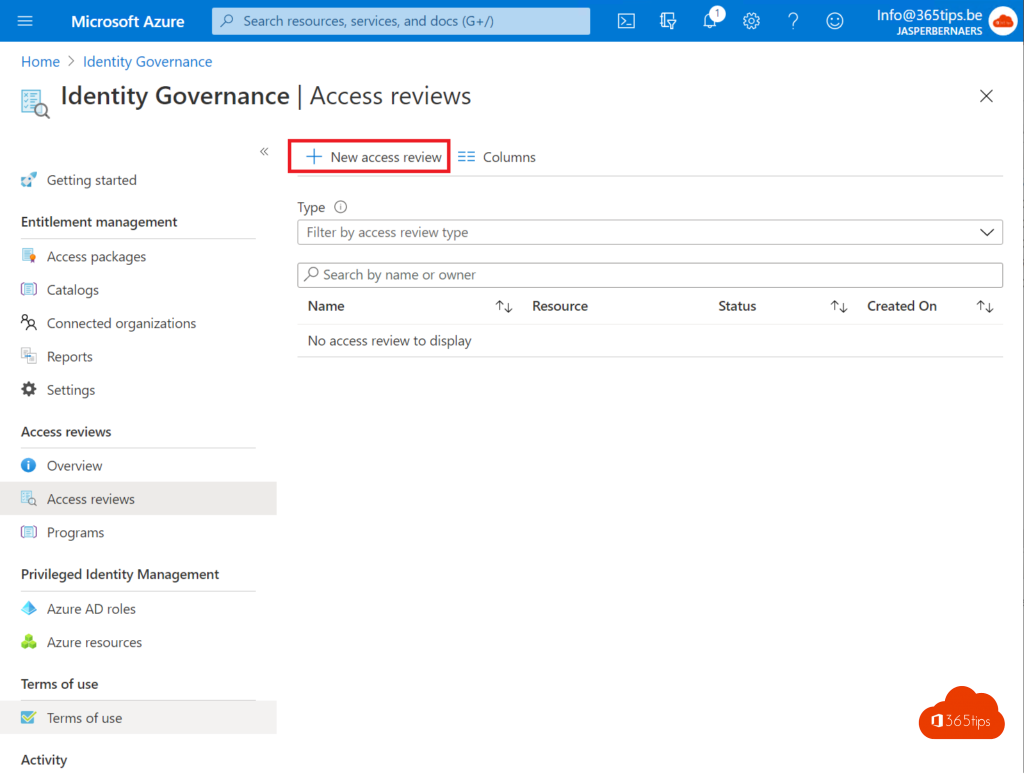
Choose reviewers and recurrence
- Choose Group owner(s) as reviewers. They know their guests best.
- Add a fallback reviewer for teams without an owner.
- Choose the duration (for example 14 days) and the recurrence, such as quarterly.

What happens afterwards?
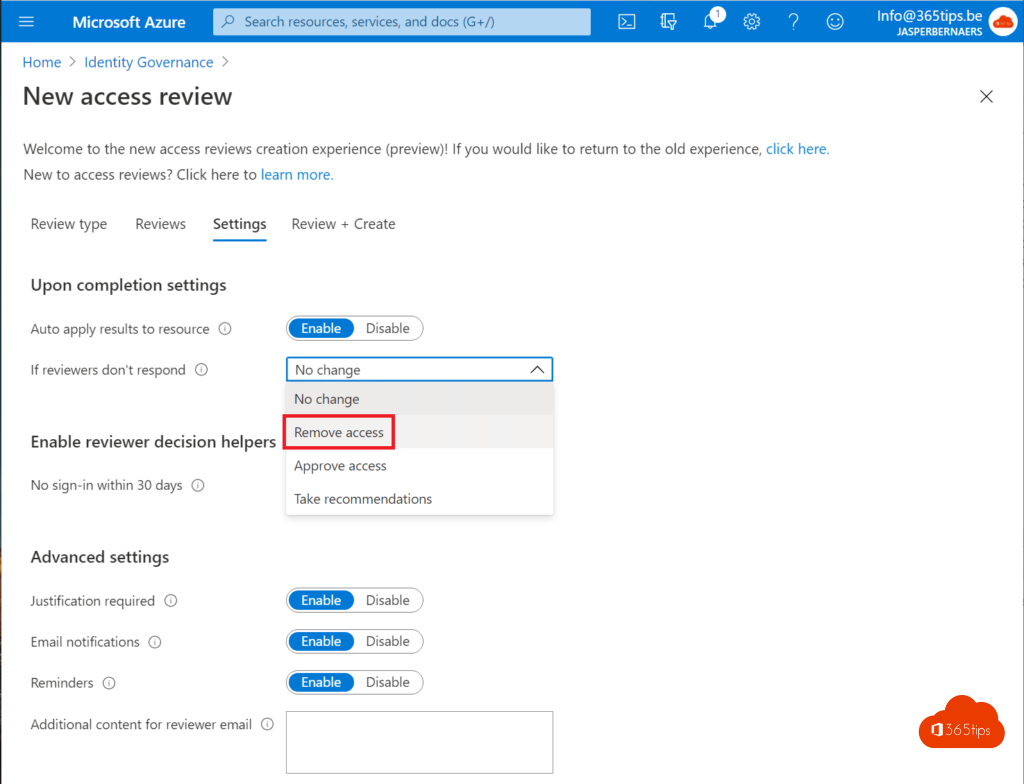
- Turn on Auto apply results to resource.
- Under If reviewers don't respond, choose Remove access. That way no guests stay behind just because nobody answered.
- Click Create.

Agree on this with team owners beforehand, so nobody is surprised when a guest disappears.
What the team owner sees
The owner gets an email with a button to start. For each guest they choose Approve or Deny. Microsoft sometimes gives a recommendation, for example when a guest hasn't signed in for a long time.
Tips
- Start with a test on one team before reviewing all teams.
- Combine this with an expiration policy for teams.
- Check the results later in the review overview.
Also see add guests to Teams and what owners, members and guests can do.
Nederlandstalige versie: Gasten in Microsoft Teams automatisch laten beoordelen met access reviews