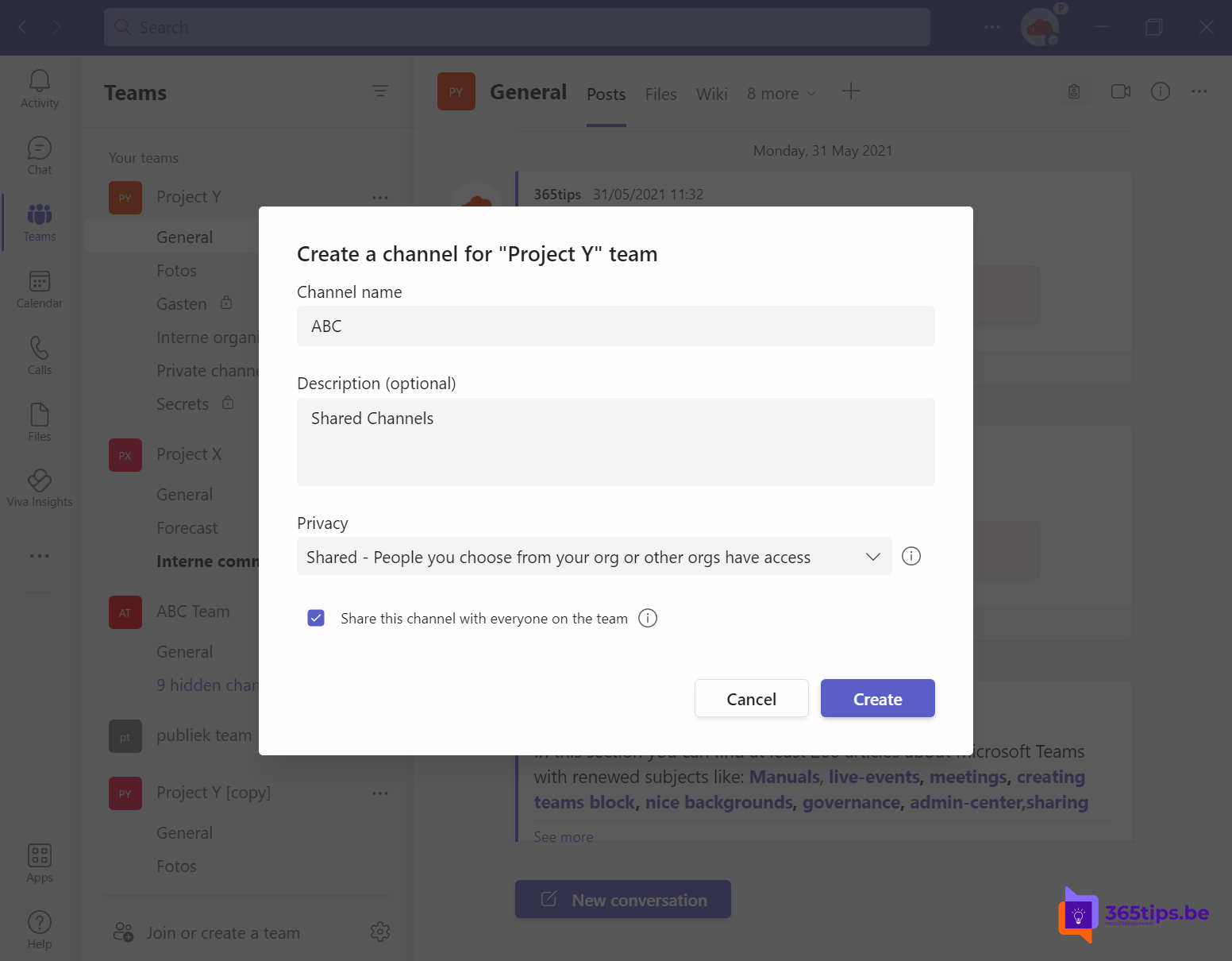
With a shared channel you work with people from another team or even another organization, without them becoming members of your whole team. They don't need to switch organizations in Teams either: the channel simply appears alongside their own teams. Shared channels were announced at Ignite as Teams Connect and have been generally available since 2022.
Three types of channels
| Channel | Who has access? |
|---|---|
| Standard | All team members |
| Private | A subset of team members |
| Shared | Whoever you add: team members, other colleagues, other teams or people from another organization |
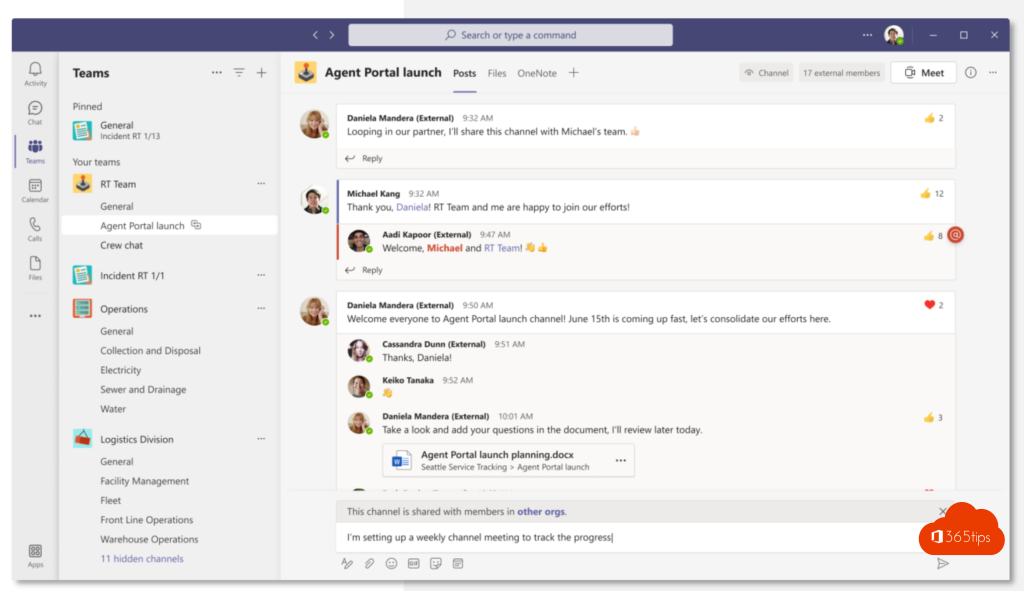
Create a shared channel
- Go to the team and click More options (three dots) > Add channel.
- Enter a name and choose Shared as the channel type.
- Click Create and add people or entire teams.


What does the admin need to set up?
- In the Teams admin center, the teams policy controls who can create shared channels and who can invite external people.
- To collaborate with another organization, both organizations must allow B2B direct connect in the cross-tenant access settings in Microsoft Entra ID.
- Exact setting names can differ.
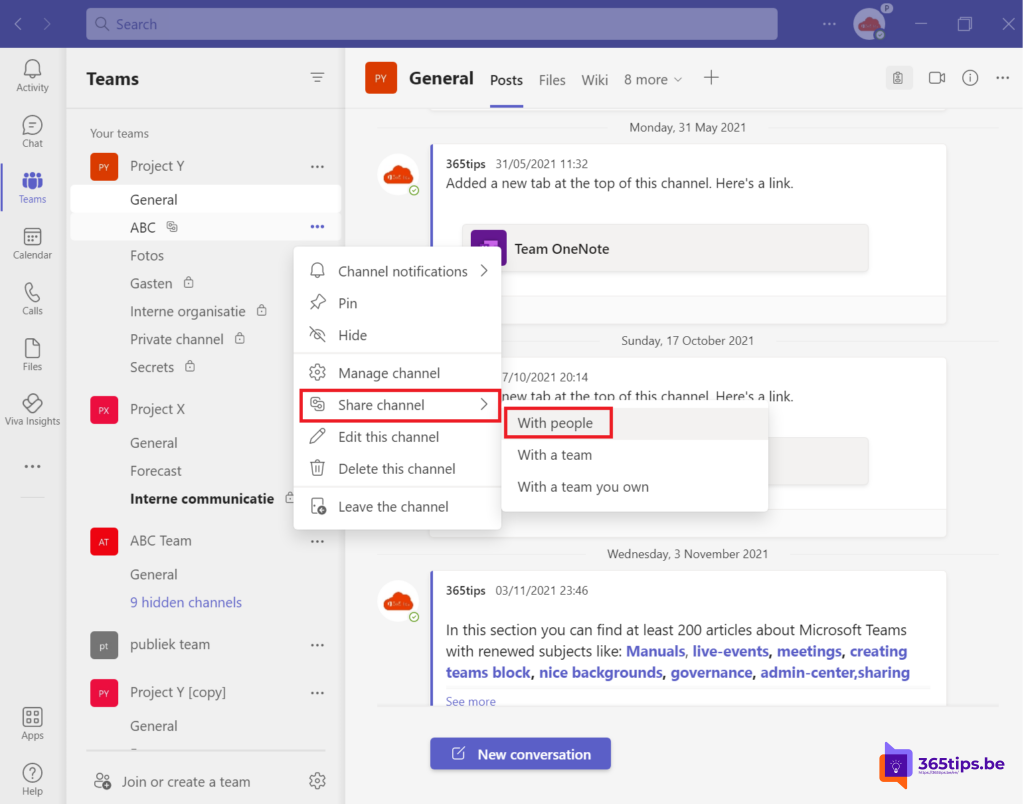
Guest access or shared channel?
- Choose a shared channel for collaboration around one project, without access to the rest of the team.
- Choose guest access when the external person needs access to the full team, with all channels and apps.

Also see create a channel in Teams and work with external users in Teams.
Read also
Create a standard, private or shared channel in Microsoft Teams
Five ways to work with external users in Teams
How to add external guests in Microsoft Teams
Nederlandstalige versie: Gedeelde kanalen in Microsoft Teams maken en gebruiken
More in English
▸Set up external access in Microsoft TeamsChat and meet with other organizations through external access. Learn the difference with guest access and…
▸Can't add anyone to a private channel in Teams: the fixCan't find someone when adding them to a private channel? They have to be a team member first. Read the fix…
▸Convert a standard channel to private (or back) in TeamsYou can't change a channel's type. Here's how to move the content to a new private or shared…
▸Owners, members and guests in Microsoft Teams: who can do what?An overview of what owners, members and guests can do in a team, and how an owner changes those…