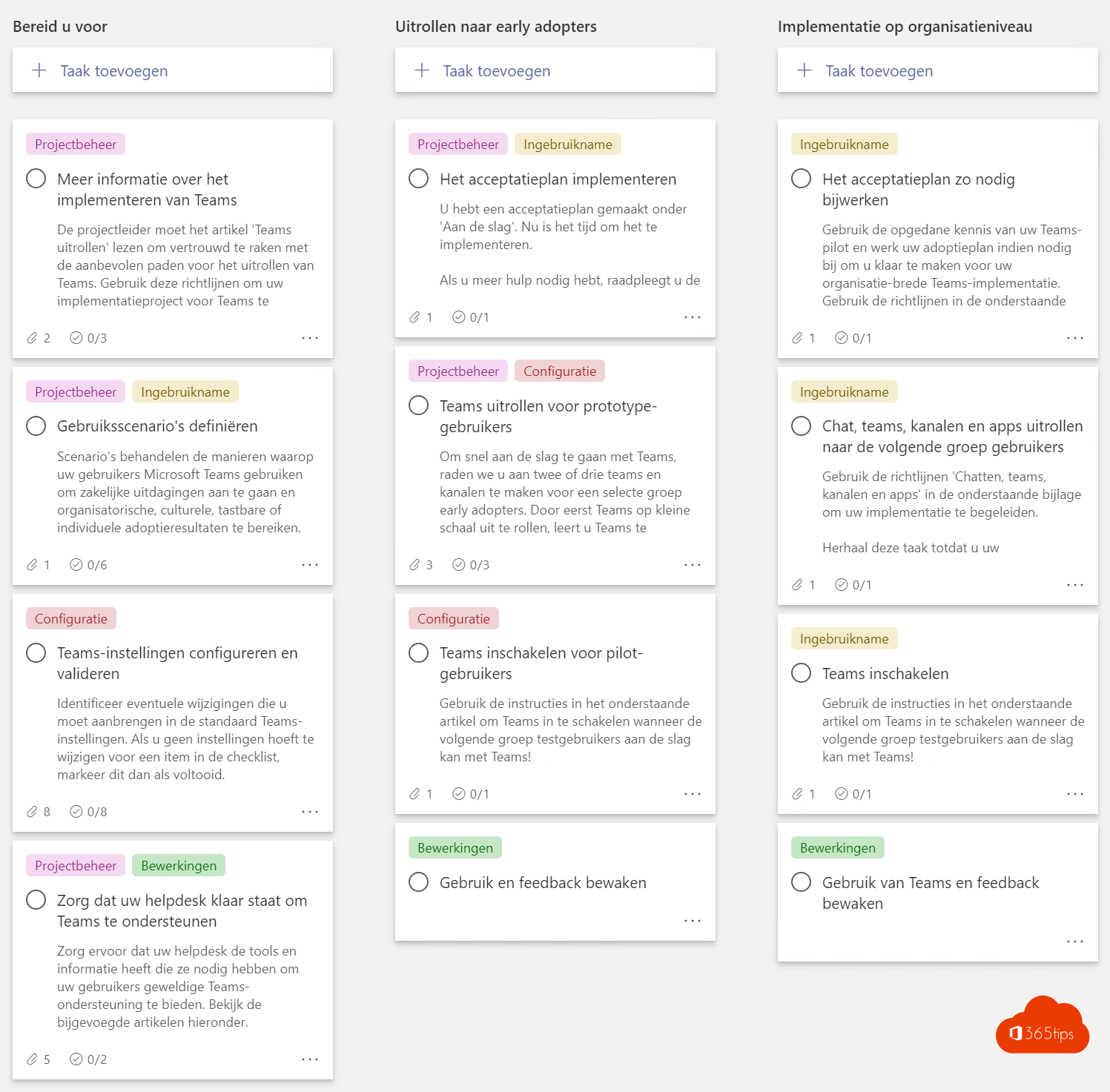
A good Microsoft Teams rollout is more than installing the app. People need to know why they use Teams, how to use it together and where to find help. This project plan guides you step by step, whether you start with 20 or 2,000 employees. The former Advisor for Teams, which created a rollout team with a Planner plan, is no longer available in every tenant; Microsoft's materials now live mainly on the Microsoft Adoption site.
The approach at a glance
Microsoft splits the rollout into a few phases: prepare, test with a pilot group, roll out broadly and keep improving. Two scenarios are central: collaborating in chats, teams and channels and meetings.
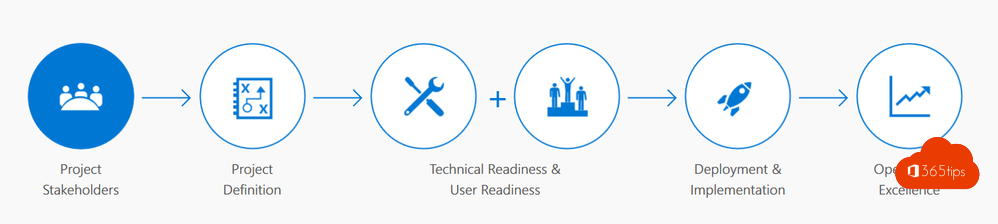
Step 1: build a project team
- A sponsor from management, who explains why the organization uses Teams.
- A project lead who keeps an eye on the schedule.
- An IT admin for the technical setup.
- Champions in every department: enthusiastic colleagues who help others.
Tip: work in Teams yourself. Create a "Teams rollout" team with a Planner board for the tasks.

Step 2: the technical foundation
- Tenant, domain and accounts: see set up Teams technically.
- Licenses that include Teams for all users.
- A network ready for audio and video.
- Security: MFA and basic settings, see secure Teams in 4 steps.
Step 3: make agreements (governance)
- Who can create a team, and how do you name it?
- When do you use chat, a channel or email?
- Are guests allowed?
- What happens to teams that are no longer used?
Read 10 success factors for Teams.
Step 4: start with a pilot
Let one or two departments work with Teams for a few weeks. Pick real scenarios: a weekly meeting, a project, sharing documents. Collect feedback with a short Microsoft Forms survey.

Step 5: communication and training
- Announce the rollout: why, when and what changes?
- Give short training sessions per scenario, ideally 30 minutes.
- Point users to the Help menu in Teams and to a fixed place for questions, such as a "Teams questions" channel.
Step 6: roll out broadly
Roll out in waves, by department or location. Have champions extra available during the first days.

Step 7: measure and improve
Track usage with the usage reports and Adoption Score in the Microsoft 365 admin center. Ask for feedback again after a few months, for example with a satisfaction score. Adjust your agreements and training where needed.
Also see usage reports and Adoption Score.
Read also
Ten success factors for setting up Microsoft Teams
Make Microsoft Teams more secure in four steps
Usage reports and Adoption Score in the Microsoft 365 admin center
Nederlandstalige versie: Een projectplan om Microsoft Teams goed uit te rollen