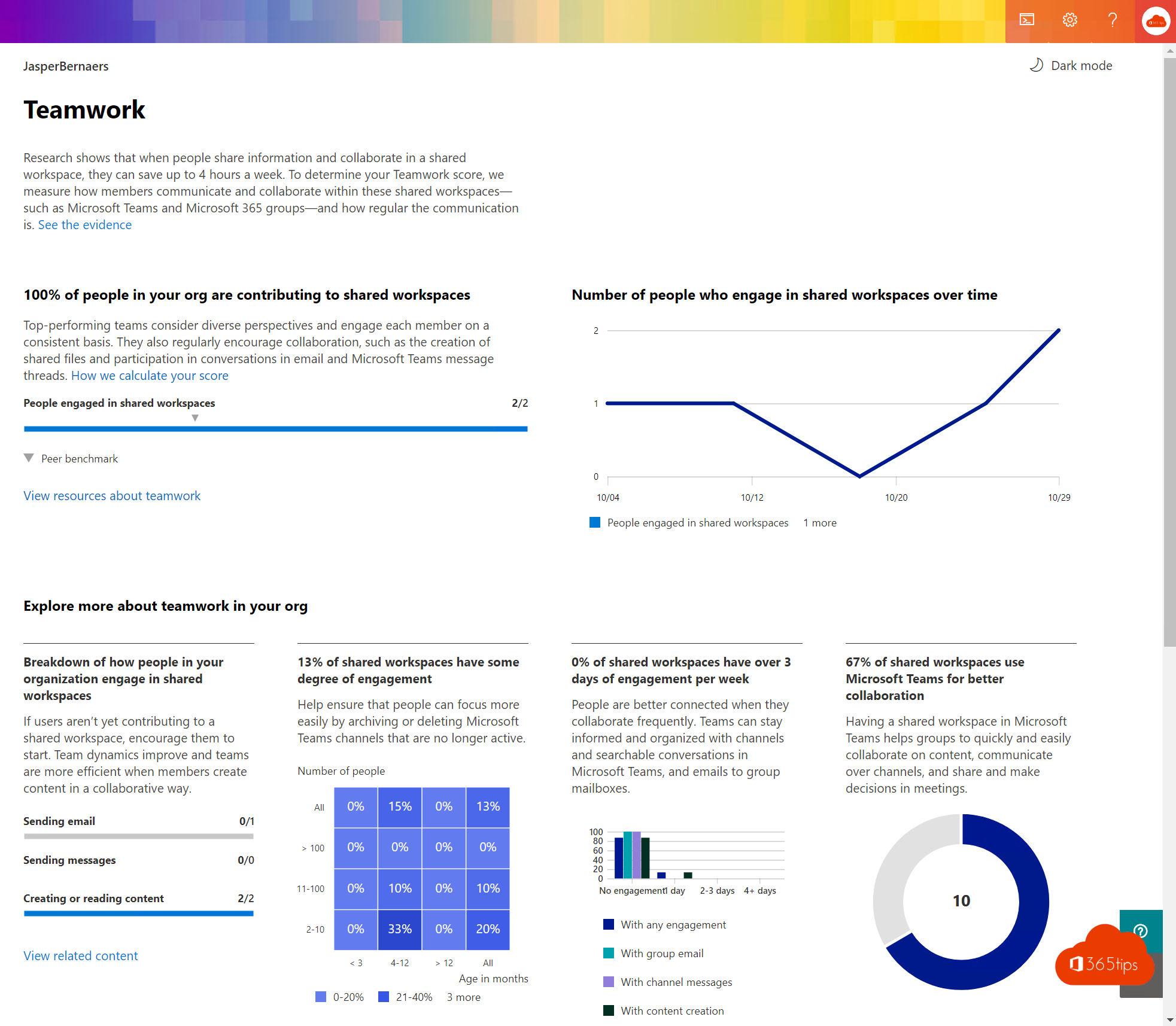
How well does your organization actually use Microsoft 365? Adoption Score gives you an answer. The report in the Microsoft 365 admin center shows how people collaborate, meet and communicate, and offers tips to improve. Productivity Score is now called Adoption Score, and after privacy criticism the report only shows numbers at the organization level, not per user. This article shows how to turn it on and use it.
What does Adoption Score measure?
The report has two main parts.
| Part | Categories |
|---|---|
| People experiences | Communication, meetings, content collaboration, teamwork and mobility |
| Technology experiences | Endpoint analytics, network connectivity and Microsoft 365 apps health |
For each category you see a score, the trend and recommendations. You can also compare yourself with organizations of a similar size.

Turn on Adoption Score
- Sign in to the Microsoft 365 admin center at admin.microsoft.com with a Global Administrator.
- Go to Reports > Adoption Score.
- Choose to turn on the report and confirm which categories you want to measure.
- Wait for the first data to appear. That usually takes a few days.

Privacy settings
- You choose per category whether to measure it.
- You can exclude groups of users from the calculation.
- Give access only to the right people, for example through the Reports Reader role or a dedicated role for Adoption Score.
- Discuss the use of the report with your works council or privacy officer beforehand.
Use the report
- Communication: how people use email, chat and community posts.
- Meetings: the use of video, screen sharing and meeting in Teams.
- Content collaboration: whether files are shared as cloud links rather than attachments.
- Teamwork: conversations in channels and shared workspaces.
- Mobility: which devices people use Microsoft 365 on.
Pick one area to improve at a time, link it to a training or campaign, and track the trend.


Also see 5 tips to measure Microsoft 365 adoption and Microsoft 365 usage reports.
Read also
5 tips to measure Microsoft 365 adoption
Usage reports and Adoption Score in the Microsoft 365 admin center
A quick guide to the Microsoft 365 admin center for admins
Nederlandstalige versie: Adoption Score (vroeger Productivity Score) activeren en gebruiken