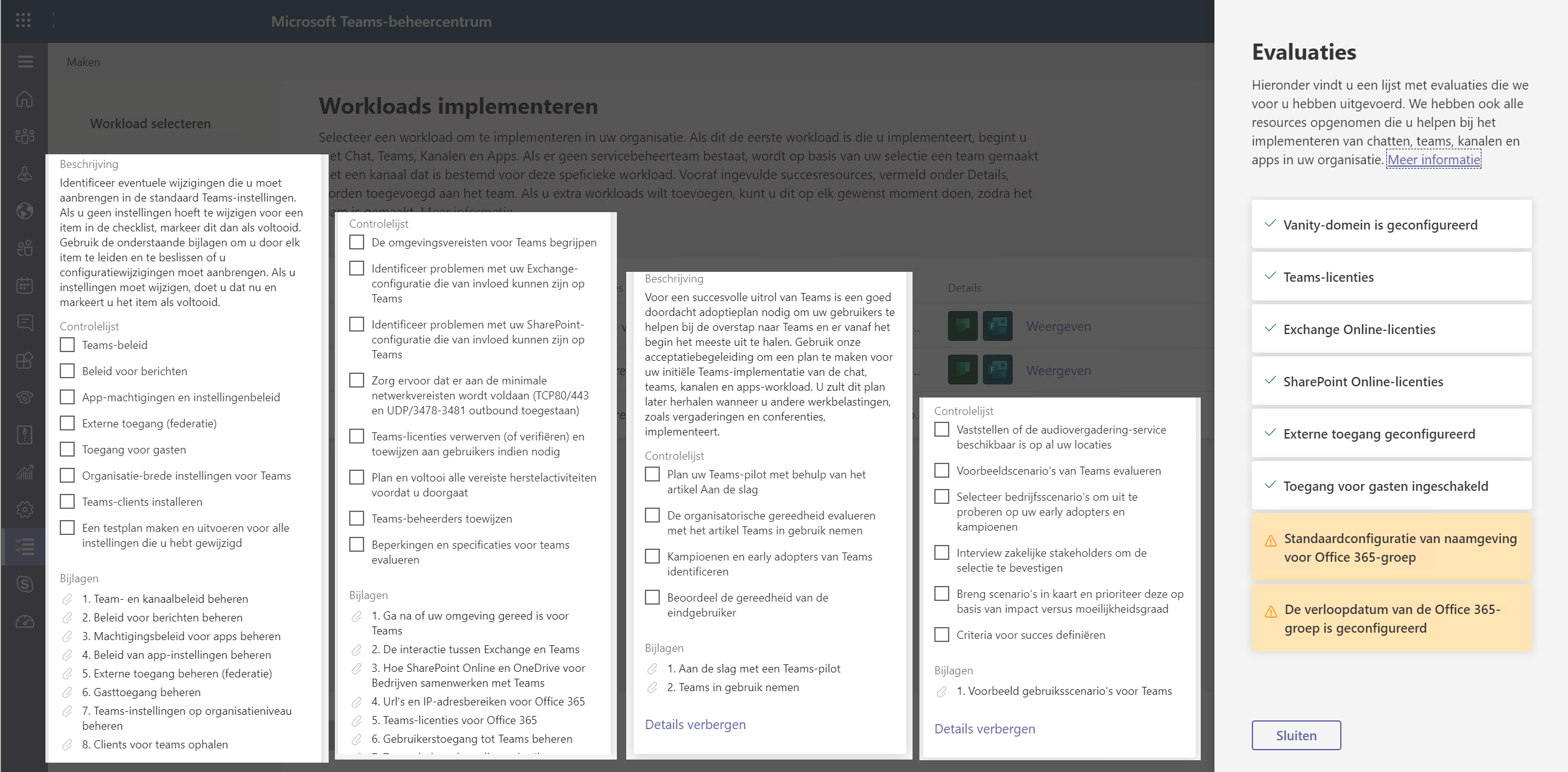
Planning to roll out Microsoft Teams in your organization? The Advisor for Teams in the Teams admin center used to help with a ready-made plan per workload. Here is what you use today to plan a Teams rollout.
What did Advisor for Teams do?
The advisor created a team with a channel per workload (for example Chat, teams, channels and apps or Meetings). Each channel had a task list with steps and success criteria, so a project team could track the rollout together. The advisor is no longer available in the Teams admin center.
What do you use today?
- Deployment guides in the Microsoft 365 admin center: step-by-step wizards, including for Teams. The exact name and menu location may differ.
- Microsoft Learn: the official documentation on planning and deploying Teams, per workload.
- Teams admin center (admin.teams.microsoft.com): where you configure the policies yourself, such as meeting and messaging policies, external access and guest access.
- Microsoft adoption resources: playbooks, templates and communications to bring users along.
Build your own rollout plan
- Create a project team with a channel per workload: chat and channels, meetings, calling, apps.
- Add a task list to each channel with Planner.
- Record your decisions per workload: who can create teams, are guests allowed, which apps are allowed.
- Start with a small pilot group and collect feedback before a broad rollout.
Also see a Microsoft Teams rollout plan and the Teams admin center.
Read also
A project plan to roll out Microsoft Teams successfully
Ten success factors for setting up Microsoft Teams
A tour of the Microsoft Teams admin center
Nederlandstalige versie: Wat vervangt de Teams-adviseur? Zo plan je een Teams-uitrol