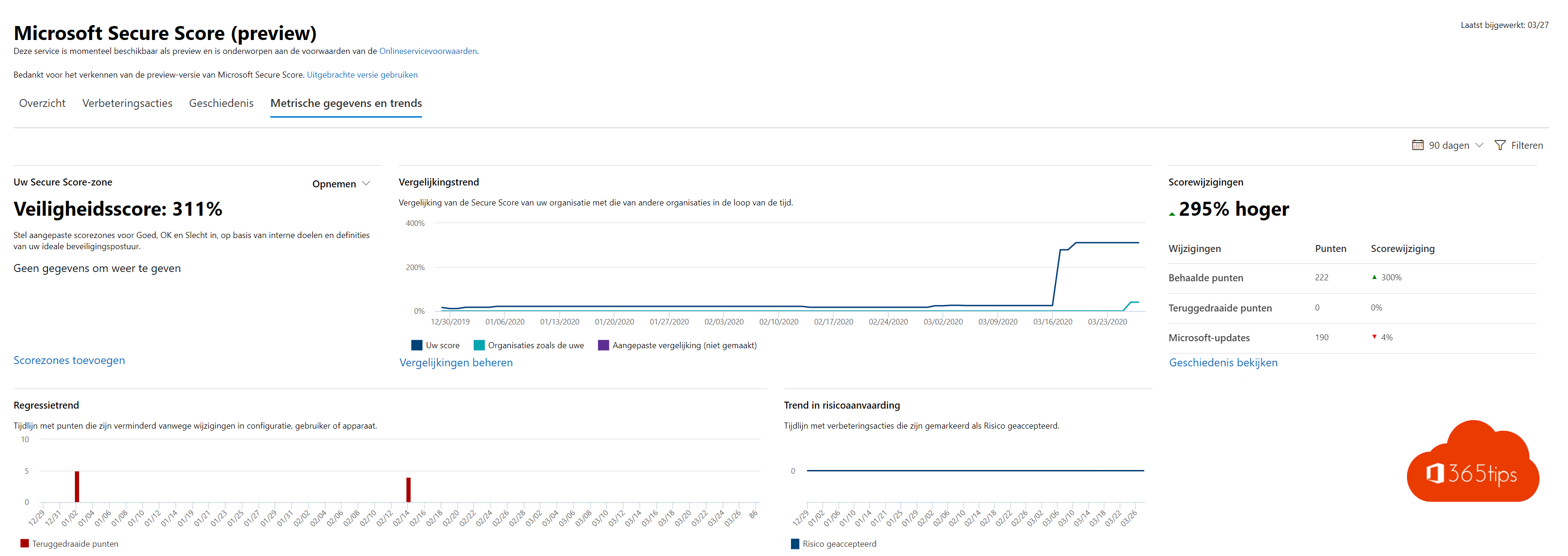
How secure is your Microsoft 365 environment, really? Microsoft Secure Score gives you a score and, more importantly, a list of concrete improvement actions: from MFA for admins to blocking automatic forwarding. This article shows where to find the score and how to work with it.
Open Secure Score
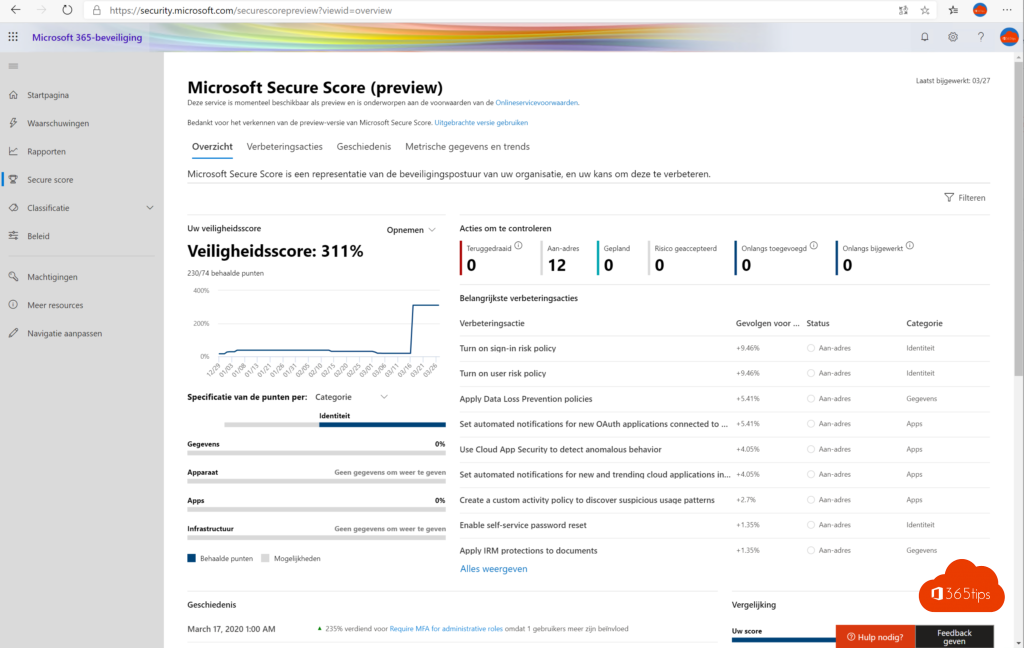
Go to security.microsoft.com and open Secure Score (under Exposure management or via the search bar). You see your current score as a percentage, plus a comparison with organisations of similar size.
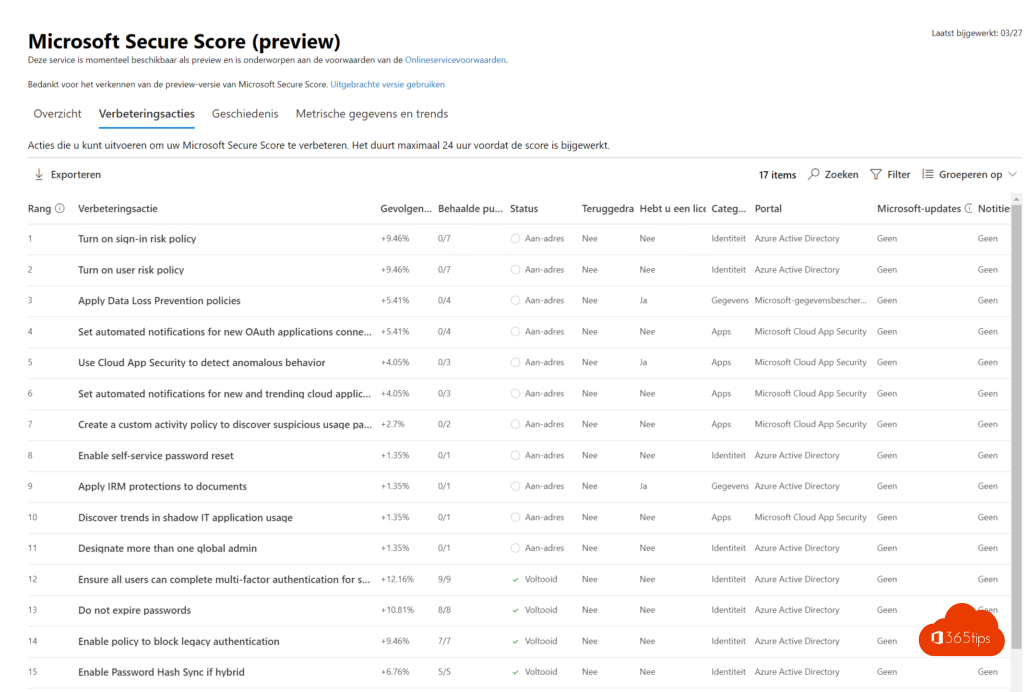
Improvement actions
- Open the Recommended actions tab.
- Sort by score impact and look for actions with little user impact.
- Select an action for an explanation and the steps to implement it.
- Set the status: To address, Planned, Risk accepted or Resolved through third party.
Where to start?
- MFA for all users, and certainly for admins.
- Fewer global admins. Read admin roles.
- Block automatic external forwarding.
- Block legacy authentication protocols.
- Turn on self-service password reset and the audit log.
Track progress
The History tab shows every change in your score, so you can show management or auditors which steps you took. 100% is rarely the goal; it's about the right measures for your organisation.
And Azure?
Your Azure subscriptions have a separate Secure Score in Defender for Cloud. Read Secure Score for Azure.
Read also
Secure score in Microsoft Defender for Cloud
Security defaults in Microsoft Entra ID: what they do and how to enable them
Enable multi-factor authentication (MFA) in Microsoft 365
Nederlandstalige versie: Je beveiliging verbeteren met Microsoft Secure Score