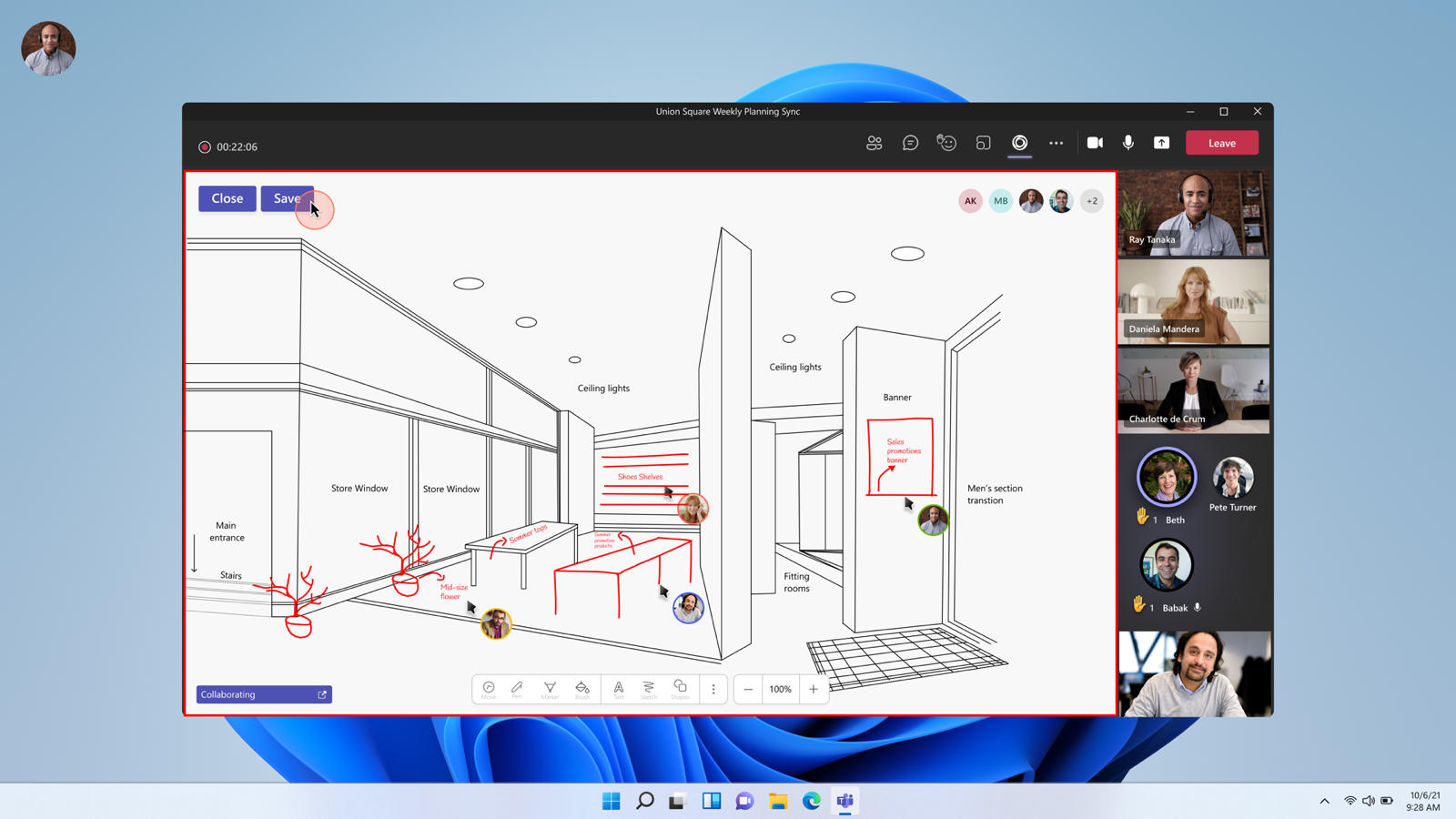
With Live Share you do more in a Teams meeting than share your screen. Everyone works in the same app at the same time: watch a video that plays in sync, draw together on a whiteboard or edit a document together. Each attendee sees the content in their own window and can take part.
Live Share is no longer in preview. It's the technology behind sharing apps to the meeting stage in Teams. Which apps support Live Share changes regularly and depends on what your admin allows.
What is Live Share?
- For users: a way to share an app to the meeting stage so everyone can participate instead of just watching.
- For developers: the Live Share SDK (built on Fluid Framework) to make your own Teams apps collaborative, for example with a shared video timeline or shared cursors.
Examples
- PowerPoint Live: attendees can browse the slides on their own while the presenter keeps presenting.
- Whiteboard: everyone draws and writes on the same board at once.
- Loop components and collaborative notes: keep an agenda or action items together during the meeting.
- Third-party apps: for example for watching video together, reviewing designs, quizzes or retrospectives. Whether an app supports Live Share is shown with the app itself.
Share an app in a meeting
- Start or open a Teams meeting in the desktop app or on the web.
- Select Apps (or +) in the meeting toolbar and add an app that supports Live Share.
- Open the app in the side panel and select Share or Share to meeting (the button name can differ per app).
- The app appears on the meeting stage. Attendees can now collaborate at the same time.
- Select Stop sharing when you're done.
For admins
- Which apps users can add is set in the Teams admin center under Manage apps and the app policies.
- Guests and external attendees can't always use every app. Test this in advance if you work with external people.
Also see PowerPoint Live in Teams, Microsoft Whiteboard tips and Loop components in Teams.
Read also
Present a PowerPoint in Teams with PowerPoint Live
Microsoft Whiteboard: tips to sketch and brainstorm together
Use Loop components in Teams chats, channels and meetings
Nederlandstalige versie: Live Share in Microsoft Teams: samen werken in apps tijdens vergaderingen