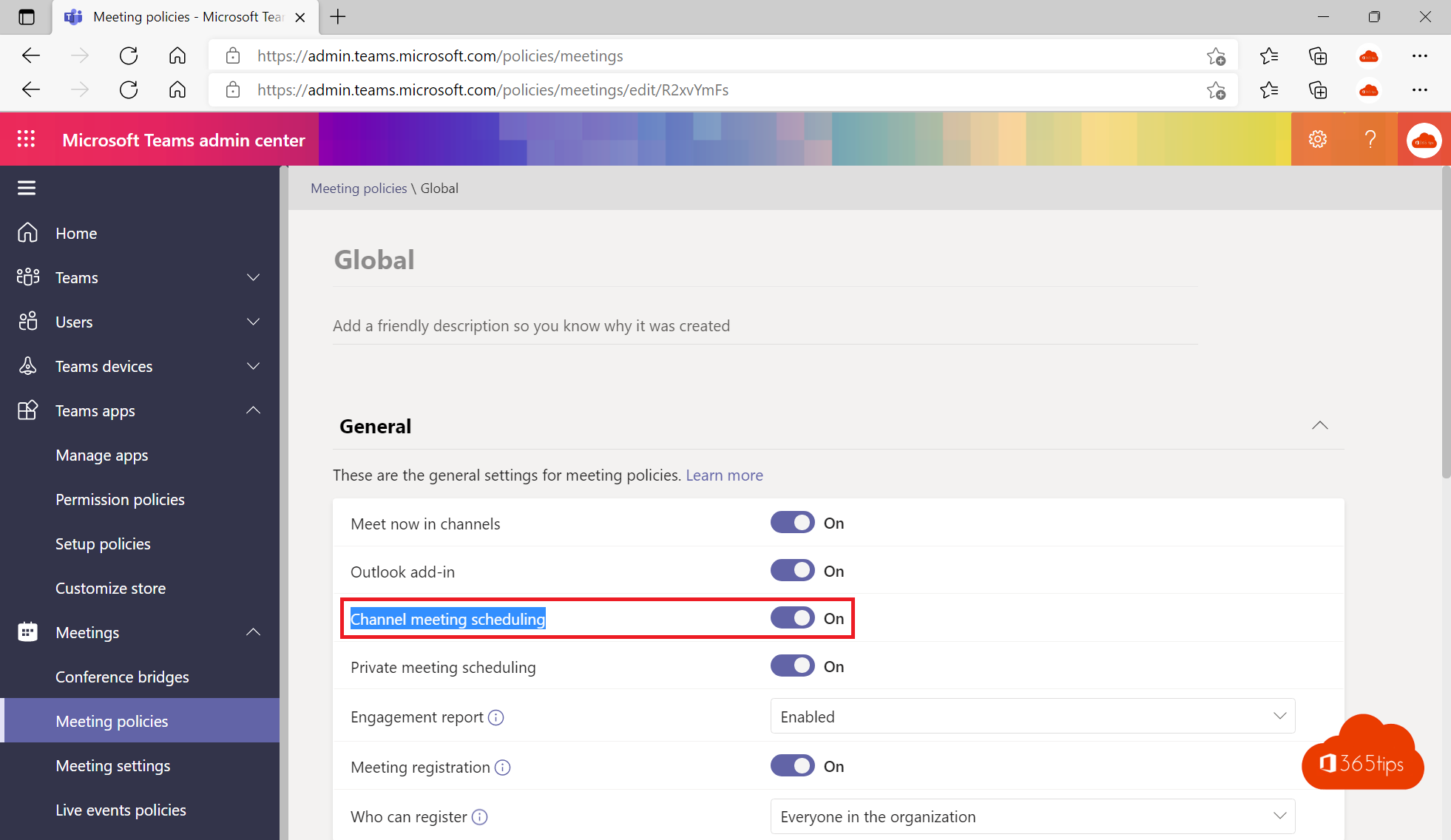
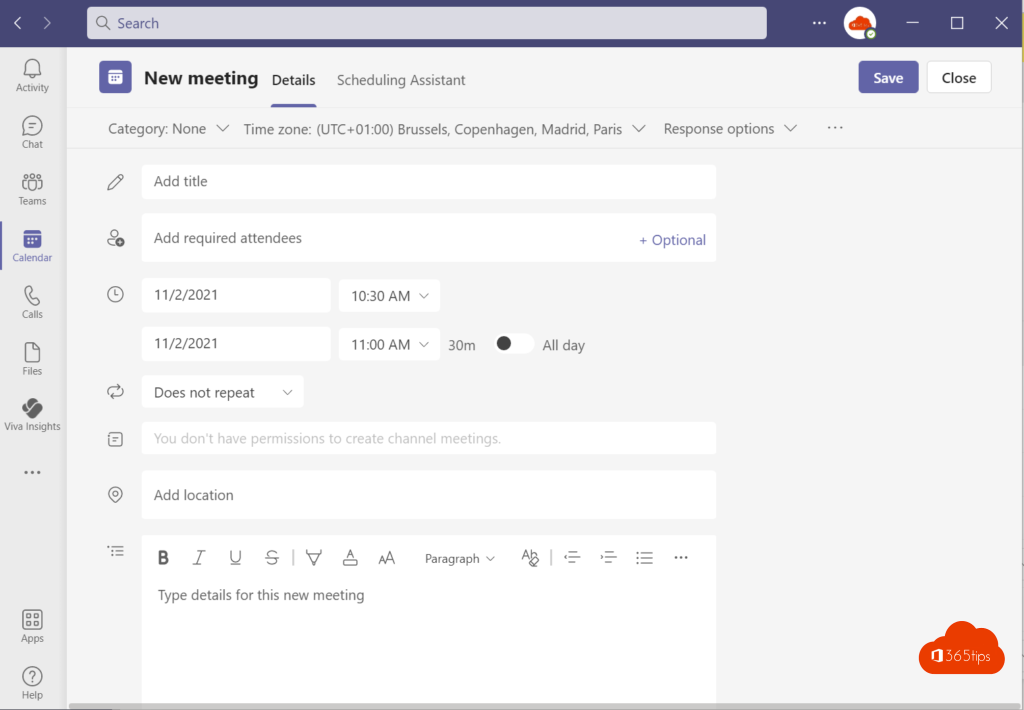
In a channel you can schedule a meeting or start one right away, so the whole team can join. That's handy, but some organizations or schools don't want it. As an admin you decide with a meeting policy whether channel meetings are allowed.
What are channel meetings?
- Scheduling in a channel: in the calendar, pick a channel under Add channel. Everyone in the team sees the meeting in the channel.
- Meet now in a channel: select Meet in the channel to start a meeting right away.
Block or allow
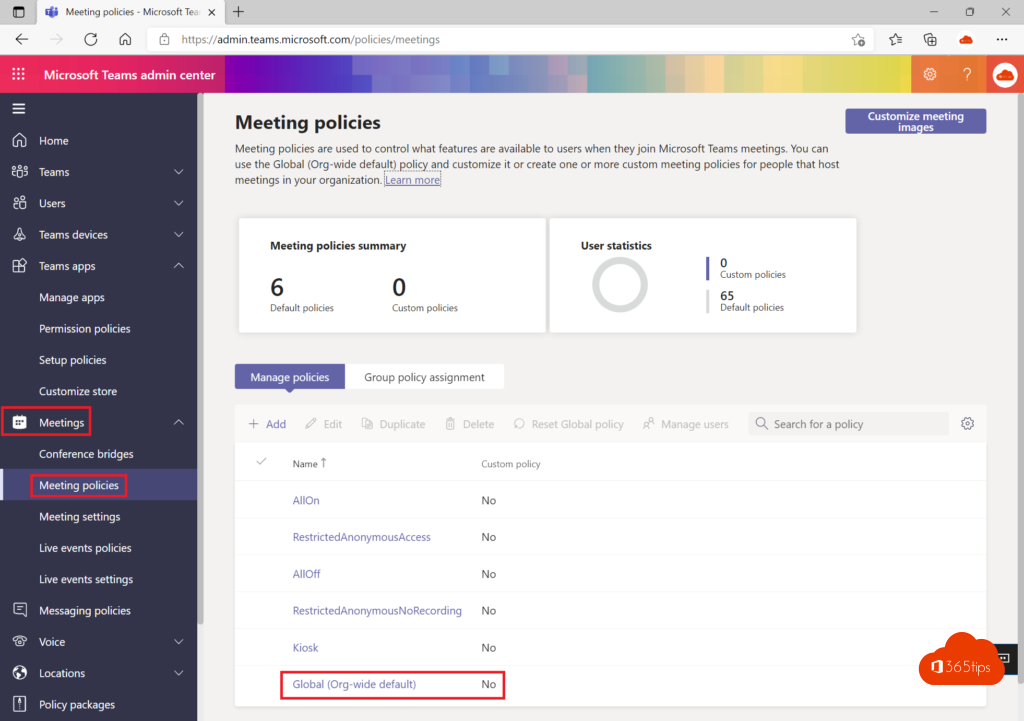
- Open the Teams admin center > Meetings > Meeting policies.
- Open the policy (for example Global) or create a new one.
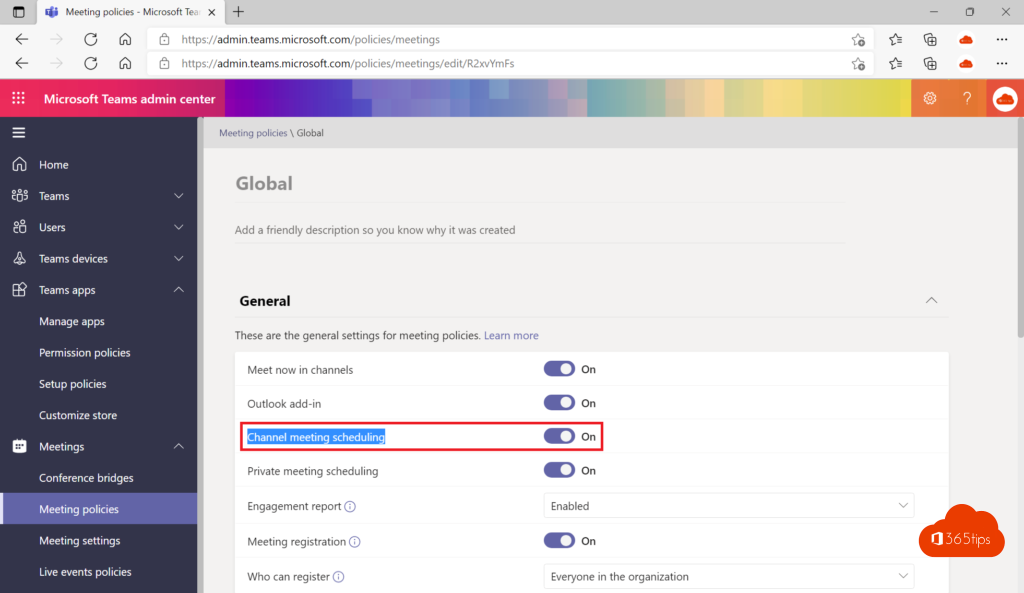
- Under Meeting scheduling, turn Channel meeting scheduling and Meet now in channels on or off.
- Select Save and assign the policy to users or groups.
Tip for schools
Don't want students to start meetings? Turn off Meet now in private meetings for them too. Read turn off Meet now for students. Also see the Teams admin center.
Read also
Disable Meet now in Teams so students can't start meetings
A tour of the Microsoft Teams admin center
Schedule a Microsoft Teams meeting in your calendar
Nederlandstalige versie: Kanaalvergaderingen blokkeren of toestaan in Microsoft Teams
More in English
▸Meeting roles in Microsoft Teams: organizer, presenter and attendeeWhat can an organizer, co-organizer, presenter or attendee do in Teams? Set roles in advance, change them…
▸Turn off or limit chat in a Teams meetingTurn meeting chat off or limit it to the meeting itself in meeting options, or set it for everyone with a…
▸How to record and transcribe a Teams meeting automatically from the startMake a Microsoft Teams meeting record and transcribe automatically: the meeting option, the admin policy,…
▸Restrict who can create a team in Microsoft TeamsLimit creating teams and Microsoft 365 groups to one group with Microsoft Graph PowerShell, or use naming and…