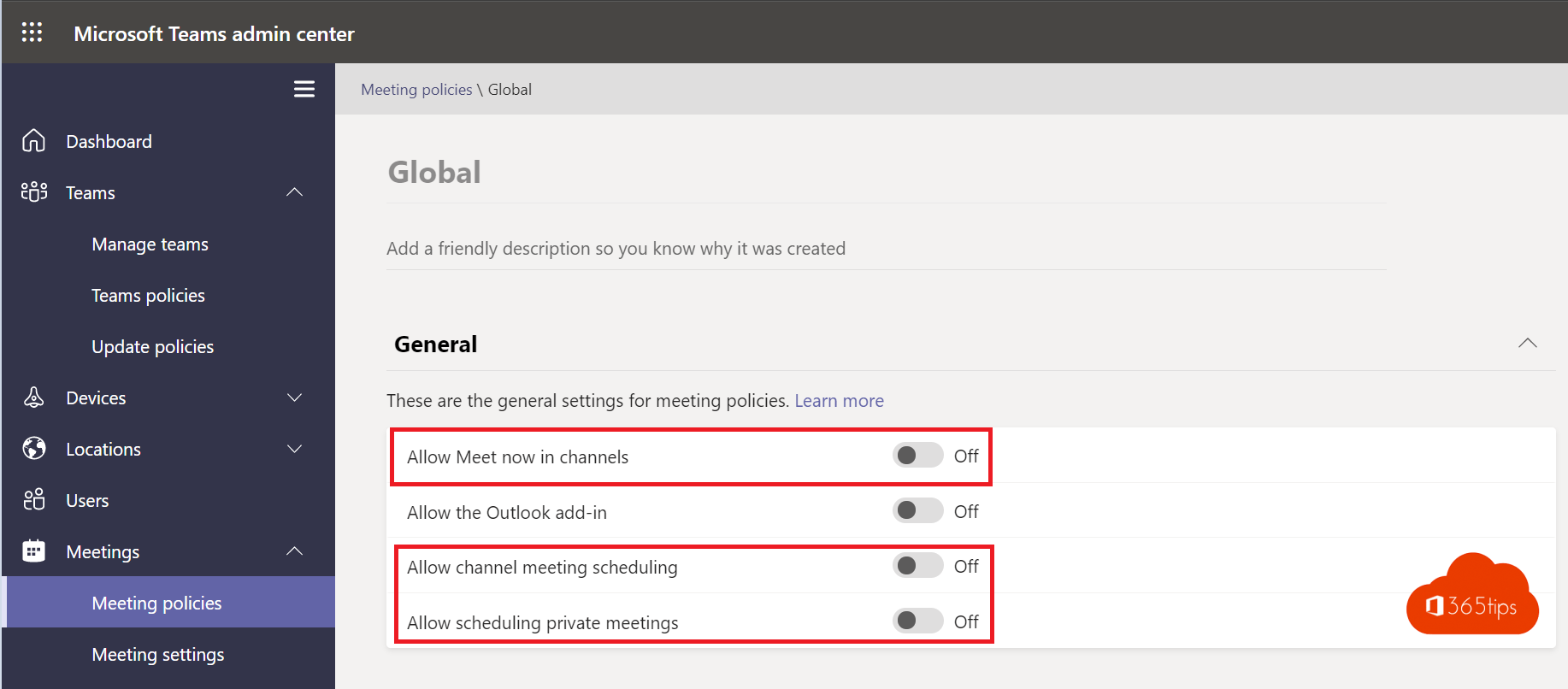
With Meet now, anyone in Teams can start a meeting in one click, without scheduling. Handy for colleagues, but in a school it means students can start meetings without a teacher, record them and pull others in. As an admin you can turn it off per group. This article covers which settings exist, how to create a separate policy for students and what students can still do.
Which settings are there?
| Meeting policy setting | What it limits | PowerShell |
|---|---|---|
| Meet now in channels | Starting a meeting in a channel | AllowMeetNow |
| Meet now in private meetings | Starting a meeting from the calendar or a chat | AllowPrivateMeetNow |
| Private meeting scheduling | Scheduling meetings in the calendar | AllowPrivateMeetingScheduling |
| Channel meeting scheduling | Scheduling meetings in a channel | AllowChannelMeetingScheduling |
Students can still join meetings a teacher schedules. You only take away their ability to start one themselves.
Create a policy for students
- Go to the Teams admin center > Meetings > Meeting policies.
- Select Add and name the policy, for example Students.
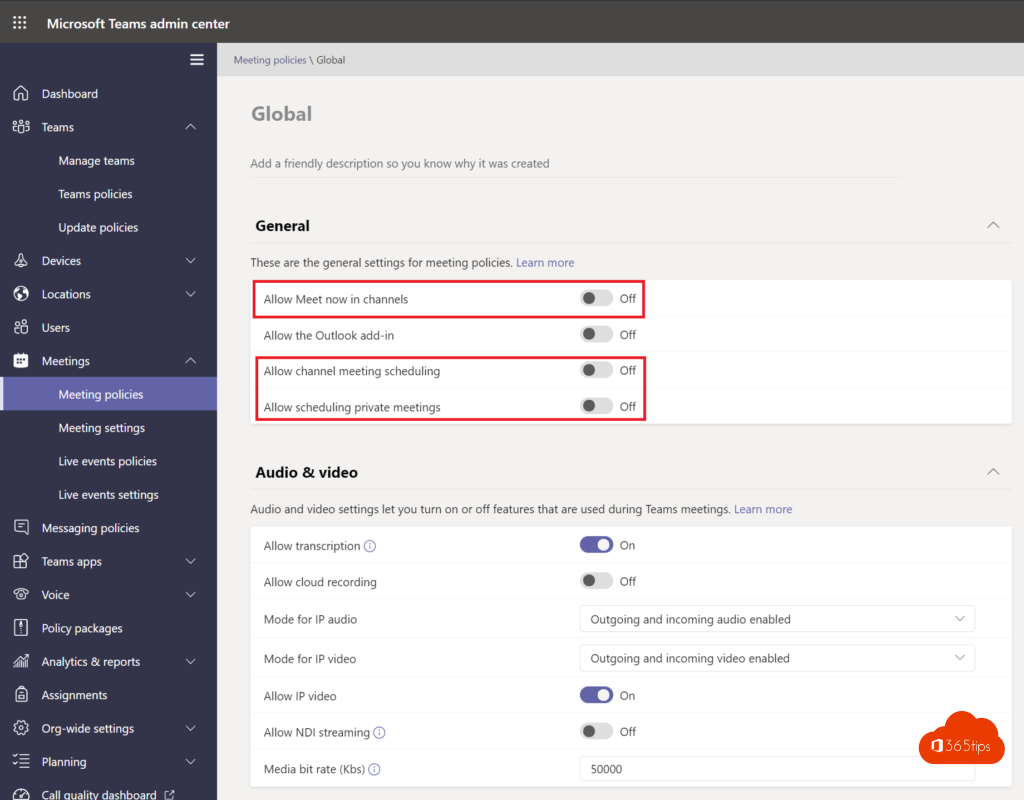
- Under Meeting scheduling, turn off Meet now in channels, Meet now in private meetings and optionally meeting scheduling.
- Also turn off settings students don't need, such as recording and who can present.
- Select Save.
Assign the policy to all students
- In the Teams admin center, go to Meetings > Meeting policies > the Group policy assignment tab.
- Select Add, pick the group with all students and the Students policy.
- Give it a rank (1 is highest) and save.
A group beats assigning per student: new students get the policy as soon as they're added to the group. A policy can take up to 24 hours to apply everywhere.
With PowerShell:
New-CsTeamsMeetingPolicy -Identity "Students" -AllowMeetNow $false -AllowPrivateMeetNow $false
New-CsGroupPolicyAssignment -GroupId students@school.edu -PolicyType TeamsMeetingPolicy -PolicyName "Students" -Rank 1
Tip for schools: policy wizard
The Teams admin center has a policy wizard for education on its home page. It sets safe defaults for students and teachers in one go, including Meet now, chat and private meetings.
Check it
- A student no longer sees a Meet button in channels, or Meet now in the calendar.
- Check which policy a user has with PowerShell: Get-CsUserPolicyAssignment -Identity student@school.edu.
- Still not working? Wait up to 24 hours and have the student sign in to Teams again. See also the Teams attendance report for classes.
Nederlandstalige versie: Nu vergaderen uitschakelen in Teams zodat leerlingen geen vergadering starten