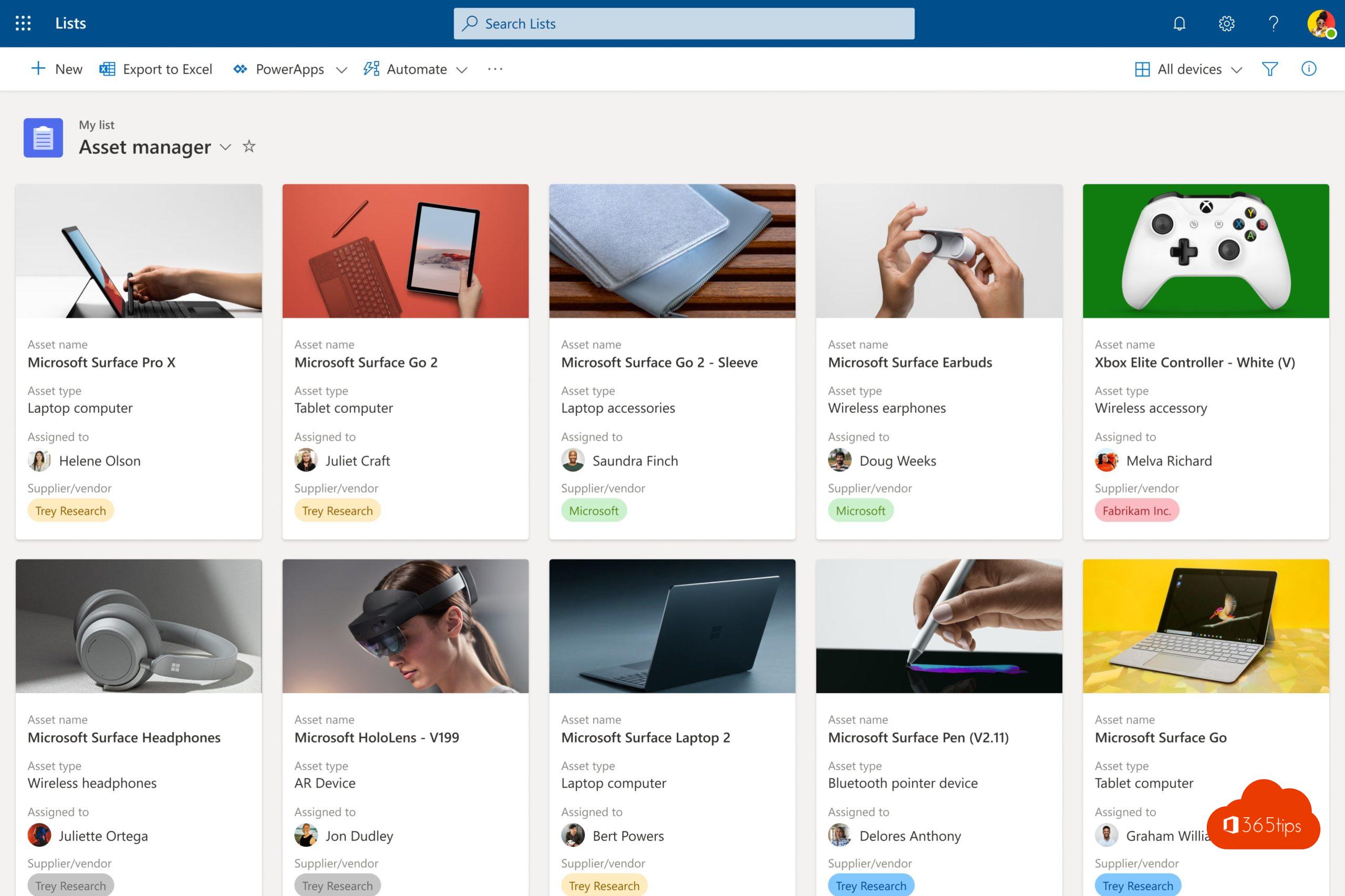
Microsoft Lists is the place in Microsoft 365 where you keep all your lists: from an issue tracker and an onboarding plan to an inventory or an event schedule. Every list runs on SharePoint, but you don't need to know anything about that. You start from one clear home page.
The Lists home page
Open the app launcher in Microsoft 365 and choose Lists. On the home page you see:
- your favorite lists at the top;
- recent lists, no matter which SharePoint site they live on;
- the New list button to get started.
So you no longer have to search for the site where a list was once created.
Create a new list
There are several ways to start:
- Blank list: you choose the columns yourself.
- Template: ready-made lists such as an issue tracker, onboarding, event itinerary or asset tracker.
- From Excel: you import a table.
- From an existing list: you reuse its structure.
You also choose where the list is saved: in My lists (personal) or on a SharePoint site of your team.
What can you do with Lists?
- Views: list, grid, calendar, gallery and board (kanban).
- Rules: send a notification automatically when a field changes. For more complex flows, use Power Automate.
- Comments on each item, so the discussion stays with the task.
- Conditional formatting to make items stand out with a color.
- Sharing with colleagues, with the permissions you choose.
Lists, To Do or Planner?
| App | Use it for |
|---|---|
| To Do | Your personal task list. |
| Planner | Team tasks with an owner, due date and progress. |
| Lists | Structured data with your own columns: requests, inventory, registrations, follow-up. |
Because Lists runs on SharePoint, you can connect lists to Power Automate, Power Apps and Teams.
Lists in Teams and on your phone
Add a list as a tab in a Teams channel so everyone on the team works with it right away. On the go, use the Lists mobile app.
Also see get started with Microsoft Lists, use an existing SharePoint list in Lists and share a list with colleagues.
Nederlandstalige versie: #1 Lists: wat is Microsoft Lists en hoe start je?