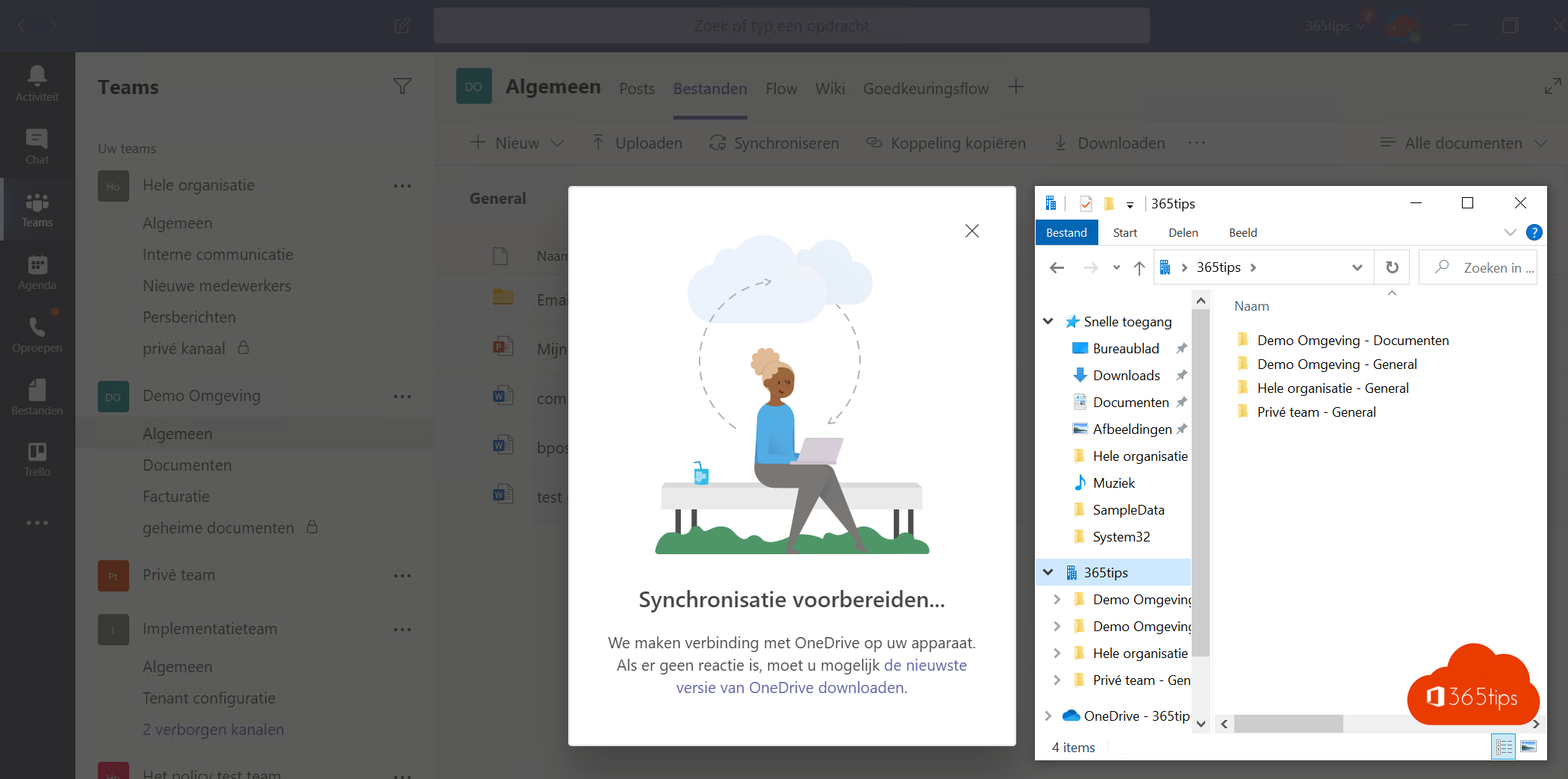
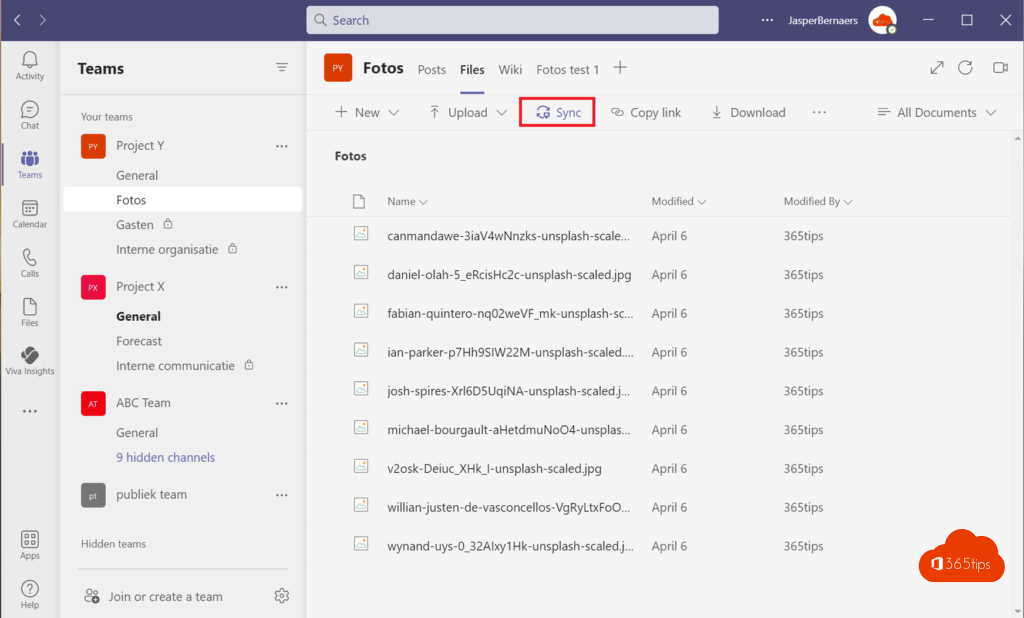
Prefer working in File Explorer over the browser? Then put a Teams channel's files on your PC so you can open, save and drag them like any other file. Changes sync back to Teams automatically. There are two ways: Add shortcut to My files (recommended) and Sync. This article covers both.
Recommended: add a shortcut
- Open the channel in Teams > Files tab.
- Select Add shortcut to My files at the top (sometimes under the three dots).
- The folder appears in your OneDrive, and so in File Explorer under OneDrive - your organisation.
Shortcuts work on every device running OneDrive, including your Mac and the OneDrive app on your phone.
Or: sync
- Open the channel's Files tab.
- Select Sync and allow OneDrive to open.
- The library appears in File Explorer under your organisation's name.

Files On-Demand
With Files On-Demand, files take up no space until you open them. A cloud icon marks online-only files; a green tick marks files on your PC. Right-click > Always keep on this device for files you need offline.
Stop
- Remove a shortcut in OneDrive on the web: My files > the shortcut > Remove shortcut.
- Stop syncing via the OneDrive icon > Settings > Account > Stop sync next to the library.
Tips
- Don't sync huge libraries with hundreds of thousands of files; it slows OneDrive down.
- Moving files between libraries in File Explorer loses version history. Read move files in the browser.
- File types that shouldn't sync? Read block file types in OneDrive.
Nederlandstalige versie: Microsoft Teams-bestanden openen in Verkenner met een snelkoppeling of synchronisatie
Related articles
▸Quick start: sign in and get started with OneDrive for work or schoolSign in to OneDrive, sync your files to your computer and learn what the icons in File Explorer mean.
▸Share and sync files across multiple Microsoft 365 organizationsSync two work accounts in OneDrive, sync libraries as a guest and share files with another organization.
▸Move or copy files and folders in SharePoint and TeamsMove or copy files and folders between channels, teams, SharePoint sites and OneDrive, keeping version…
▸The 10 most useful features of OneDrive for work or schoolFiles On-Demand, folder backup, sharing, version history and more: the ten OneDrive features that help you…
▸The redesigned OneDrive in Microsoft 365: Home, Shared, People and CopilotExplore the OneDrive views on the web: Home, My files, Shared, People and Meetings, plus Copilot in OneDrive.