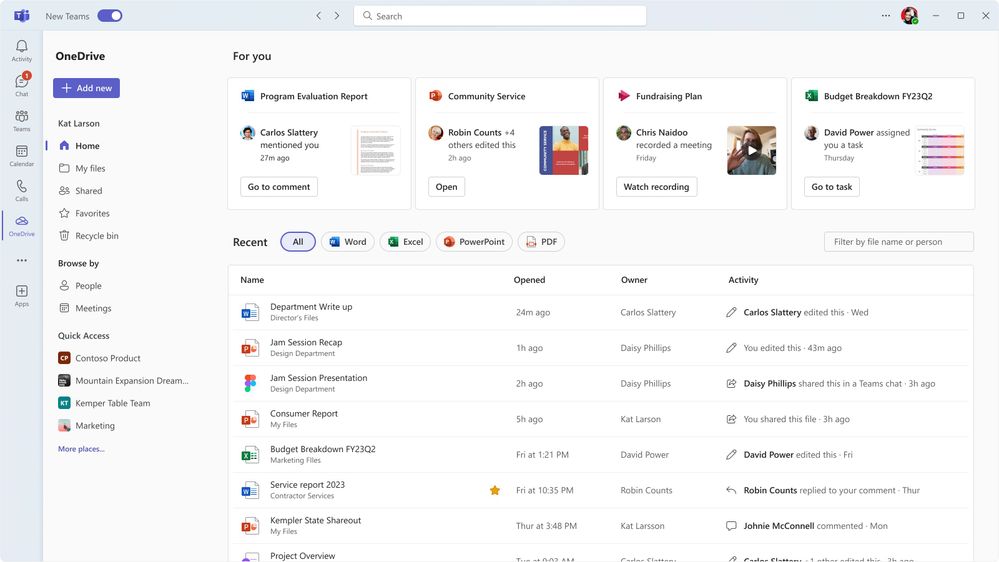
Your work files don't just live in OneDrive. They're also in SharePoint libraries, Teams chats, meetings and email attachments. That's why Microsoft redesigned OneDrive on the web into one place where you find all those files. Microsoft announced this "next generation" of OneDrive in 2023, and most features are available now. Here's how the current OneDrive is organized and how to make the most of it. Which views you see may depend on your license and organization.
The views in OneDrive
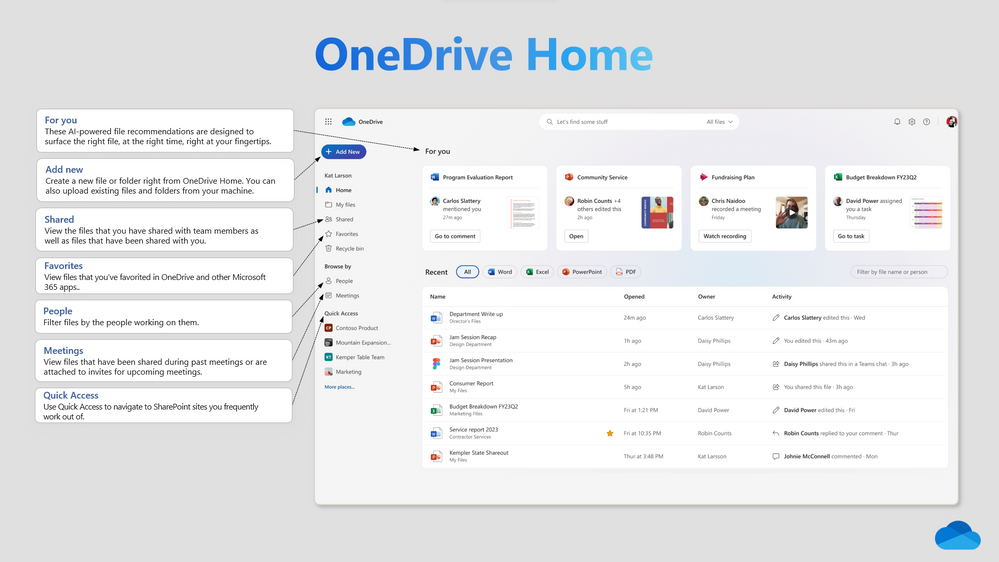
| View | What you find there |
|---|---|
| Home | Recent files, recommendations and files you need quickly. |
| My files | Your own files and folders in OneDrive. |
| Shared | Files others shared with you, and files you shared with others. |
| Favorites | Files and folders you marked with a star. |
| People | Files grouped by the colleagues you work with. |
| Meetings | Files, recordings and notes from your Teams meetings. |
Find files faster
- Use the filters at the top to show only Word, Excel, PowerPoint or PDF files.
- Search for a colleague's name in the People view when you can't remember the file name.
- Mark files you use often as a favorite.
- Give folders a color so you recognize them faster.
The same experience in Teams and Outlook
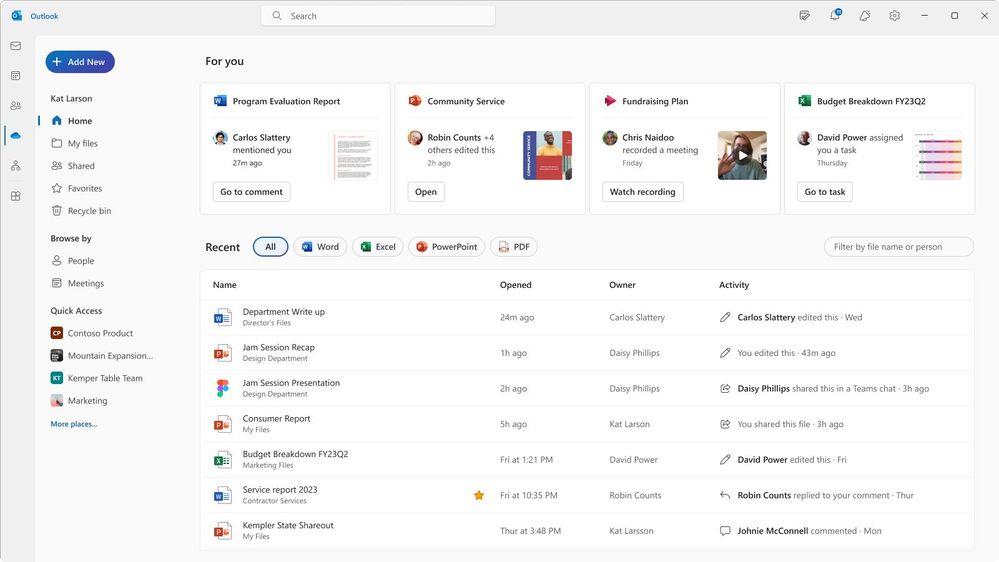
You also see the OneDrive view in Teams (through the OneDrive or Files app) and in Outlook. So you find your files wherever you work.
Copilot in OneDrive
With a Microsoft 365 Copilot license you can use Copilot in OneDrive. Among other things, you can:
- get a summary of a document without opening it;
- ask questions about a file's content;
- compare several files with each other.
The exact options depend on your license and your organization's settings.
Work offline
With the OneDrive sync app on Windows and macOS you can also work without internet. Your files sync automatically once you're back online. With Files On-Demand they only take up space when you open them. Also see practical OneDrive tips and OneDrive features for better collaboration.
Read also
The 10 most useful features of OneDrive for work or school
OneDrive features for better collaboration
Quick start: sign in and get started with OneDrive for work or school
Nederlandstalige versie: De vernieuwde OneDrive in Microsoft 365: Start, Gedeeld, Personen en Copilot