An employee has left and their account was deleted, but it turns out there were important emails in their mailbox. As long as the mailbox is still soft-deleted, you can restore its contents into another mailbox, such as their manager's or a shared mailbox.
When is it possible?
When you delete a user in Microsoft 365, their mailbox is kept for 30 days as a soft-deleted mailbox. After that it's gone for good, unless a retention policy or litigation hold applies.

Restore the mailbox into another mailbox
- Connect to Exchange Online PowerShell.
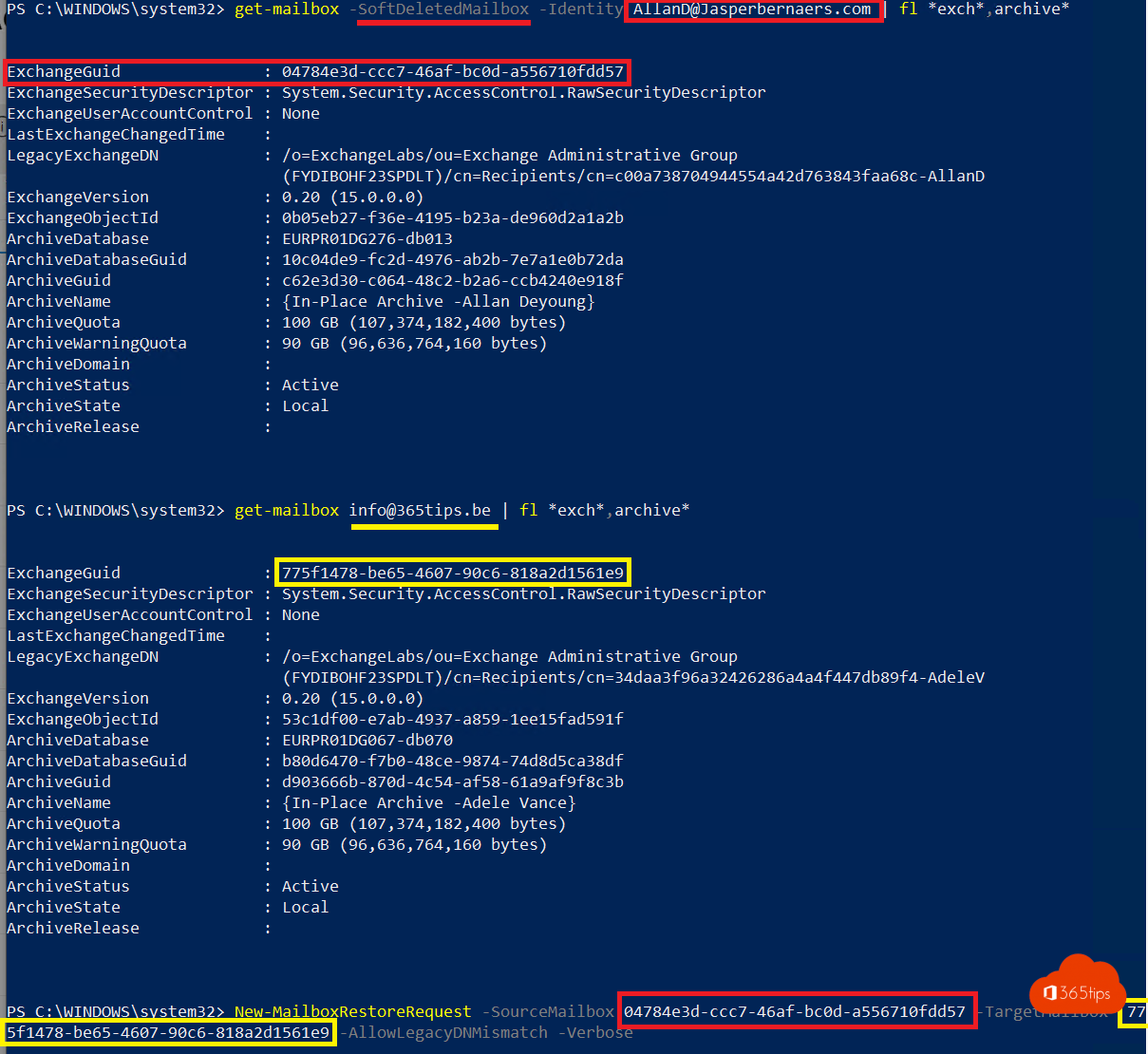
- Find the deleted mailbox and note its ExchangeGuid:
Get-Mailbox -SoftDeletedMailbox | Select DisplayName, PrimarySmtpAddress, ExchangeGuid - Find the ExchangeGuid of the target mailbox:
Get-Mailbox manager@yourdomain.com | Select ExchangeGuid - Start the restore, into a separate folder in the target mailbox:
New-MailboxRestoreRequest -SourceMailbox <deleted-GUID> -TargetMailbox <target-GUID> -TargetRootFolder "Mailbox Jan" -AllowLegacyDNMismatch - Follow the progress:
Get-MailboxRestoreRequest | Get-MailboxRestoreRequestStatistics



Alternatives
- Restore the user: restore the deleted user in the admin center under Deleted users. Their mailbox comes back too.
- Convert to a shared mailbox: when someone leaves, convert the mailbox to a shared mailbox first instead of deleting the user right away.
Also see delete a user in Microsoft 365 and recover deleted emails.
Read also
Delete a user in Microsoft 365: soft delete and hard delete
Recover deleted emails in Outlook and Exchange Online
Connect to Exchange Online PowerShell with MFA or a certificate
Nederlandstalige versie: Een verwijderde mailbox terugzetten in een andere mailbox in Exchange Online