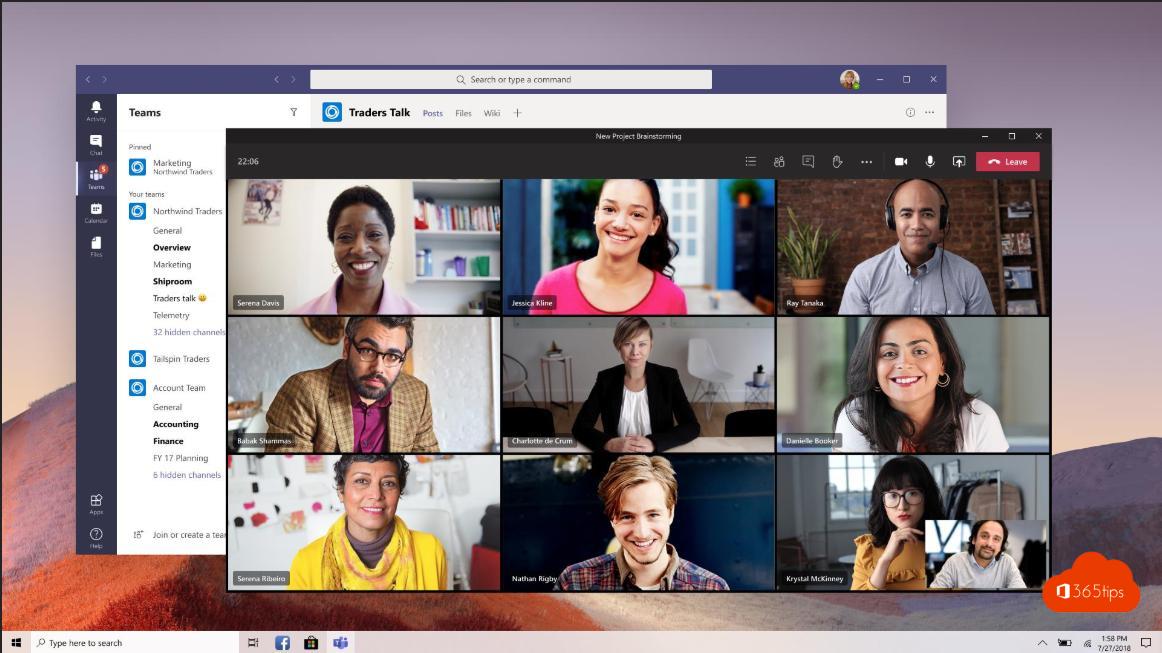
Want to keep chatting or look at a file during a meeting? In Microsoft Teams, meetings and calls open in a separate window, which is now standard in the new Teams. That keeps the main window free for other work.
How does it work?
- A meeting or call opens in its own window.
- In the main Teams window you keep chatting, reading channels or checking your calendar.
- Minimize the meeting window and you see a small window with the speakers.
Handy with two screens
- Start or join a meeting.
- Drag the meeting window to your second screen.
- Keep the chat, your notes or your presentation open on your main screen.
Chats and apps in a separate window
Hover over a conversation in the chat list, click ... and choose Pop out chat. This also works with some apps and tabs. The exact name of the option may differ slightly.
Also see working in multiple windows in Teams and pop out apps and tabs in the new Teams.
Read also
Work in multiple windows with Microsoft Teams
Open a chat in a separate window in Teams, even during meetings
Open apps, chats and tabs in a separate window in Teams
Nederlandstalige versie: Vergaderingen en gesprekken in een apart venster in Microsoft Teams
More in English
▸View a Microsoft Teams meeting in full screenPut a Teams meeting in full screen from the View menu, exit with Esc, and discover more ways to stay focused…
▸Share your screen, a window or a whiteboard in TeamsShare your screen, one window, PowerPoint Live or a whiteboard in a Teams meeting, and give control to a…
▸Dynamic view in Microsoft Teams meetingsTeams arranges videos and shared content automatically. Here's how to adjust the view yourself, pin someone…
▸The most useful Microsoft Teams keyboard shortcuts for Windows and MacThe most useful shortcuts for the new Teams app: navigation, chat, mute, camera, raise hand and screen…