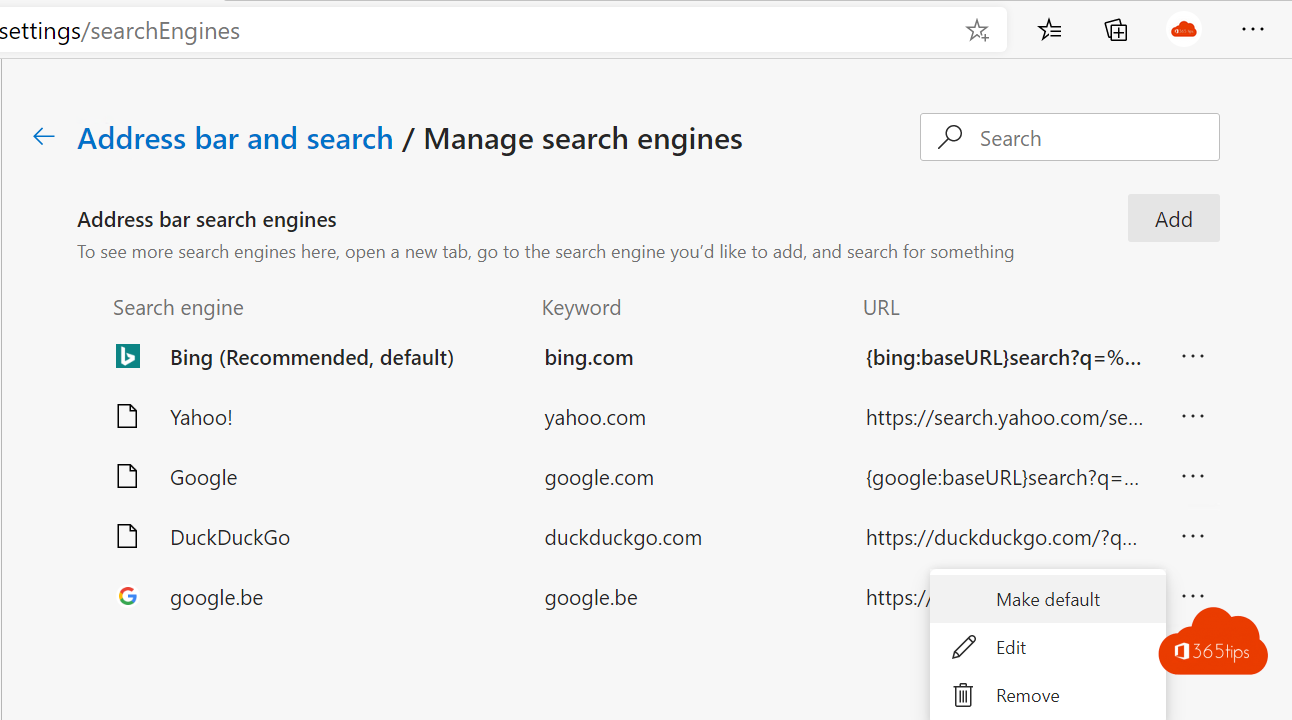
Microsoft Edge uses Bing as the default search engine in the address bar. Prefer Google, DuckDuckGo or another search engine? You can change it yourself in the settings. As an admin you can also set it for all managed devices with Microsoft Intune.
1. Change the search engine yourself
- Open Edge and select Settings and more (...) > Settings.
- Choose Privacy, search, and services.
- Scroll to Address bar and search.
- Under Search engine used in the address bar, choose Google.
The menu name can differ slightly between Edge versions. If needed, type search engine in the settings search box. This works on Windows and macOS.


2. Set it for everyone with Intune
The old Device restrictions profile with Edge settings applied to legacy Edge. For the current Edge, use the Settings catalog.
- Go to the Microsoft Intune admin center (intune.microsoft.com).
- Select Devices > Configuration > Create > New policy.
- Platform: Windows 10 and later. Profile type: Settings catalog.
- Enter a name and select Add settings. Search for Default search provider under Microsoft Edge.
- Configure these settings:
- Enable the default search provider: Enabled
- Default search provider name: Google
- Default search provider search URL:
{google:baseURL}search?q={searchTerms}
- Assign the profile to a group of users or devices and select Create.


Good to know
- On Windows, the default search provider policy only works on devices managed by Intune or joined to a domain.
- As a mandatory policy the user can't change it anymore. If you only want to set a preference, use the recommended variant of the setting where available.
- Check on a device with edge://policy whether the policy has arrived.
Also see deploy and manage Edge with Intune and the Microsoft Edge management service.
Nederlandstalige versie: Google instellen als standaardzoekmachine in Microsoft Edge, ook via Intune
Related articles
▸Deploy and manage Microsoft Edge with Microsoft IntuneDeploy Microsoft Edge on Windows and macOS with Intune and manage the home page, extensions, updates and…
▸Google Meet on Windows: install it as an app with Edge or ChromeThere's no official Google Meet app for Windows. Here's how to install Google Meet as a web app with Edge or…
▸Download and deploy Microsoft Edge for Business on Windows Server 2016 and 2019Install Microsoft Edge on Windows Server 2016 or 2019 with the MSI package, Configuration Manager or Group…
▸Set Edge or another browser as default on iPhone and iPadWhat changed for browsers in the EU with iOS 17.4, and how to set Microsoft Edge or another browser as the…
▸Download and install Microsoft Edge on macOSDownload and install Microsoft Edge on your Mac, sign in, import your data and use profiles for work and…