Want to send an e-mail with sensitive information, such as a payslip, medical data or a contract, so that only the recipient can read it? You can't lock an e-mail itself with a password, but you can encrypt it. In Microsoft 365 that is done with Microsoft Purview Message Encryption: the recipient opens the message with their own account or a one-time passcode. This article shows how to encrypt an e-mail in Outlook, what the recipient sees, which licence you need and what the alternatives are.
Which options are there?
| Option | What does it do? | Best for |
|---|---|---|
| Encrypt | The message and attachments are encrypted; the recipient may still forward, copy and print it | Sensitive info to external people |
| Do Not Forward | Encrypted, and the recipient can't forward, print or copy it | Confidential info that must go no further |
| Sensitivity label | A label from your organization that applies encryption automatically | Companies with a classification policy |
| S/MIME | Encryption with certificates at sender and recipient | Regular partners who exchange certificates |
| Protected attachment | A Word, Excel or PDF file with a password | When encryption isn't available |
Encrypt an e-mail in Outlook
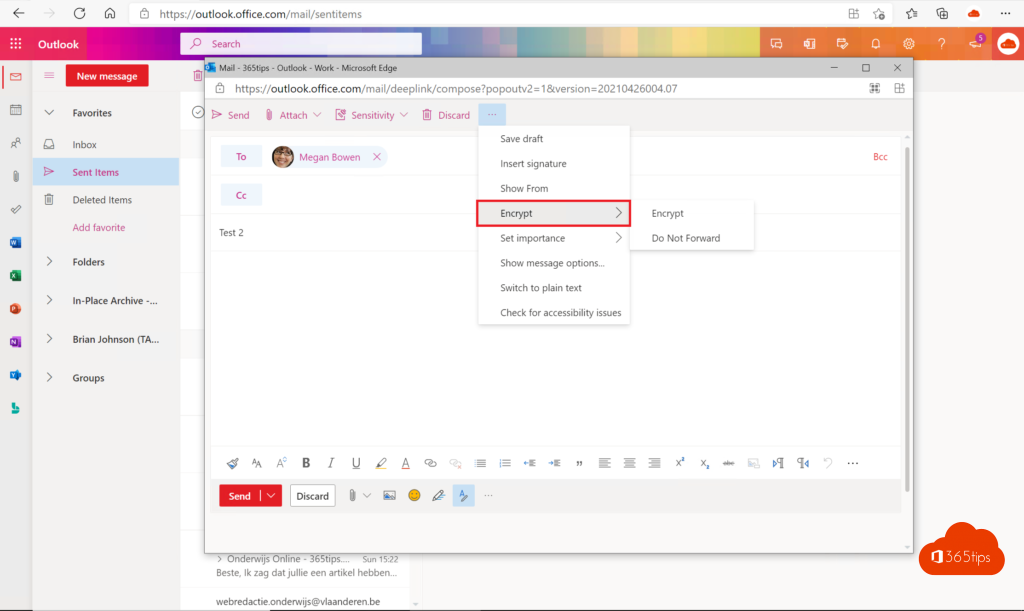
New Outlook for Windows and Outlook on the web:
- Create a new message.
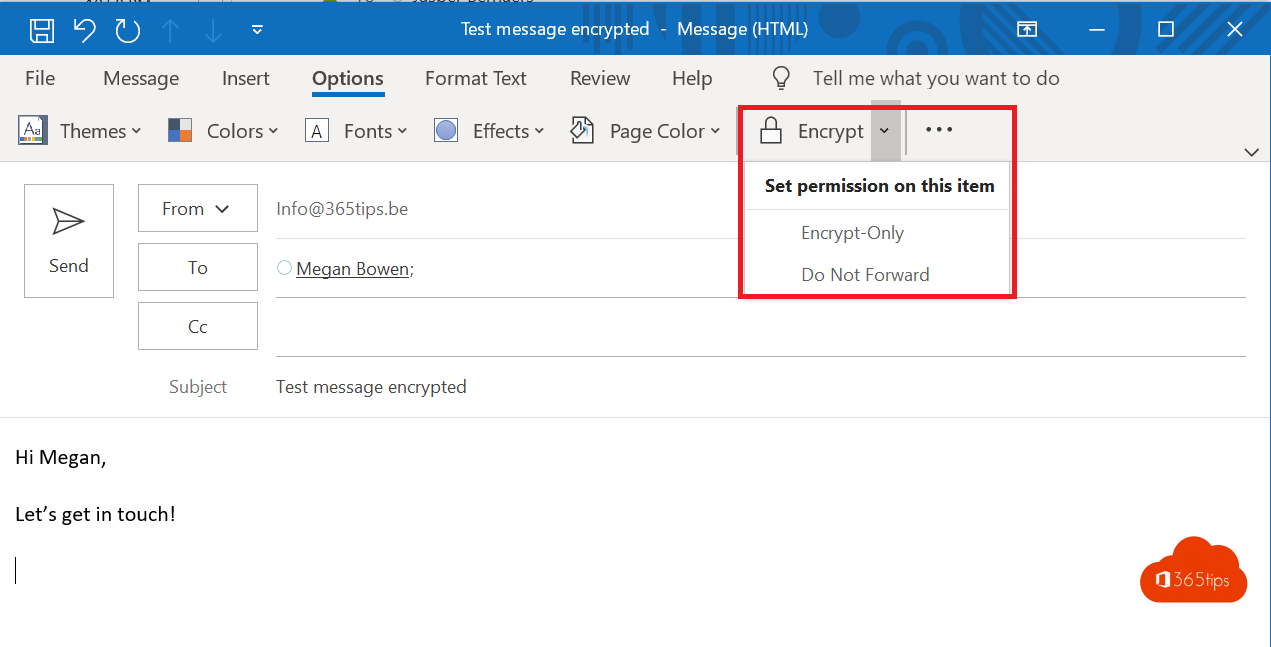
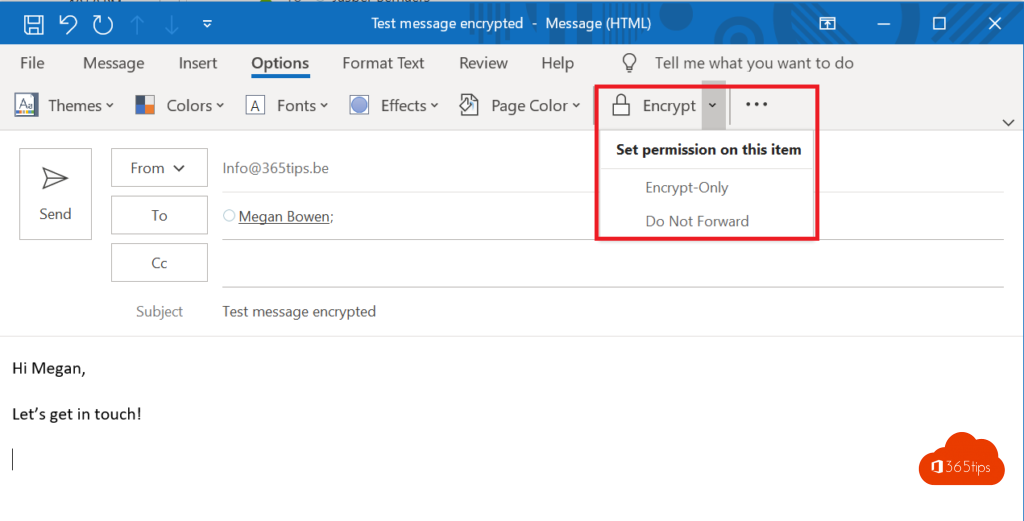
- Go to the Options tab and click Encrypt. If you don't see it, look under ... in the toolbar.
- Choose Encrypt or Do Not Forward.
- A notice at the top says the message is encrypted. Click Send.
Classic Outlook for Windows: create a message, click Options > Encrypt and choose the option you want.
Outlook for Mac and mobile: the Encrypt option is in the menu of a new message.
What does the recipient see?
- Recipients on Microsoft 365 or Outlook.com read the message in Outlook as usual, with no extra steps.
- Recipients on Gmail, Yahoo or another address get an e-mail with a Read the message button. It opens a secure Microsoft web page. There they sign in with their Google, Yahoo or Microsoft account, or request a one-time passcode by e-mail. A passcode is valid for 15 minutes.
- Replies sent from that web page are encrypted too.
Tell recipients in advance that such a message is coming. It looks like a phishing e-mail, and some people won't open it otherwise.
Which licence do you need?
Microsoft Purview Message Encryption is included in, among others, Microsoft 365 Business Premium, Office 365 E3/E5 and Microsoft 365 E3/E5. It is not included by default in Business Basic and Business Standard; there you need an add-on such as Azure Information Protection Plan 1. The licence is per user who sends encrypted mail; recipients need nothing. Not sure which licence you have? Read how to check your Microsoft 365 licence.
If you don't see the Encrypt button, you don't have the licence or your administrator hasn't enabled the feature.
Sensitivity labels
Many organizations use sensitivity labels such as Internal, Confidential or Highly confidential. If you pick a label that includes encryption under Sensitivity in Outlook, the message is encrypted automatically with the rules your organization set. Your administrator manages the labels in Microsoft Purview.
S/MIME
S/MIME encrypts with digital certificates. Sender and recipient each need a certificate and must exchange public keys first, for example by sending a signed message. That works well between regular partners and governments, but is cumbersome for one-off recipients. In the new Outlook, certificates have to be installed manually or by your administrator.
Alternative: a protected attachment
No encryption in Microsoft 365? Put the sensitive information in a password-protected attachment, for example an Excel file via File > Info > Protect Workbook > Encrypt with Password. Send the password through another channel, such as a text message or phone call, never in the same e-mail. See how to password protect an Excel file.
Tips
- The subject line is not encrypted. Keep sensitive info out of it.
- Do Not Forward isn't watertight: someone can still take a photo of the screen.
- A normal e-mail between Microsoft 365 users is already encrypted in transit with TLS. Message Encryption also protects the message in the recipient's mailbox and against forwarding.
Read also
Which Microsoft 365 licence do I have? How to check
How to password protect an Excel file or remove the password
How to set out of office on a shared mailbox in Microsoft 365
Nederlandstalige versie: Een e-mail versleutelen of beveiligen in Outlook en Microsoft 365