Online meetings run more smoothly with a few good habits. Everyone is easier to hear, nobody wastes time and the meeting ends on time. Here are ten practical tips for good meeting etiquette in Microsoft Teams.
Ten tips
- Include an agenda in the invite, so everyone knows what it's about.
- Test your devices beforehand via Settings > Devices > Make a test call.
- Use a headset. A laptop microphone echoes and picks up background noise.
- Mute your microphone when you're not speaking. Turn on noise suppression in a noisy room.
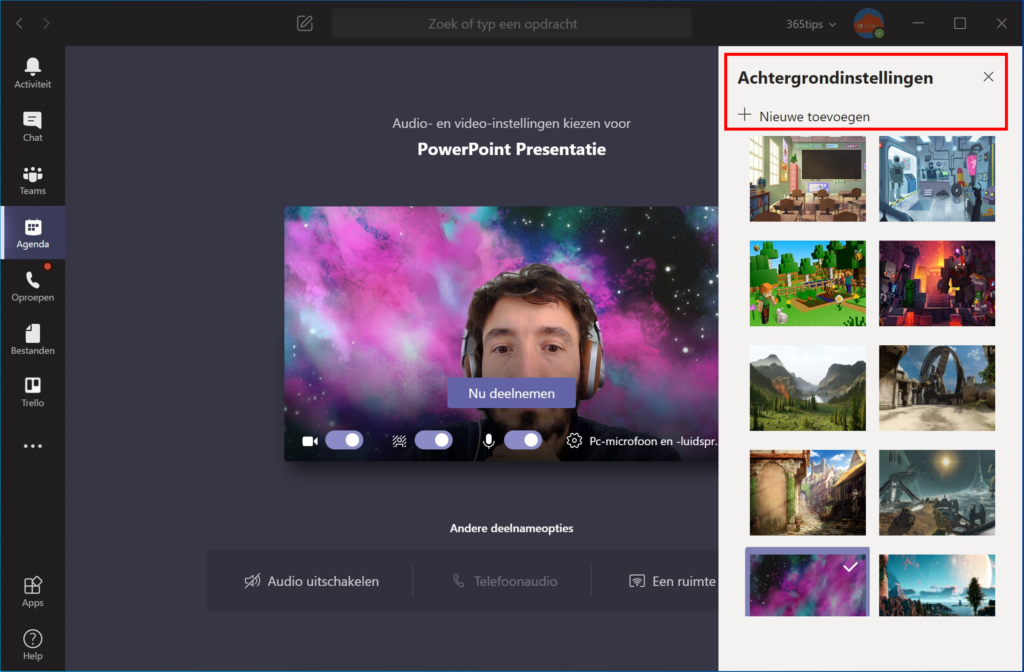
- Turn your camera on when you can. Use a blurred or custom background for a calm picture.
- Raise your hand instead of talking over each other.
- Use the chat or Q&A for questions, so the speaker isn't interrupted.
- Share with PowerPoint Live instead of your whole screen, and silence notifications.
- Get a summary: turn on transcription or use Copilot or the recap after the meeting.
- Stop on time. Schedule 25- or 50-minute meetings, so there's a break between meetings.

As an organizer
- Decide in meeting options who can present and who waits in the lobby.
- For large groups, turn off attendees' mics and cameras.
- End the meeting for everyone when you're done. See end a Teams meeting for everyone.
Also see meeting roles and noise suppression in Teams.
Read also
Meeting roles in Microsoft Teams: organizer, presenter and attendee
Set up noise suppression and voice isolation in Microsoft Teams
End a Microsoft Teams meeting for everyone at once
Nederlandstalige versie: Tien tips voor een goede vergaderhygiëne in Microsoft Teams
More in English
▸Raise your hand in a Microsoft Teams meetingRaise your hand in a Teams meeting with a click or Ctrl + Shift + K. The organizer sees the order and lowers…
▸Present a PowerPoint in Teams with PowerPoint LiveShare your presentation with PowerPoint Live instead of your screen: with notes, laser pointer, Cameo and…
▸Collect questions with Q&A in Microsoft Teams meetingsTurn on Q&A in a Teams meeting, town hall or webinar. Attendees ask and upvote questions; you moderate and…
▸Set a custom background in Microsoft TeamsUse your own image as a background in Teams, before or during a meeting. Best format, blur and…