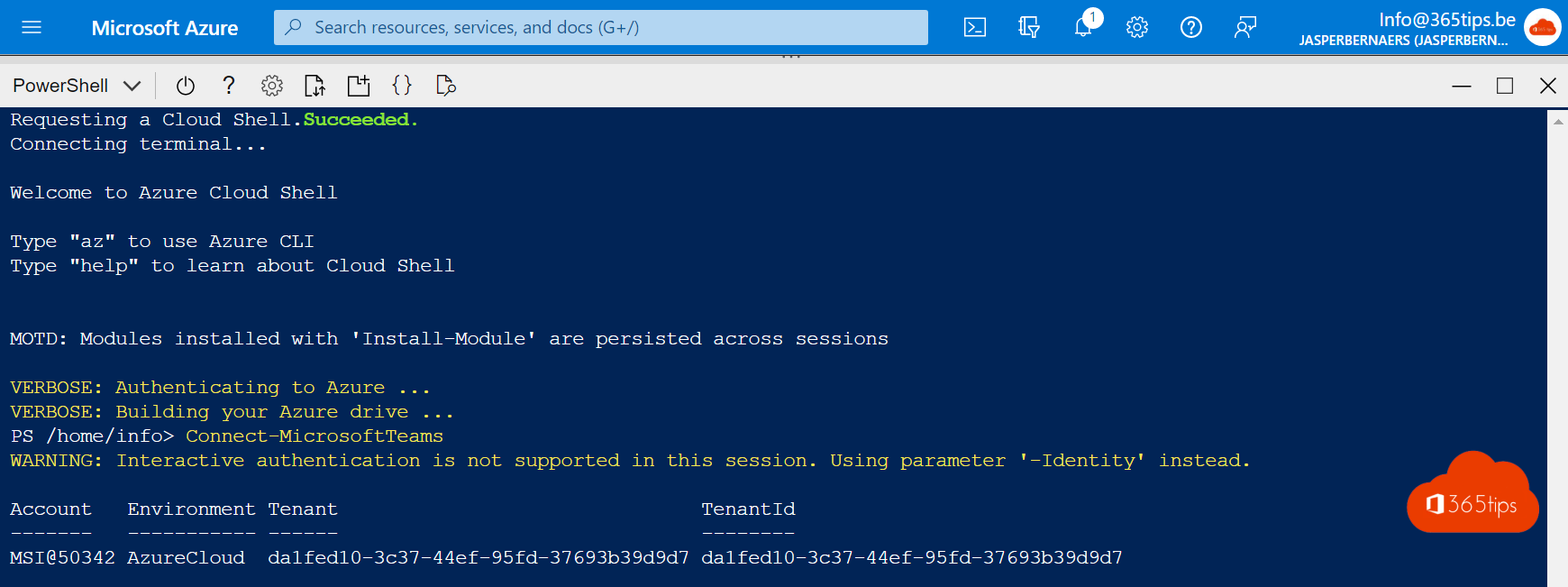
Want to manage Microsoft Teams with PowerShell without installing anything on your computer? Then Azure Cloud Shell is handy: a command line in your browser with many admin modules ready to go. Microsoft once announced a Cloud Shell button in the Teams admin center, but it isn't visible in every tenant or portal; you can always open Cloud Shell via the Azure portal or shell.azure.com.
What is Azure Cloud Shell?
Cloud Shell is a browser-based terminal managed by Microsoft. You choose between PowerShell and Bash. Many modules and tools come preinstalled, such as Azure PowerShell and Microsoft Graph. You sign in with your own account, so you only have the permissions you already have.
Open Cloud Shell
- Go to shell.azure.com, or select the Cloud Shell icon at the top of the Azure portal.
- Choose PowerShell.
- On first use, choose whether to attach a storage account (files are kept) or start a session without storage. A storage account requires an Azure subscription.
Connect to Microsoft Teams
Connect-MicrosoftTeams
Get-Team | Select-Object DisplayName, Visibility
If the module isn't available, install it with Install-Module MicrosoftTeams -Scope CurrentUser. If sign-in doesn't work right away, try Connect-MicrosoftTeams -UseDeviceAuthentication.
When is this useful?
- Bulk actions: assign policies to many users at once.
- Reports: export an overview of teams, owners or settings.
- On the go: you work from a computer where you can't install PowerShell.
- Always up to date: Microsoft keeps the environment and modules current.
Good to know
- A session ends after a period of inactivity.
- Store scripts in the attached storage account or a repository, not only in a temporary session.
- Use an admin account with least privilege, for example the Teams Administrator role.
Also see install the Teams PowerShell module and PowerShell scripts for Teams admins.
Read also
Install and use the Microsoft Teams PowerShell module
20 handy PowerShell scripts to manage Microsoft Teams
A tour of the Microsoft Teams admin center
Nederlandstalige versie: Microsoft Teams beheren met PowerShell in Azure Cloud Shell