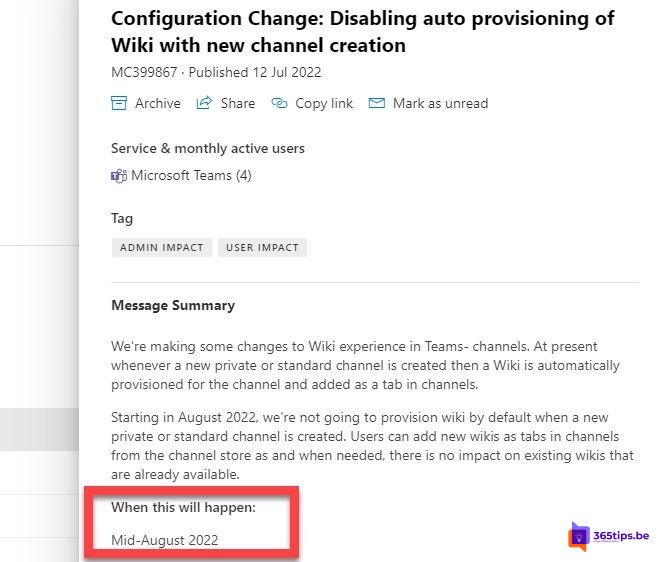
Every new channel in Teams used to get a Wiki tab automatically. Few people used it, and most organizations preferred OneNote. Microsoft first stopped creating wikis automatically and then retired the Wiki app completely. Here's what that means and what to use today.
What changed?
- New channels no longer get a Wiki tab.
- You can't create new wikis anymore.
- Existing wikis could be exported to a OneNote notebook. Microsoft provided an export button in the Wiki tab for that.
You no longer need to turn off automatic wiki provisioning. Do you have old scripts or team templates that expect a wiki? Update them to add a OneNote tab instead.
Channel notes with OneNote
- Open the channel and click + (Add a tab) next to the tabs.
- Choose OneNote or Notes, depending on your version.
- Create a new notebook or pick a section in the team's notebook.
- Click Save.
Each team has its own notebook on the SharePoint site. Everyone in the team can work in it, also in the OneNote app on PC or phone.
Other alternatives
| You want... | Use |
|---|---|
| Notes and meeting minutes | OneNote or the Notes tab |
| A document everyone edits live | A Loop page or a Word file |
| A knowledge base or guide | A SharePoint page as a tab |
| Brainstorming | Whiteboard |
Tips
- Put the OneNote tab first so it's easy to spot.
- Create a separate section per channel in the team's notebook.
- Read the OneNote getting started tips to get the most out of it right away.
Also see Microsoft Whiteboard in Teams and add a SharePoint page as a Teams tab.
Read also
Get started with OneNote in Microsoft 365: guide and tips
Use Microsoft Whiteboard in Teams channels and meetings
Add a SharePoint page, site or list to Microsoft Teams
Nederlandstalige versie: De Wiki in Teams-kanalen is uitgefaseerd: dit gebruik je nu