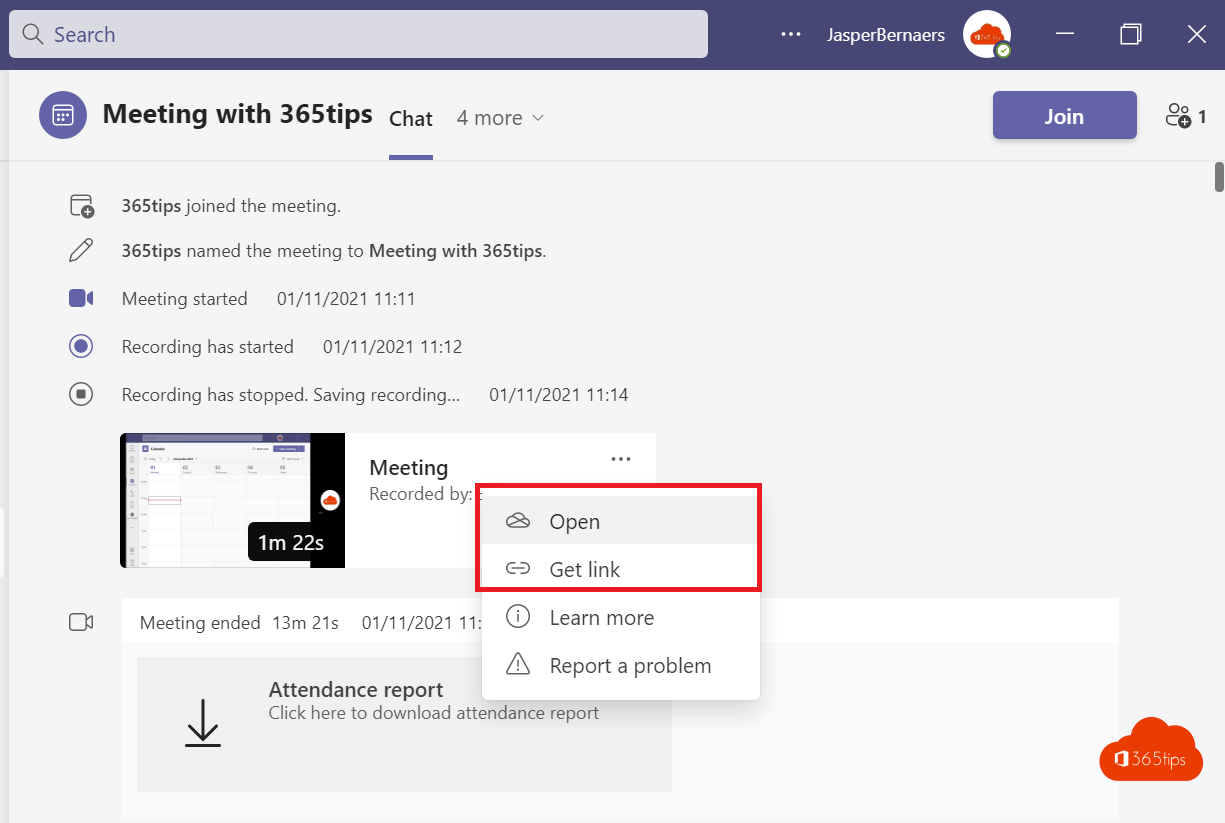
Teams recordings used to go to Microsoft Stream, and you needed PowerShell to switch to OneDrive. That's history: today recordings are stored in OneDrive or SharePoint by default. This article explains where your recording ends up, how to share it and which settings an admin can still change.
Where is your recording?
| Type of meeting | Storage location |
|---|---|
| Regular meeting or call | OneDrive, in the Recordings folder. In recent versions that's the organizer's OneDrive. |
| Channel meeting | The team's SharePoint site, in the channel's folder, Recordings subfolder. |
Recordings play in the Stream web player, which now runs on top of OneDrive and SharePoint. Microsoft Stream (Classic) has been retired. After the meeting you also find the recording in the meeting chat and in the Recordings and transcripts tab.

Share a recording
- Open the recording from the meeting chat or from OneDrive.
- Click Share.
- Choose who gets access and whether they may download it.
Invited meeting attendees usually get view access automatically. External people need to be given access by you.


For admins: check the settings with PowerShell
You no longer set the storage location; the old RecordingStorageMode parameter and New-CsOnlineSession aren't needed anymore. You can still check whether recording is allowed and how long recordings are kept. First install the Teams PowerShell module and connect:
Install-Module MicrosoftTeams
Connect-MicrosoftTeams
Get-CsTeamsMeetingPolicy | Format-List Identity, AllowCloudRecording, NewMeetingRecordingExpirationDays
To turn off recording for a policy:
Set-CsTeamsMeetingPolicy -Identity Global -AllowCloudRecording $falseThe same settings are in the Teams admin center under Meetings > Meeting policies, in the Recording & transcription section.
Watch the expiration date
New recordings get an expiration date by default and are deleted automatically afterwards. Learn how to change that in automatically delete meeting recordings.
Also see record a Teams meeting and automatically record Teams meetings.
Read also
Record, find and share a Microsoft Teams meeting
Automatically delete meeting recordings in Microsoft Teams
How to record and transcribe a Teams meeting automatically from the start
Nederlandstalige versie: Teams-opnames in OneDrive en SharePoint: waar staan ze?