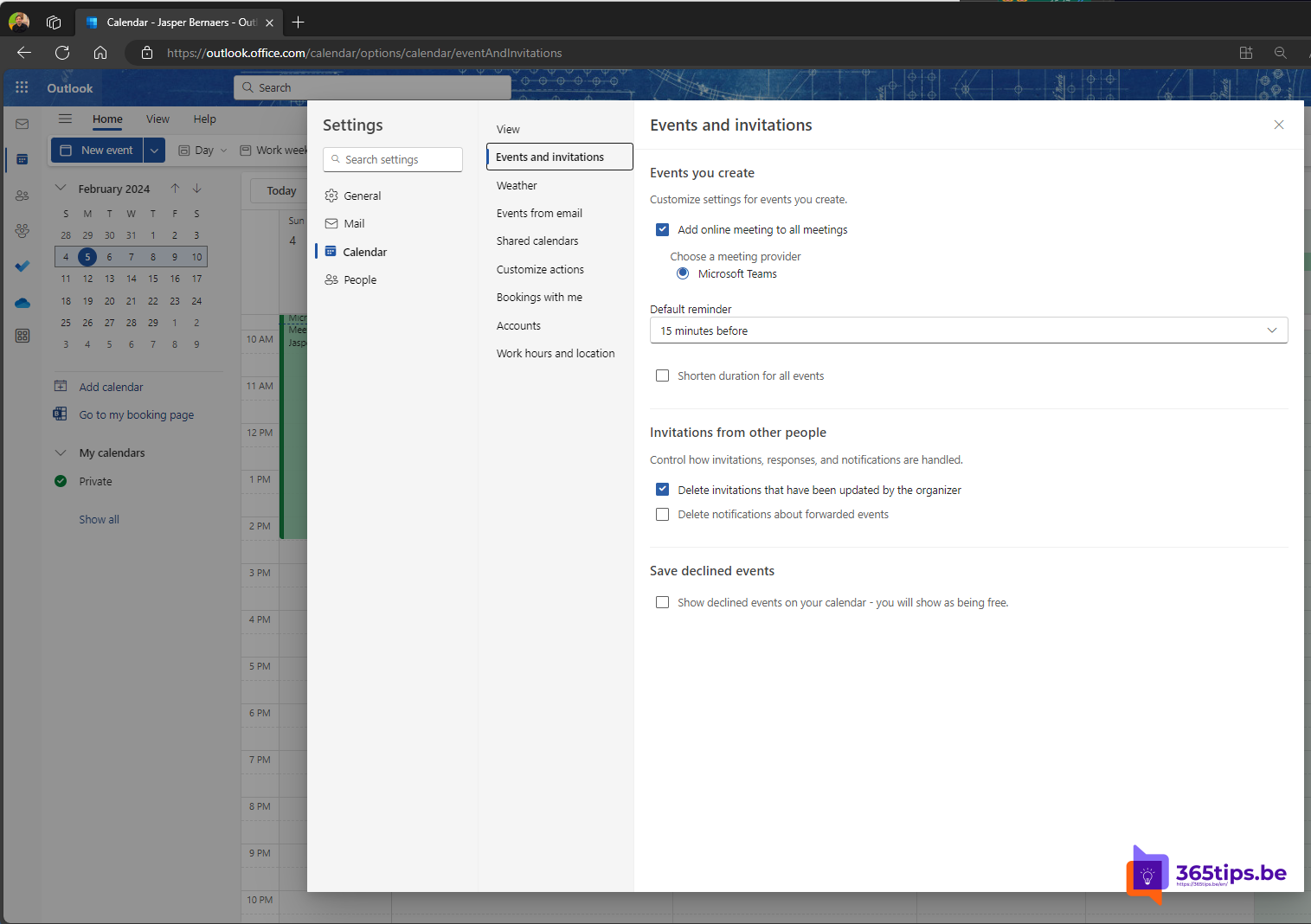
When you decline a meeting request in Outlook, the meeting disappears from your calendar by default. Convenient, until you want to check when that meeting was again, or decide to join after all. In the new Outlook and Outlook on the web you can keep declined meetings on your calendar. This article shows how to set that up, how to get back a meeting you already declined and which alternatives to declining you have.
Keep declined meetings
- In the new Outlook or Outlook on the web, select Settings (gear) at the top right.
- Choose Calendar > Events and invitations.
- Under Events created by others, check Show declined events in your calendar.
- Select Save.
From then on a declined meeting stays on your calendar, in a lighter color or struck through, so you can see you're not going. It doesn't count as busy in your availability for colleagues.

What about classic Outlook?
Recent versions of classic Outlook for Windows (Microsoft 365) have a similar option under File > Options > Calendar. If you can't find it, your version is too old or your organization manages the setting. Because the setting is tied to your mailbox, a choice made in Outlook on the web often applies in the other Outlook versions too.
Get back a meeting you already declined
- Go to the Deleted Items folder. That's where the meeting request ends up after declining.
- Open the request and select Accept or Tentative after all. The meeting reappears on your calendar and the organizer gets your new response.
- If the request is gone, ask the organizer to send it again, or open the meeting through the link in the Teams meeting chat.
Instead of declining
| Response | What happens | When |
|---|---|---|
| Tentative | Stays on your calendar as tentative; the organizer sees you might come | You're not sure yet |
| Accept without sending a response | On your calendar, no email to the organizer | Large meetings, webinars |
| Propose a new time | The organizer gets your proposal | The time doesn't work, the topic does |
| Decline with a message | Disappears from your calendar, unless you turn on the setting above | You're definitely not coming |
Scheduling meetings with many people yourself? Use a scheduling poll to agree on a time first.
And in Teams?
The Teams calendar shows the same data as your Outlook calendar. Keep declined meetings in Outlook and you'll see them in the Teams calendar too. Declining from Teams works the same way as from Outlook.
Read also
Use a scheduling poll (formerly FindTime) in Outlook
Share an Outlook email to a Teams chat or channel
How to set out of office on a shared mailbox in Microsoft 365
Nederlandstalige versie: Geweigerde vergaderingen in je Outlook-agenda laten staan