Security defaults are a free package of baseline security for your Microsoft 365 tenant. With one switch you require MFA for everyone, add extra checks for administrators and block legacy sign-in methods that attackers love to abuse. This article explains what security defaults do, who they are meant for and how to turn them on or off.
What are security defaults?
Security defaults are security rules preconfigured by Microsoft for Microsoft Entra ID, the identity service behind Microsoft 365 and Azure. According to Microsoft, MFA and blocking legacy authentication together stop more than 99.9% of common identity attacks. You cannot change the rules: they are on or off.
Security defaults are free and work with the free edition of Entra ID. They are meant for smaller organizations without Microsoft Entra ID P1 or P2. If you do have those licences (for example through Microsoft 365 Business Premium or E3/E5), you are better off with Conditional Access.
What do security defaults do?
When you turn on security defaults, these six rules apply to your whole tenant:
- Everyone registers for MFA with the Microsoft Authenticator app. There is no postponing any more: the former 14-day period was removed on 29 July 2024.
- Administrators always do MFA, at every sign-in (see the list of roles below).
- Regular users do MFA when needed. Microsoft decides when, based on location, device, role and task, among other things.
- Legacy authentication is blocked: old Office clients without modern authentication (such as Office 2010) and older mail protocols such as IMAP, SMTP AUTH, POP3 and Exchange ActiveSync with basic authentication.
- The device code flow is blocked. With that sign-in method you type a code on another device; attackers use it to phish users into signing in.
- Azure management is protected. Anyone using Azure Resource Manager, such as the Azure portal, the Entra admin center, Azure PowerShell or the Azure CLI, must always do MFA, even if they are not an administrator.
These administrator roles always do MFA
- Global Administrator
- Application Administrator and Cloud Application Administrator
- Authentication Administrator and Authentication Policy Administrator
- Privileged Authentication Administrator and Privileged Role Administrator
- Billing Administrator
- Conditional Access Administrator
- Exchange Administrator and SharePoint Administrator
- Helpdesk Administrator and Password Administrator
- Identity Governance Administrator
- Security Administrator
- User Administrator
Which MFA methods work?
Users register with the Microsoft Authenticator app and sign in by approving a notification, typing a number shown on screen. That helps against so-called MFA fatigue, where attackers keep pushing until someone taps "approve" by accident. After that, codes from the Authenticator app and from other authenticator apps that support OATH TOTP also work.
Why block legacy authentication?
Older protocols such as POP3, IMAP and SMTP AUTH do not support MFA. An attacker with a stolen password can simply sign in through such a protocol, even with MFA turned on. That is why security defaults block them. Regular Microsoft 365 users with Outlook, the Outlook app or Outlook on the web won't notice anything.
Before you turn them on: printers and scanners that scan to e-mail, and older applications that send mail through Microsoft 365, sometimes still use SMTP with a user name and password. Move those to another method first, so they don't suddenly stop working.
Are security defaults already on in my tenant?
Probably, if your tenant was created recently. Every new tenant gets security defaults automatically, with a 24-hour grace period before they are enforced. Microsoft also turns them on automatically for existing tenants without Conditional Access, without premium licences and without active legacy clients; you get an e-mail about it in advance. You can check in the Entra admin center as described below.
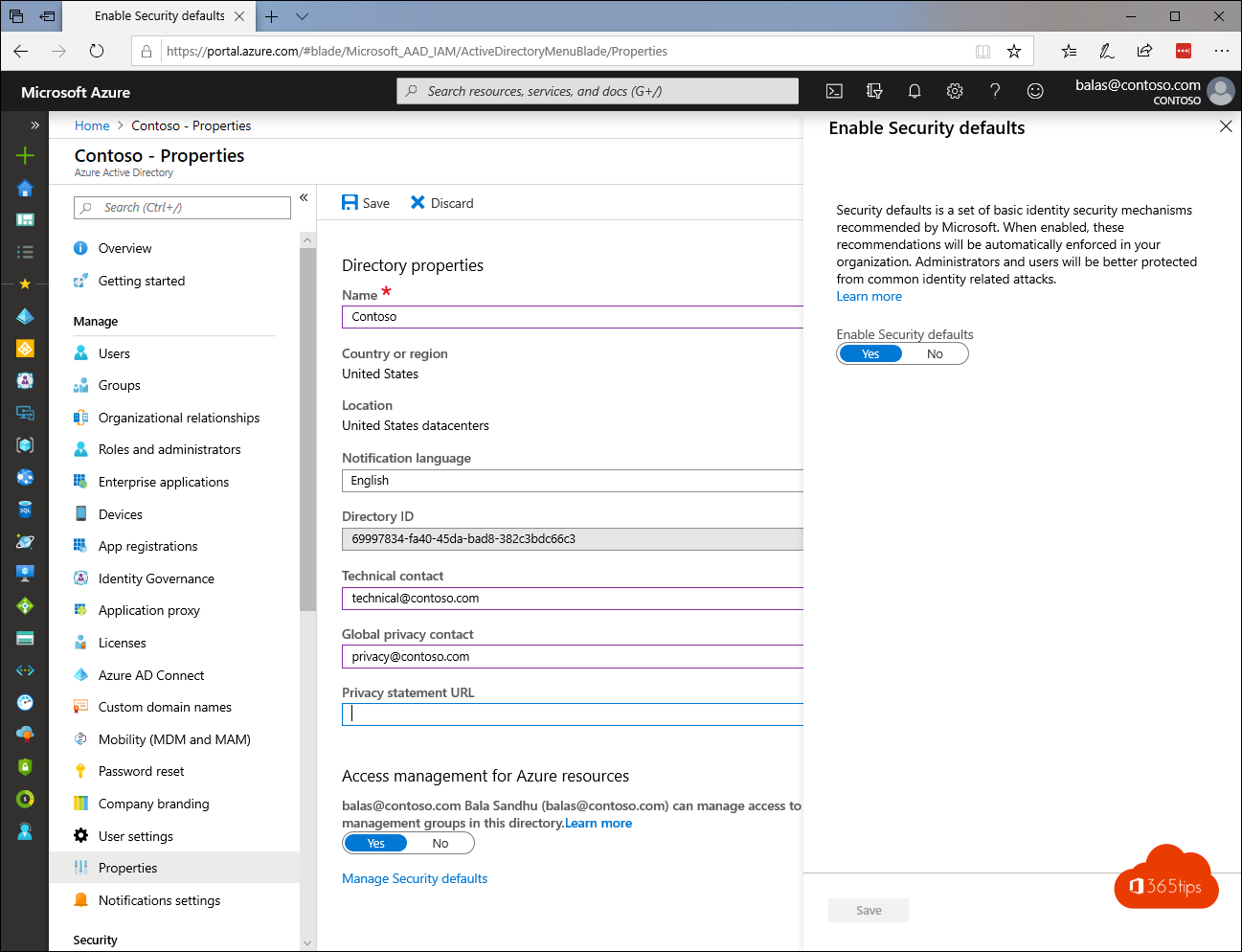
Turn on security defaults in Microsoft Entra
You need at least the Conditional Access Administrator role (or Global Administrator).
- Sign in to the Microsoft Entra admin center.
- Go to Entra ID > Overview > Properties.
- Click Manage security defaults at the bottom.
- Set Security defaults to Enabled.
- Click Save.
Tip: users who are already signed in stay signed in for now. To make everyone register MFA right away, revoke existing sessions, for example with Microsoft Graph PowerShell:
Connect-MgGraph -Scopes "User.RevokeSessions.All"
Revoke-MgUserSignInSession -UserId "user@yourcompany.com"
Users register MFA themselves at mysignins.microsoft.com/security-info.
Turn off security defaults
You turn them off in the same place: set the switch to Disabled (not recommended) and choose a reason. Only do this when you move to Conditional Access, and turn those policies on straight away. Also create two emergency access accounts (break-glass accounts): cloud-only accounts with permanent Global Administrator rights, in case you lock yourself out.
Security defaults or Conditional Access?
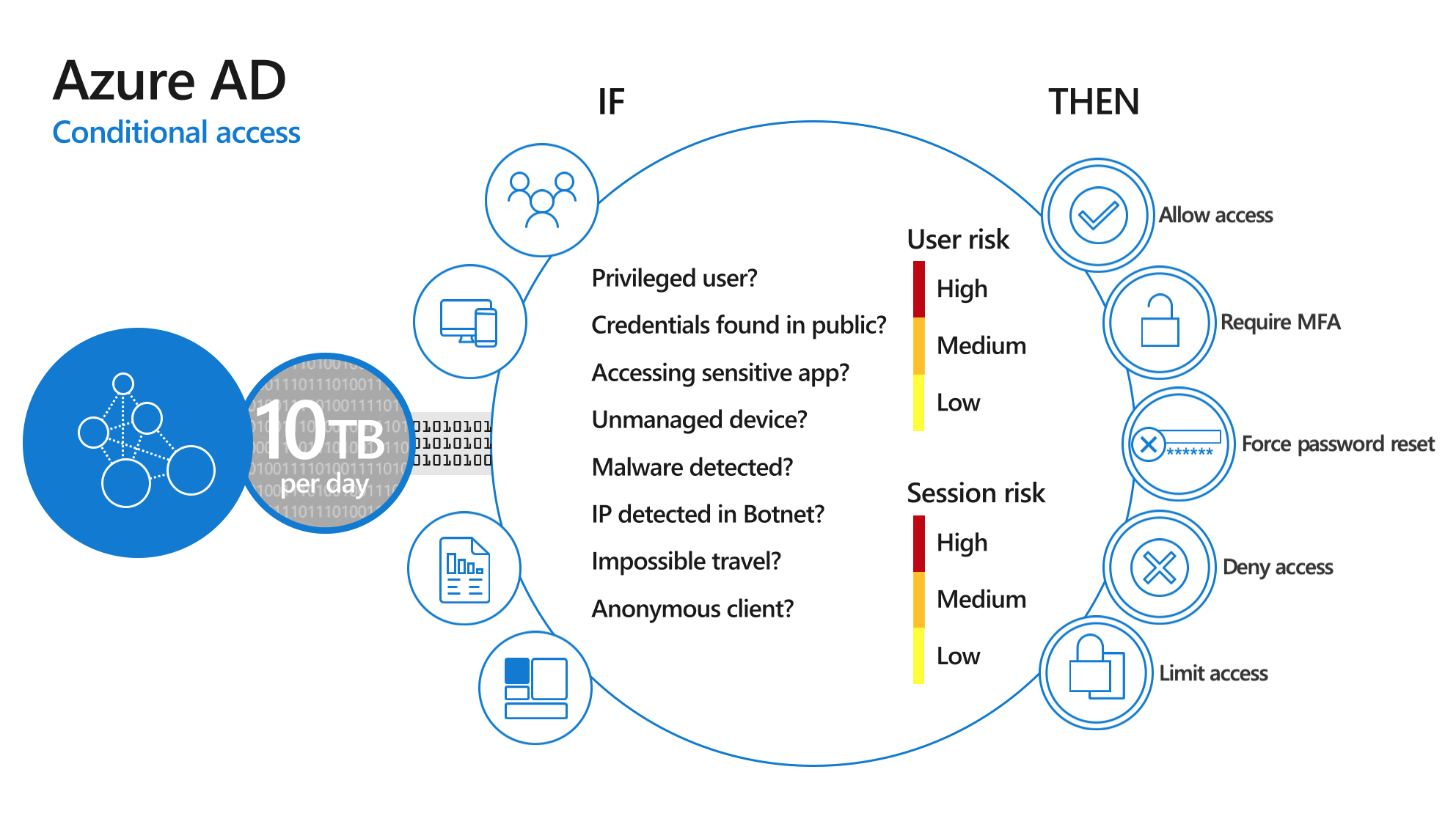
With Conditional Access you define the rules yourself: if someone signs in from an unmanaged device, then require MFA. Or: block sign-ins from outside Europe. Security defaults and Conditional Access cannot be on at the same time: if you want your own policies, turn off security defaults first.
| Security defaults | Conditional Access | |
|---|---|---|
| Licence | None (Entra ID Free works) | At least Microsoft Entra ID P1 |
| Customizable | No, on or off | Fully: users, apps, locations, devices, risk |
| Exclusions | Not possible | Possible, for example for emergency accounts |
| Suited for | Small organizations without P1 | Organizations with Business Premium, E3 or E5 |
When you switch, the Microsoft-managed Conditional Access policies help you get started. They offer the same protection as security defaults: block legacy authentication, MFA for Azure management, MFA for administrators and MFA for all users.
Good to know
- Sync accounts of Microsoft Entra Connect and Cloud Sync are excluded and get no MFA prompt. Don't use those accounts for anything else.
- Guest users (B2B) are treated like internal users and must do MFA too.
- Per-user MFA often shows Disabled for users when you use security defaults. That is normal: MFA is enforced by security defaults.
- Exchange Online in older tenants: in tenants created before 2017, modern authentication is sometimes still off. Turn it on first, or Outlook can end up in a sign-in loop.
- Microsoft itself also requires MFA for the Azure portal and the Entra and Intune admin centers, separately from security defaults.
- New version in preview: Microsoft is testing a version in which you manage the four rules (MFA for administrators, MFA for everyone, block legacy authentication, block device code flow) separately, also alongside your own Conditional Access policies. It is only available to a limited number of tenants for now.
Read also
All Microsoft 365 admin portals in one list: the right URLs in 2026
How to set out of office on a shared mailbox in Microsoft 365
How to password protect an Excel file or remove the password
Nederlandstalige versie: Security defaults in Microsoft Entra ID: wat ze doen en hoe je ze inschakelt