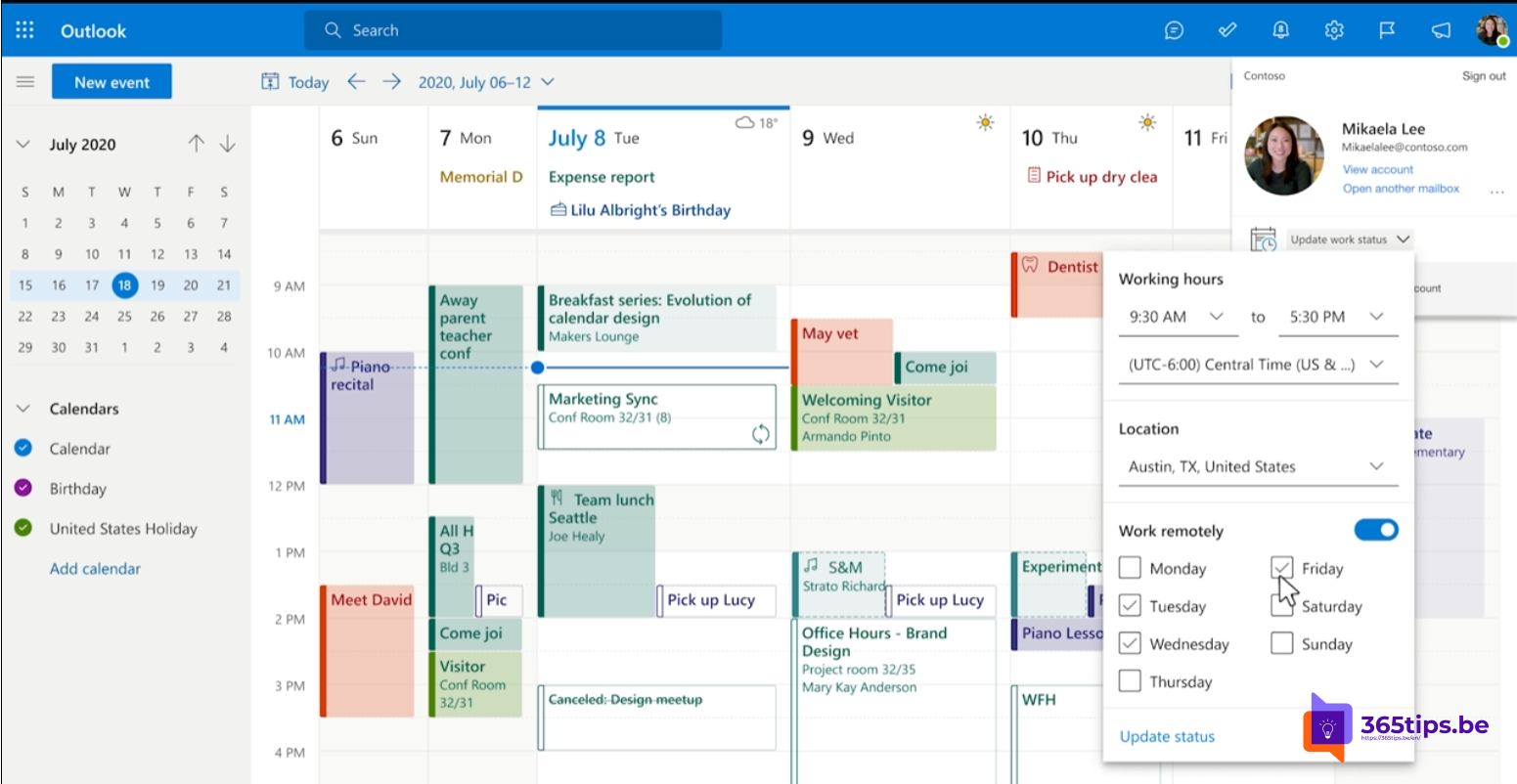
With hybrid work it helps to know who's coming to the office for a meeting and who joins online. That way you pick the right meeting room and the organizer knows how much coffee to order. In Teams and Outlook you can say whether you'll attend in person or online when you reply.
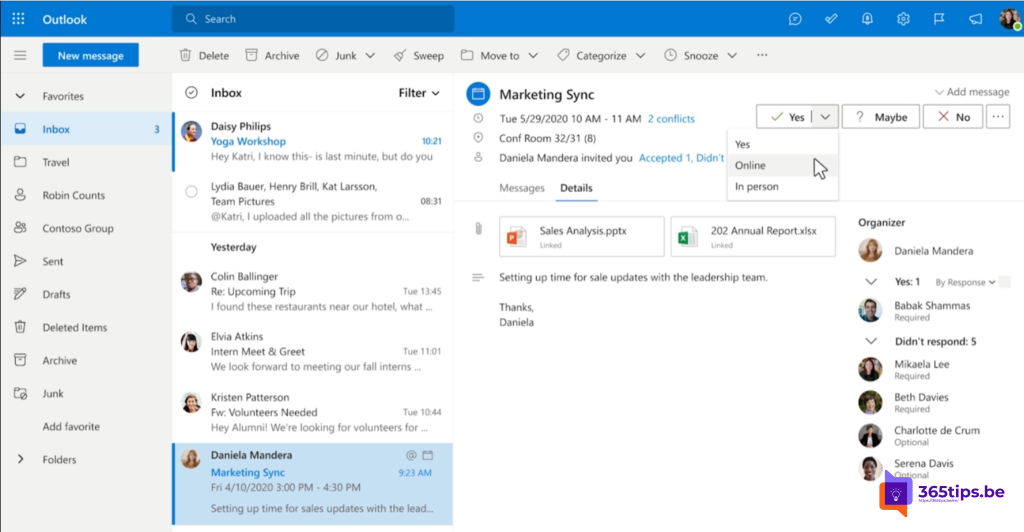
Reply in person or online
- Open the invitation in your Teams calendar or in Outlook.
- Select the arrow next to Accept.
- Choose In person or Virtually (the exact labels can differ by version).
What does the organizer see?
In the attendee overview, the organizer sees for each person whether they'll come in person or online. That way they can book a bigger room or keep the meeting fully online.

Combine it with your work location
Also set your working hours and work location, so colleagues see in your calendar which days you're in the office. Read schedule a Teams meeting and give every meeting a Teams link.
Read also
Schedule a Microsoft Teams meeting in your calendar
Give every Outlook meeting a Teams link automatically
Use categories and colors in your Teams and Outlook calendar
Nederlandstalige versie: Laten weten of je persoonlijk of online deelneemt aan een vergadering