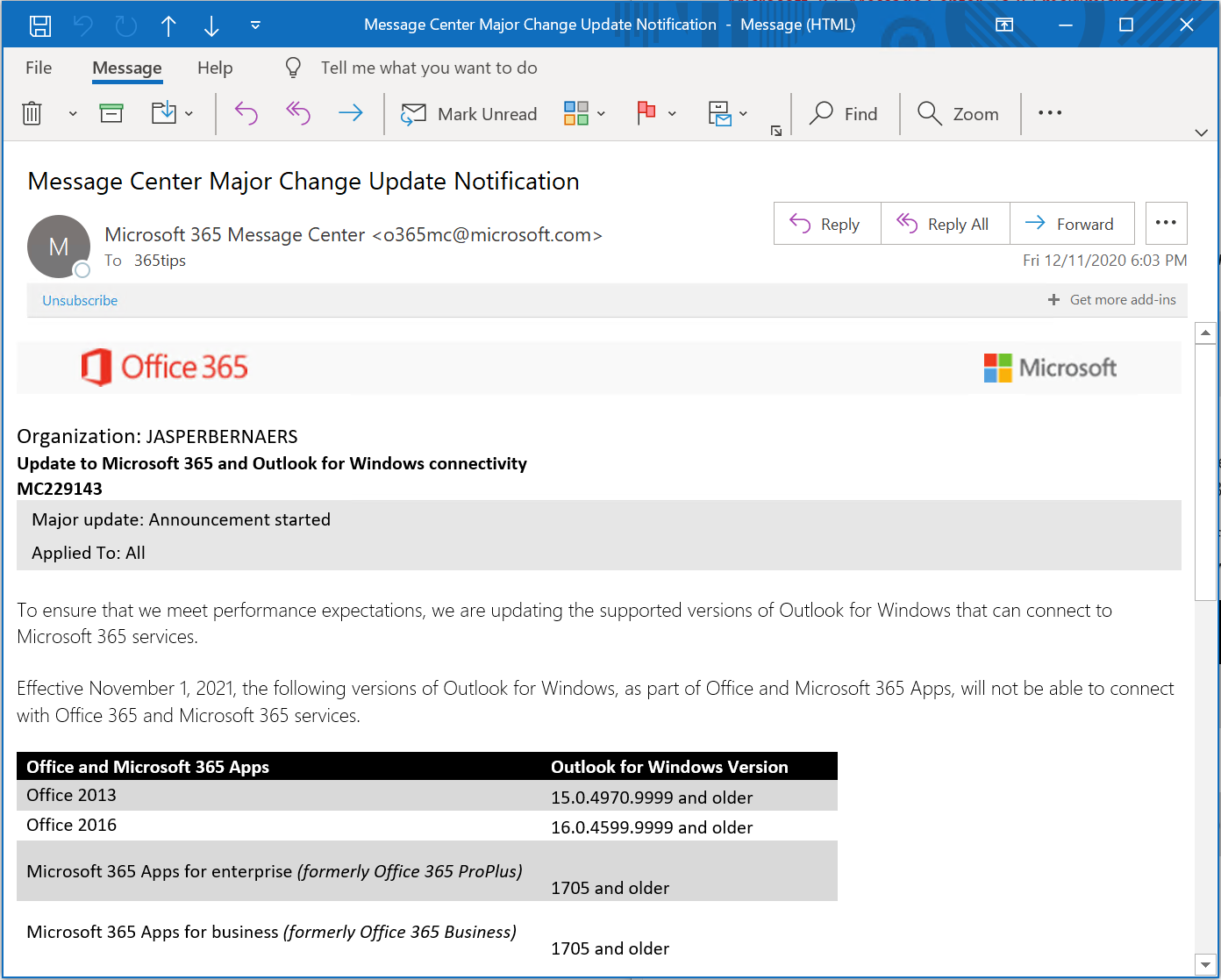
Still using an old Office version with Exchange Online? Then you'll run into trouble. Office 2013 and Office 2016 are no longer supported for connecting to Exchange Online, and support for Office 2016 and Office 2019 ended in October 2025. Here is which versions are affected, how to check what runs in your organization and what the fix is: Microsoft 365 Apps.
Which versions are no longer supported?
- Office 2013: completely out of support.
- Office 2016 and Office 2019: end of support in October 2025. They no longer get security updates and Microsoft doesn't guarantee the connection to Microsoft 365.
- Old, unpatched builds of Microsoft 365 Apps (formerly ProPlus): keep those on a supported update channel.
Do they still work today? Maybe, but you get no more help or updates and the connection can stop at any time.
Check your version
- Open Outlook, Word or Excel.
- Choose File > Office Account (or Account).
- Under Product Information you see which product you have. Click About Outlook for the exact version number.

Check across your organization
- Microsoft Intune: view installed apps per device.
- Microsoft Defender for Endpoint: the software inventory in the Defender portal shows which Office versions are running (depending on your license).
- Microsoft 365 Apps admin center (config.office.com): inventory of Microsoft 365 Apps in your organization.

The fix: Microsoft 365 Apps
Most Microsoft 365 business licenses let users install Microsoft 365 Apps, which stay up to date automatically. Deploy them centrally with Intune or let users install them from microsoft365.com.
Also see deploy Microsoft 365 Apps with Intune and install Microsoft 365 Apps on Windows.
Read also
Deploy the Microsoft 365 apps with Microsoft Intune
Install the Microsoft 365 apps (Office) on your Windows PC
The new Outlook for Windows: switching and what changes
Nederlandstalige versie: Oude Office-versies en Exchange Online: wat niet meer ondersteund is en wat nu