Testing a new policy, giving a demo or preparing for a certification? Don't do it in production; use a separate test tenant. This article covers your options for getting a Microsoft 365 environment for testing, and what to watch out for.
The options
| Option | For whom | Duration |
|---|---|---|
| Trial subscription (for example Business Premium or E5) | Anyone | Usually 30 days, then paid |
| Microsoft 365 Developer Program | Developers who meet the criteria, such as a Visual Studio subscription | As long as you stay active |
| Partner demo environment | Microsoft partners | Temporary, with demo data |
| A small paid tenant | Organisations wanting a permanent test environment | Unlimited |
Start a trial
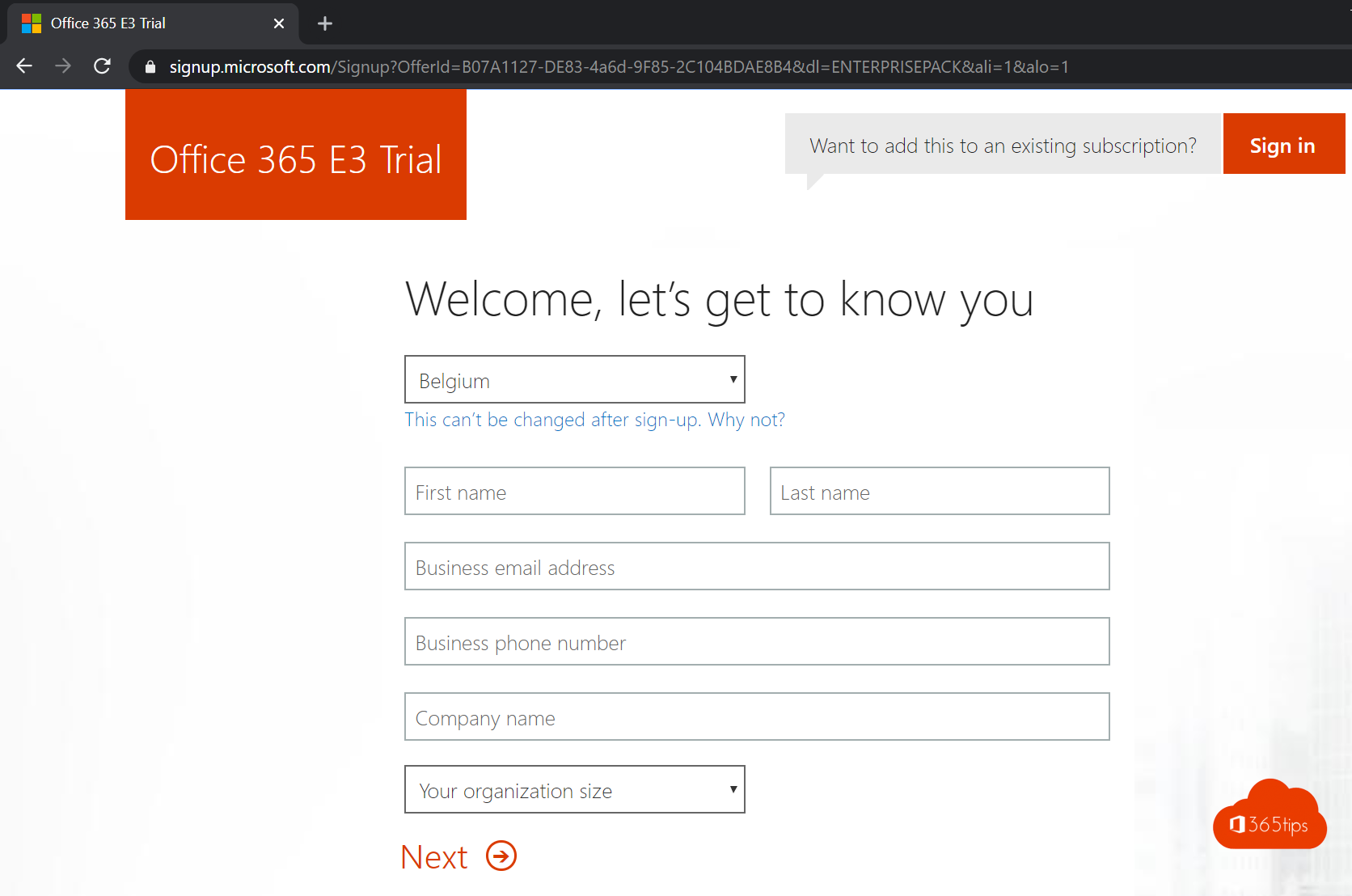
- Go to the Microsoft 365 for business website and choose a plan with Try free.
- Use a separate email address, not your work account.
- Pick a tenant name, such as contosotest. You then get contosotest.onmicrosoft.com.
- Fill in the details and a payment method. Turn off auto-renew straight away if you don't want to pay.
The Developer Program
The programme used to give everyone a free E5 sandbox. Microsoft has tightened the criteria: you now only get a sandbox if you qualify, for example through a Visual Studio Professional or Enterprise subscription. Check the current conditions on the programme website.
Tips
- Give the test tenant a clear name so you don't confuse it with production.
- Turn on MFA in the test tenant too. Test tenants get attacked as well.
- Don't connect a real domain you use in production.
- Export settings you want to reuse, for example with PowerShell or Microsoft365DSC. See also all Microsoft 365 admin portals.
Read also
Add your own domain to Microsoft 365
All Microsoft 365 admin portals in one list: the right URLs in 2026
Enable multi-factor authentication (MFA) in Microsoft 365
Nederlandstalige versie: Een Microsoft 365-tenant maken om te testen
More in English
▸Add your own domain to Microsoft 365Add your own domain to Microsoft 365: verify with a TXT record, set up the DNS records for email and give…
▸Assign admin roles in Microsoft 365Which admin roles exist in Microsoft 365, who gets which one, and how to assign them in the admin center.…
▸Which Microsoft 365 licence do I have? How to checkSee which Microsoft 365 or Office 365 licence is assigned to your account: via My Account, in the Office…
▸Assign the Global Reader role in Microsoft 365Give an IT partner or auditor read-only access to Microsoft 365 with the Global Reader role. Plus GDAP and…