
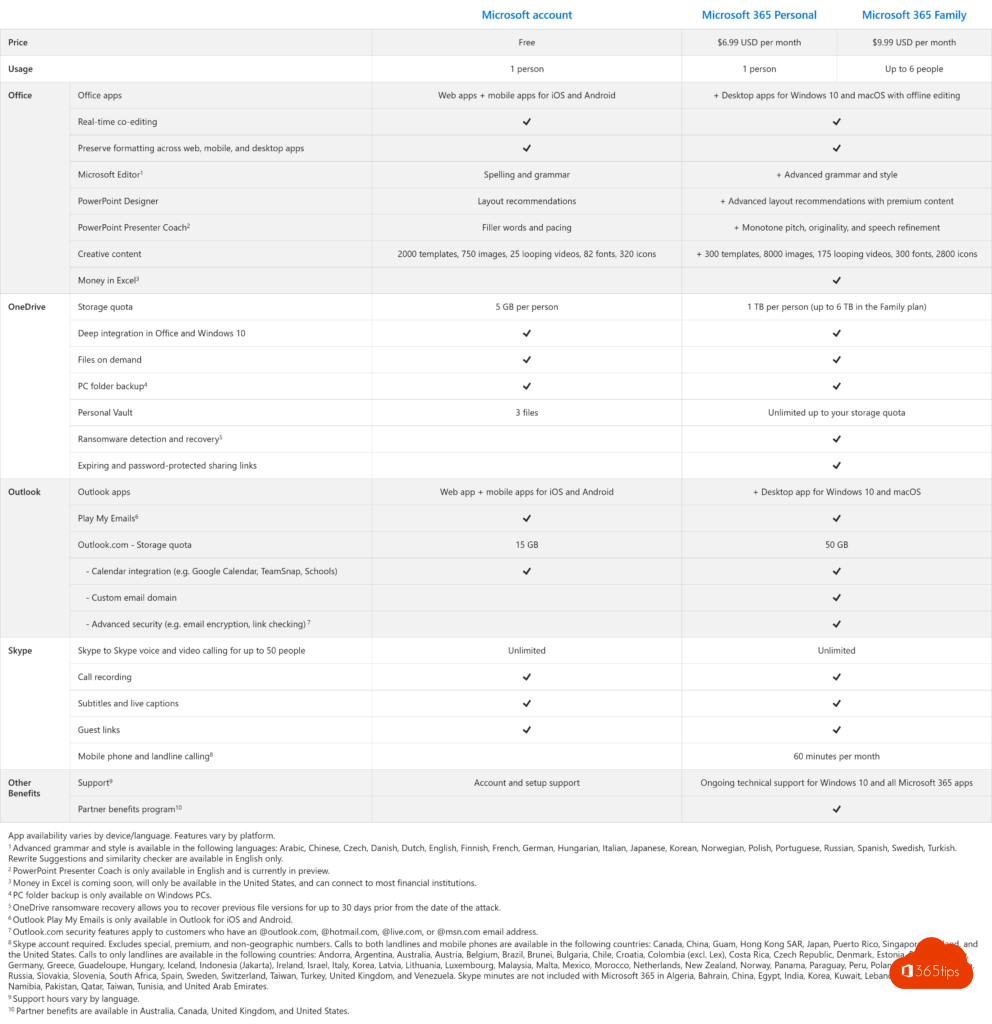
For home use, Microsoft offers two plans: Microsoft 365 Personal and Microsoft 365 Family. You get the Office apps, plenty of OneDrive storage and extra features. What's the difference, and which one suits you?
Personal or Family?
| Personal | Family | |
|---|---|---|
| Number of people | 1 | Up to 6 |
| OneDrive storage | 1 TB | 1 TB per person (up to 6 TB) |
| Office apps | On all your devices | On all devices, for each person |
| Copilot in the apps | Yes | Yes, for the subscription owner |
What's included?
- Word, Excel, PowerPoint, OneNote and Outlook on Windows, Mac, iPhone, iPad and Android.
- 1 TB of OneDrive per person, with the Personal Vault for important documents.
- Copilot in Word, Excel, PowerPoint and Outlook, with a monthly limit.
- Microsoft Defender for your devices and Clipchamp premium features.
- Ad-free Outlook.com.
Share Family
Go to account.microsoft.com > Services & subscriptions > Sharing and invite up to five people by email or link. Everyone uses their own Microsoft account and can't see each other's files.
And Teams?
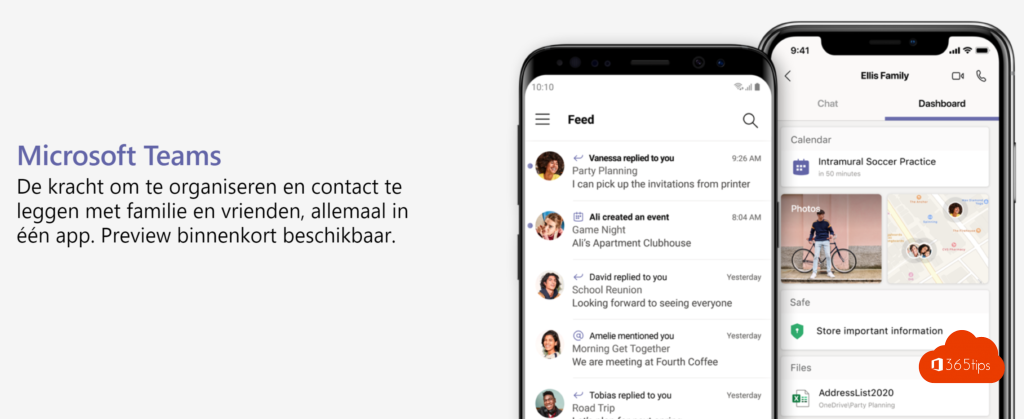
For family and friends, use the free version of Microsoft Teams with your personal account. Read create a free Teams account.
Prices and exact terms differ by country. Also see use Office online for free and create a Microsoft account.
Read also
Use Word, Excel, PowerPoint and OneNote for free in your browser
Create a free Microsoft account or Outlook.com address
How to create a free Microsoft Teams account
Nederlandstalige versie: Microsoft 365 Personal of Family: het verschil