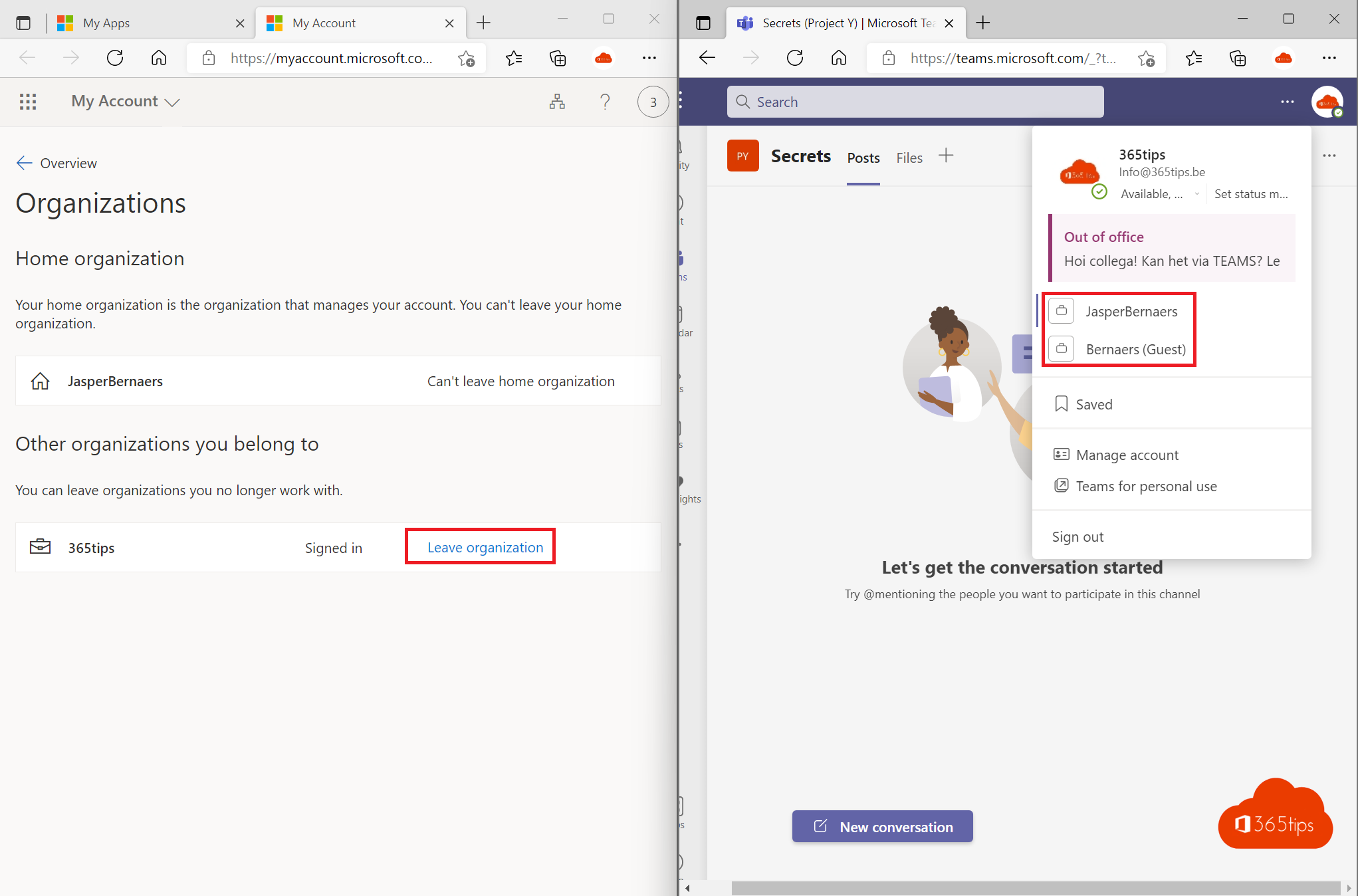
Were you ever added as a guest to a team of a customer, supplier or former employer? Then you still see that organization in Teams. You can remove yourself as a guest from that organization, without help from their admin.
From Teams
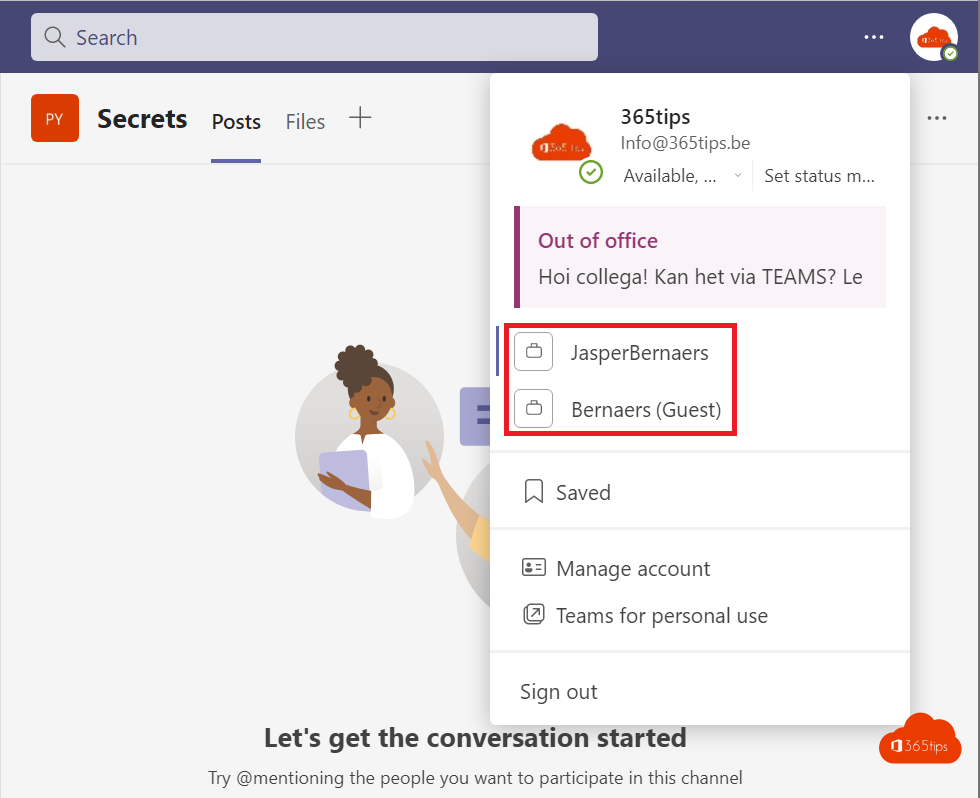
- In Teams, select your profile picture and choose Manage accounts and orgs, or go to Settings > Accounts.
- Under Other organizations you see the organizations where you are a guest.
- Select Leave next to the organization and confirm.
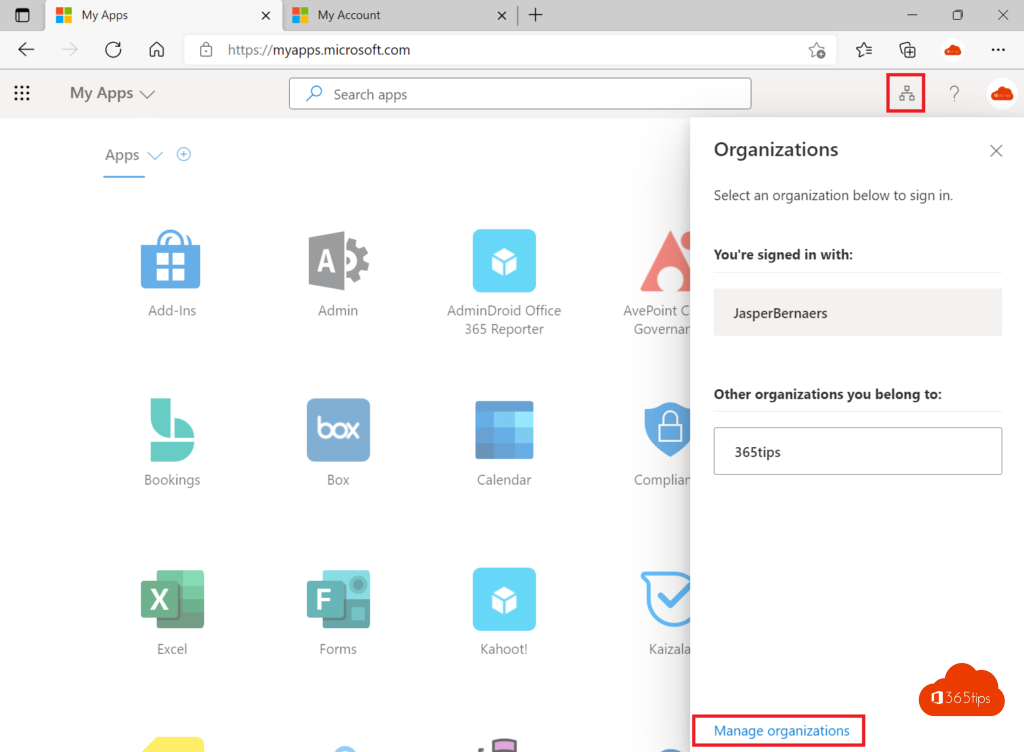
Via My Account
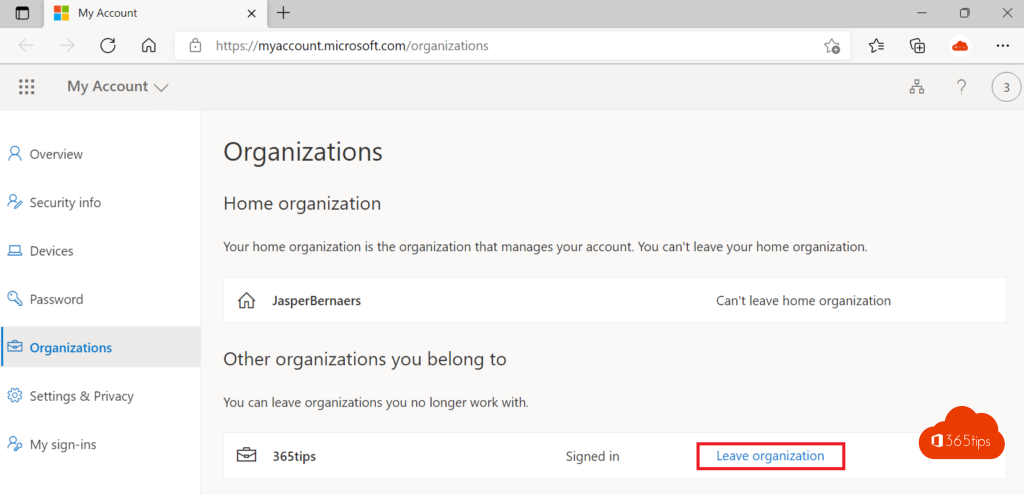
- Go to myaccount.microsoft.com and sign in with your own account.
- Open Organizations.
- Under Other organizations you collaborate with, select Leave organization next to the organization.

What happens?
- You immediately lose access to that organization's teams, chats and files.
- It can take a while before the organization disappears from Teams. Sign out and back in if needed.
- Want access again later? An owner or admin has to invite you again.
Doesn't it work, for example because that organization created your account itself? Then ask their admin to remove you. Also see use multiple accounts in Teams.

Nederlandstalige versie: Jezelf als gast verwijderen uit een andere Teams-organisatie
Related articles
▸Use multiple accounts at once in Microsoft TeamsAdd several work, school or personal accounts to the new Teams app, switch between accounts and guest…
▸How to add external guests in Microsoft TeamsAdd an external guest to a team in Microsoft Teams, see what the guest sees and can do, which settings an…
▸Set up external access in Microsoft TeamsChat and meet with other organizations through external access. Learn the difference with guest access and…
▸Create and use shared channels in Microsoft TeamsCollaborate with other teams and organizations in a shared channel. How to create one and what the admin sets…
▸Check and manage guest access in Microsoft TeamsGuest access in Teams has been on by default since 2021. How to check the settings in Teams, Entra ID and…