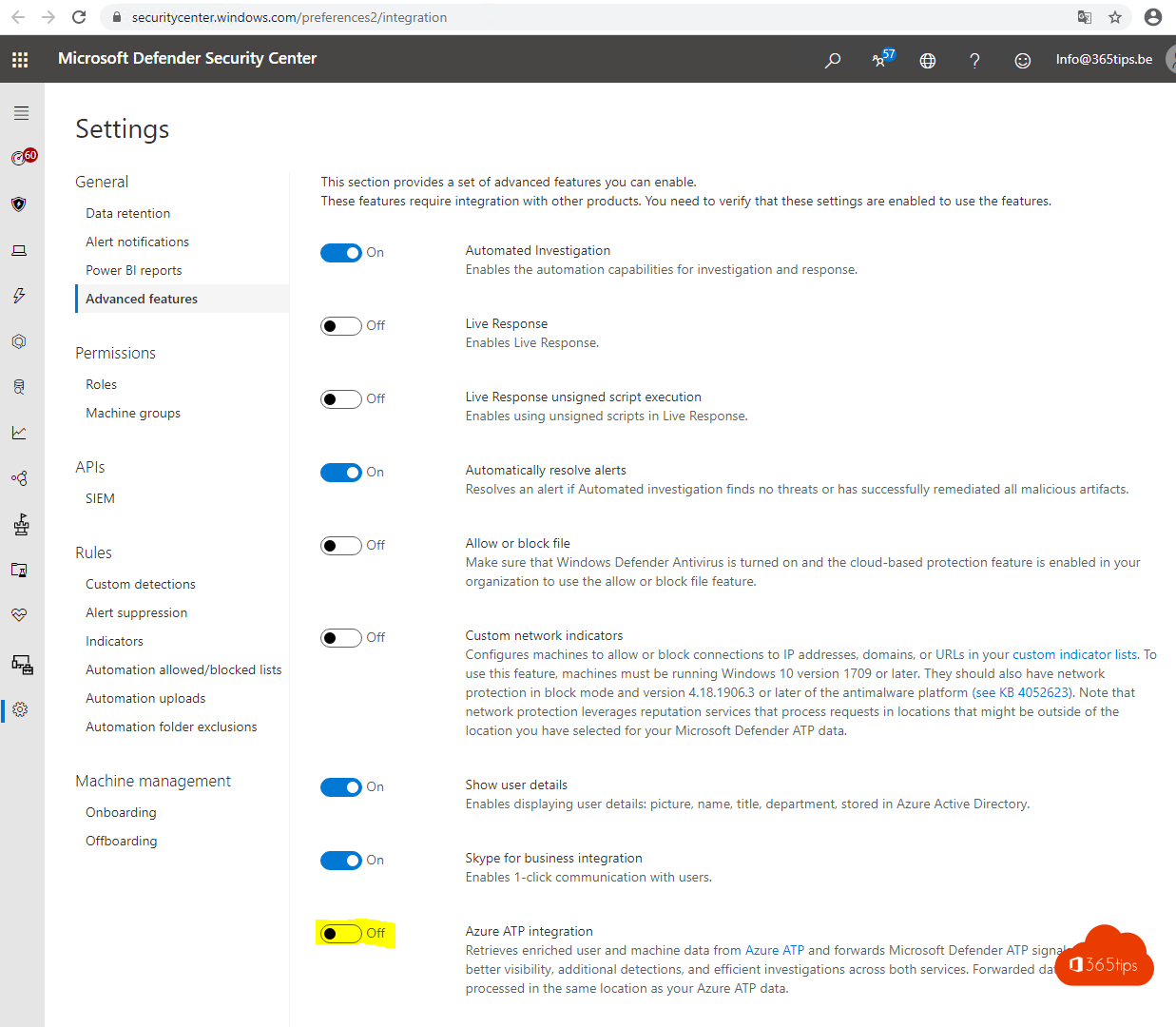
Windows Defender ATP and Azure ATP are now called Microsoft Defender for Endpoint and Microsoft Defender for Identity. Both work together in the Microsoft Defender portal (security.microsoft.com), part of Microsoft Defender XDR; the old Azure ATP portal and Windows Defender Security Center are gone. Here is how to turn on the integration and what you gain.
What do they do?
- Defender for Endpoint protects devices: it detects suspicious behavior on PCs and servers and can isolate a device.
- Defender for Identity monitors your on-premises Active Directory: it recognizes attacks such as pass-the-hash, reconnaissance and suspicious sign-ins. You install a sensor on your domain controllers for this.
Together they give one timeline of an attack, from the user and their identity to the device.
Turn on the integration
- Go to the Microsoft Defender portal (security.microsoft.com).
- Choose Settings > Endpoints > Advanced features.
- Turn on the Microsoft Defender for Identity integration and save.
Exact menu names may differ. In many environments both services already work together once they are active in the portal.
What do you gain?
- Incidents that combine identities and devices, in one view.
- Faster analysis: you see on which device a suspicious sign-in happened.
- Automatic responses, such as isolating a device or disabling an account, depending on your license and settings.
Licensing
Both services are included in Microsoft 365 E5, among others, and are also available separately. Check your own licenses in the Microsoft 365 admin center.
Also see a Microsoft 365 security assessment in 5 steps and all Microsoft 365 admin portals.
Read also
Run your own Microsoft 365 security assessment in 5 steps
All Microsoft 365 admin portals in one list: the right URLs in 2026
Set up alert policies in Microsoft 365
Nederlandstalige versie: Defender voor Endpoint en Defender voor Identity samen laten werken