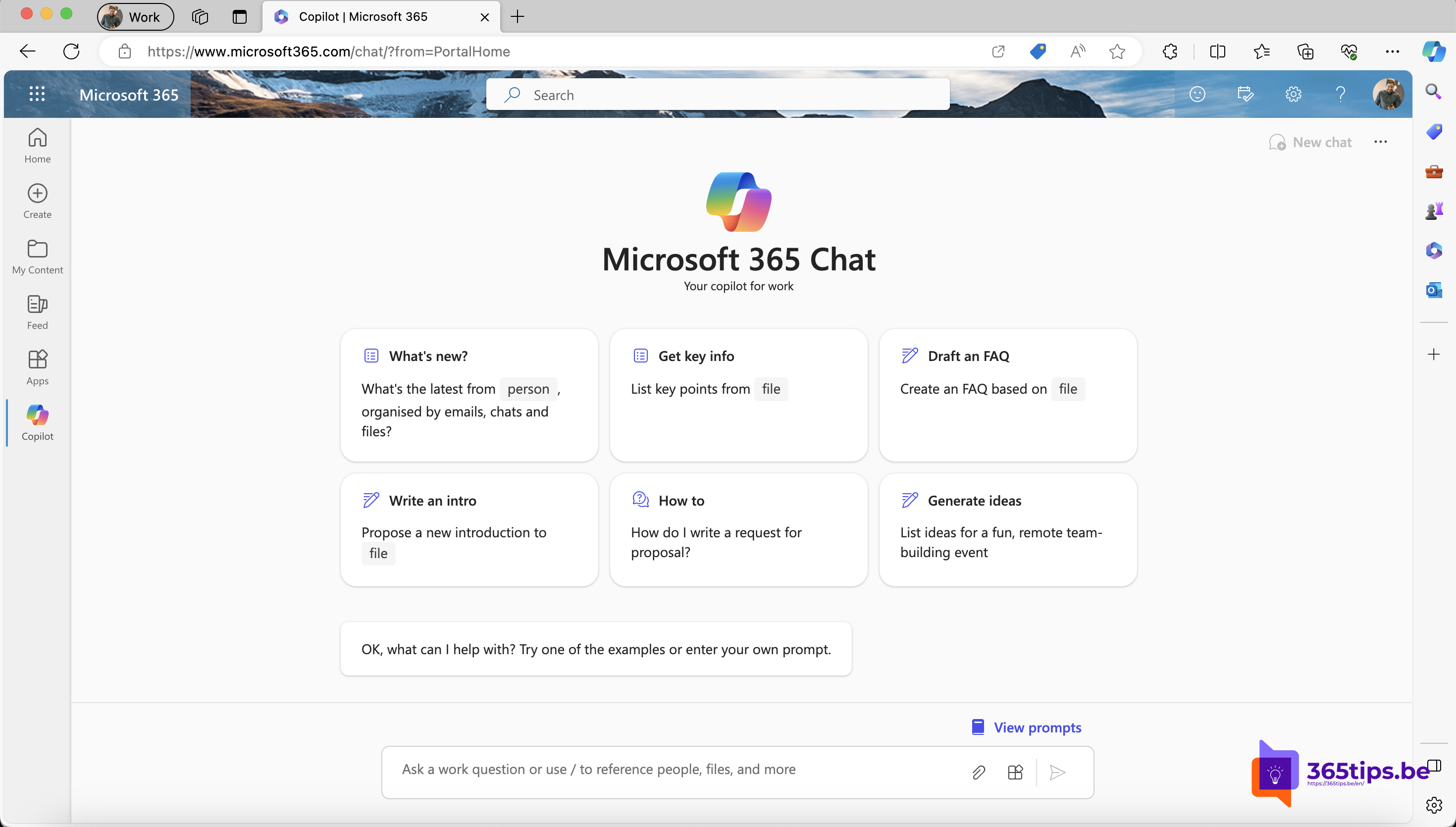
Not sure what to ask Microsoft 365 Copilot? The Copilot Prompt Gallery contains ready-made prompts you can use and save right away. Here's where to find them and the 10 most useful prompts to start with.
Copilot Lab is now called the Copilot Prompt Gallery, and Microsoft 365 Chat is now Microsoft 365 Copilot Chat. The exact location of the button may differ per app.
What is the Prompt Gallery?
The Prompt Gallery is a collection of sample prompts from Microsoft, by app and by task. You can save prompts to reuse later, and in some organizations also share them with your team.
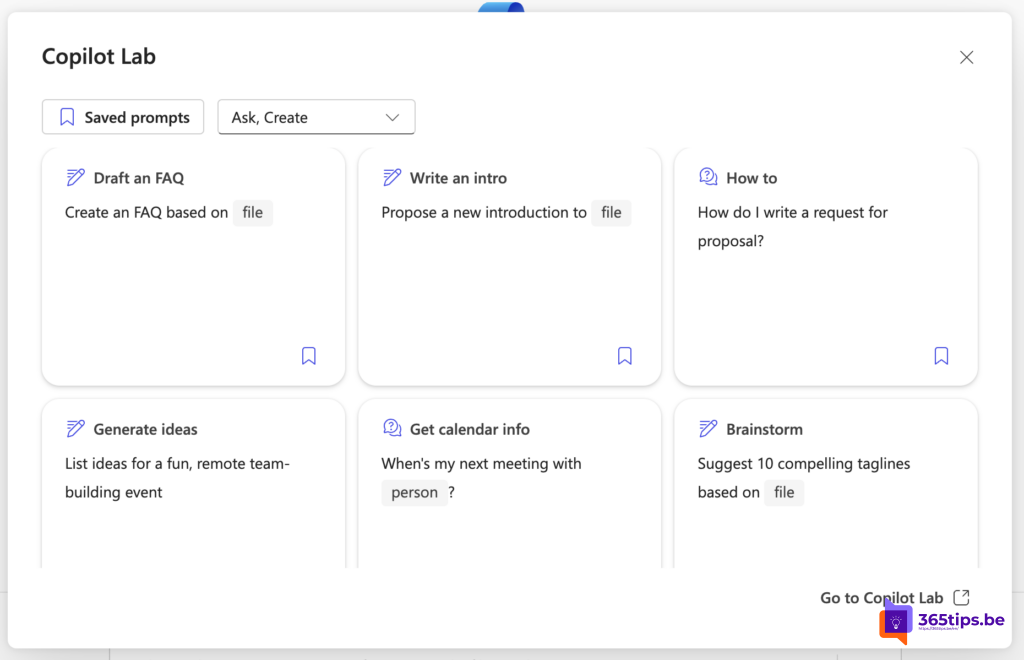
Where to find the prompts
- In Microsoft 365 Copilot Chat (in the Microsoft 365 Copilot app, Teams or on the web) via View prompts or a similar button below the input box.
- In Word, Excel, PowerPoint and Outlook via the Copilot pane.
- Which prompts you see depends on your license: Copilot Chat without a license has fewer prompts that use your work data.
10 useful prompts to start with
- Catch up: What's new from [person] in emails and chats from the past week?
- Write an intro: Propose a new introduction for [file].
- Get key info: What are the key decisions in [file or meeting]?
- Draft an FAQ: Create an FAQ based on [file].
- Generate ideas: List ideas for a fun remote team-building event.
- Brainstorm: Suggest 10 compelling taglines based on [file].
- Calendar info: When is my next meeting with [person]?
- Summarize email: Summarize the emails from [person] about [topic].
- Help me write: Help me write a friendly email to [request].
- How to: How do I write a good project proposal?
Use / or the paperclip icon to attach a file, person or meeting to your prompt.
Tips
- Adapt a sample prompt to your situation and save your own version.
- Copilot only sees data you have access to.
- Always check the answers before you forward them.
Also see what is Microsoft 365 Copilot and the Copilot onboarding toolkit.
Read also
What is Microsoft 365 Copilot and which versions exist?
Introduce Copilot with Microsoft's user onboarding toolkit
15 useful prompts for ChatGPT and Microsoft Copilot
Nederlandstalige versie: De Copilot-promptgalerij (vroeger Copilot Lab): 10 handige prompts