A good prompt makes the difference between a vague and a useful answer. Here are 15 types of prompts you can use in ChatGPT, Microsoft Copilot or another AI assistant, from learning and work to cooking and sports. Replace what's in brackets with your own situation.
Never paste confidential business data, customer data or personal information into a public AI service; at work, use the AI tool your organization approves.
First: how to write a good prompt
- Give a role: You are an experienced HR advisor.
- Give context: who is it for, what do you already know, what's the goal?
- Ask for a format: a table, 5 bullet points, 100 words max.
- Refine: Shorter, more formal, give 3 other versions.
15 useful prompts
- Creative writing: Write a short 8-line rap about [topic] with a positive message.
- Learning: Teach me the basics of statistics in 5 short lessons and end with a quiz. Only give the answers when I ask.
- Titles: Act as a title generator. I give keywords, you give 10 catchy titles. Keywords: [api, test, automation].
- Customer service: Summarize this customer feedback in the 5 key points, or Create a list of FAQs about [product].
- SWOT analysis: Create a SWOT analysis for [a fictional or publicly known product] in a table, with a concrete example per point.
- Humor: Tell a clean joke about [the office, IT, meetings] that I can use in a team meeting.
- Cooking: I have [chicken, broccoli and rice]. Give 3 recipes of 30 minutes max.
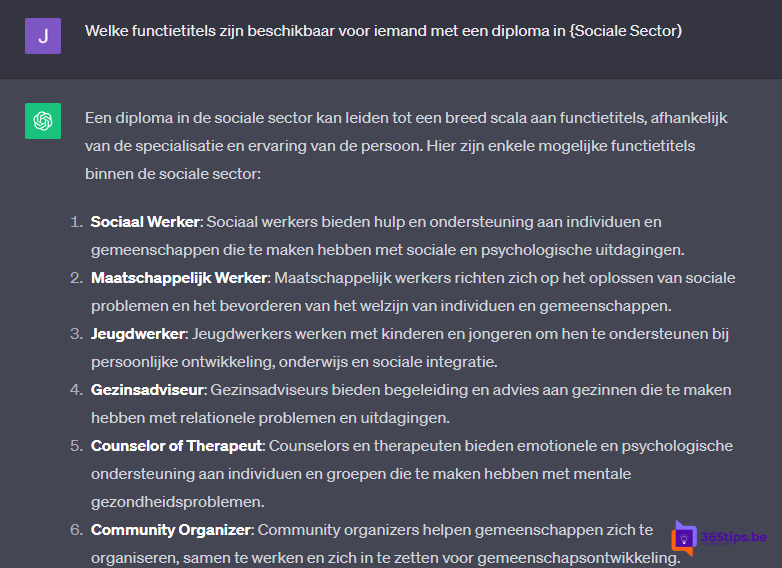
- Job hunting: Which jobs fit a degree in [field]? or Ask me 5 typical interview questions for [role] and give feedback on my answers.
- Marketing: Give 3 alternative headlines for this ad, Write a meta description of 150 characters max, or Check this text for errors.
- Sports: Act as a running coach and make a 16-week marathon plan for someone who currently runs 10 km. Always consult a doctor about health issues.
- Excel: Give me the Excel formula to [sum column C if column A contains "Ghent"] and explain it step by step.
- Word: Create a heading structure for a manual about [topic], or Rewrite this paragraph in plain language.
- Health and wellbeing: Give 10 ideas for short movement breaks during a day at the computer. This is not medical advice.
- Better prompts: I want [goal]. Ask me questions first, then write the best prompt to achieve it.
- Side project ideas: Give 10 ideas to earn something extra with my skills in [field], with pros and cons. Be critical: AI doesn't know your market.
What to watch out for
- No confidential data: no customer data, contracts, passwords or internal figures in a public chatbot.
- At work, preferably use Microsoft 365 Copilot Chat with your work account, so your data stays protected.
- Check the answers: AI can invent facts, figures and sources.
Also see prompts from the Copilot Prompt Gallery and what is generative AI.
Read also
The Copilot Prompt Gallery (formerly Copilot Lab): 10 useful prompts
Write texts faster with ChatGPT or Microsoft Copilot
What is generative AI and what can you do with it?
Nederlandstalige versie: 15 handige prompts voor ChatGPT en Microsoft Copilot
More in English
▸Get started with Microsoft 365 Copilot Chat (formerly Bing Chat Enterprise)Bing Chat Enterprise is now Microsoft 365 Copilot Chat. How to use the secure AI chat with your work account…
▸10 Excel tips everyone should knowWork faster in Excel with tables, Flash Fill, XLOOKUP, PivotTables, conditional formatting, FILTER and handy…
▸What is Microsoft 365 Copilot and which versions exist?Microsoft 365 Copilot is the AI assistant in Word, Excel, PowerPoint, Outlook and Teams. What it can do,…
▸Create images from words in Microsoft Copilot and DesignerBing Image Creator lives on in Copilot and Designer. How to create images with AI for free and get better…