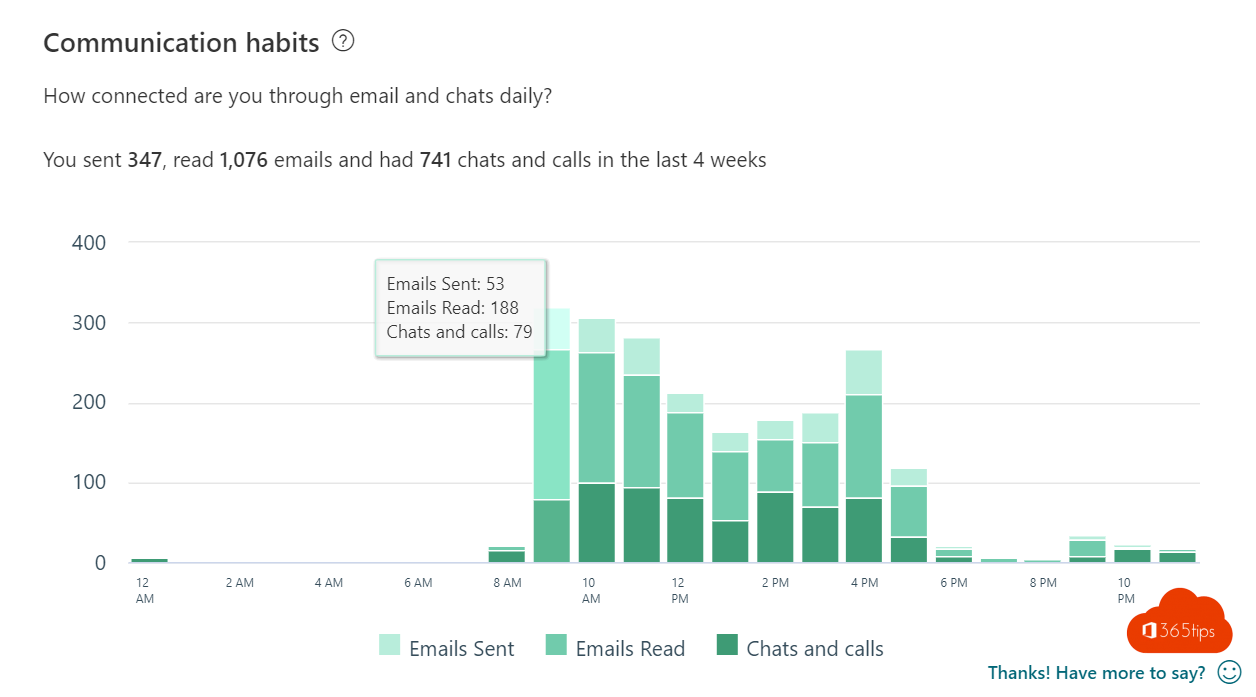
How many hours a week do you spend in meetings? How much time is left for real work? And do you still send emails in the evening? MyAnalytics used to answer that. Today it's called Microsoft Viva Insights and it's an app in Teams and Outlook. This article covers what Viva Insights shows you personally, how to plan focus time, what the daily briefing is and what's free versus licensed.
What is Viva Insights?
Viva Insights analyzes your own calendar, email, chats and meetings in Microsoft 365 and gives you personal insights and tips. Only you see your personal insights: not your manager, not your admin. Managers and organizations can see only de-identified numbers for groups, with a separate license.
Open Viva Insights
- In Teams: select Apps, search for Viva Insights and add it. Pin it to the left bar.
- In Outlook: select the Viva Insights icon on the ribbon or under Apps.
- By email: you get a daily briefing with tasks and meetings for the day.
What can you do with it?
| Feature | What it does |
|---|---|
| Focus time | Books daily blocks in your calendar for uninterrupted work; Teams shows Focusing and mutes notifications |
| Daily briefing | An email with meetings, tasks from emails and documents to prepare |
| Reflect | A quick note on how you feel, with tips and a history over time |
| Virtual commute | A moment to wrap up your day: what's tomorrow, what's still open |
| Quiet time | Shows how often you work outside your working hours and suggests send later |
| Meeting habits | How many meetings you organize, how long they last and whether you double-book |
Set up focus time
- Open Viva Insights in Teams and choose Protect > Focus time (Focus plan).
- Choose how many hours a day to reserve and when you prefer to concentrate.
- Viva Insights books the blocks for the next two weeks. Colleagues see you as busy.
During a focus block Teams sets your status to Focusing and mutes notifications. To tune notifications yourself, see mute notifications in Teams.
What's free?
- Most personal features (briefing, focus time, reflect, basic insights) are included in regular Microsoft 365 plans.
- Advanced personal insights, manager insights and organization analytics need a Viva Insights or Viva suite license.
- An admin can turn features such as the daily briefing on or off for the organization.
Turn off the daily briefing
Every briefing email has an Unsubscribe link at the bottom. You can also turn it off in Viva Insights under ... > Settings > Briefing.
Read also
Mute Microsoft Teams notifications during meetings and set them up smartly
Usage reports and Adoption Score in the Microsoft 365 admin center
How to schedule a chat message in Microsoft Teams
Nederlandstalige versie: Je persoonlijke productiviteit bekijken met Viva Insights (vroeger MyAnalytics)