The AI landscape no longer changes year by year, but week by week. Last year we were impressed by a good chat answer. In 2026 it's all about action and speed: the barrier to creating something professional has almost disappeared. Whether you're automating a workflow, building a tool or writing a neatly formatted LinkedIn post, AI cuts the time to result from hours to minutes. In this article you'll read how I use it myself, what Microsoft is doing with Copilot Cowork, and how to get started.
From idea to design: why everyone is a designer now
The biggest change right now is how accessible good design has become. You no longer need to be a graphic designer, developer or copywriter to make something that looks professional. The distance between a rough idea and a usable result is smaller than ever. You describe what you want, AI makes a first version, and you steer until it's right.
That doesn't mean craftsmanship disappears. Taste, knowing your audience and being able to judge whether something is right become even more important. AI brings the speed; you bring the direction.
What I built with AI
On jasperbernaers.com you'll now find more than 170 free tools that I built in my spare time with the help of AI. They all run in your browser: your data goes nowhere. A few examples:
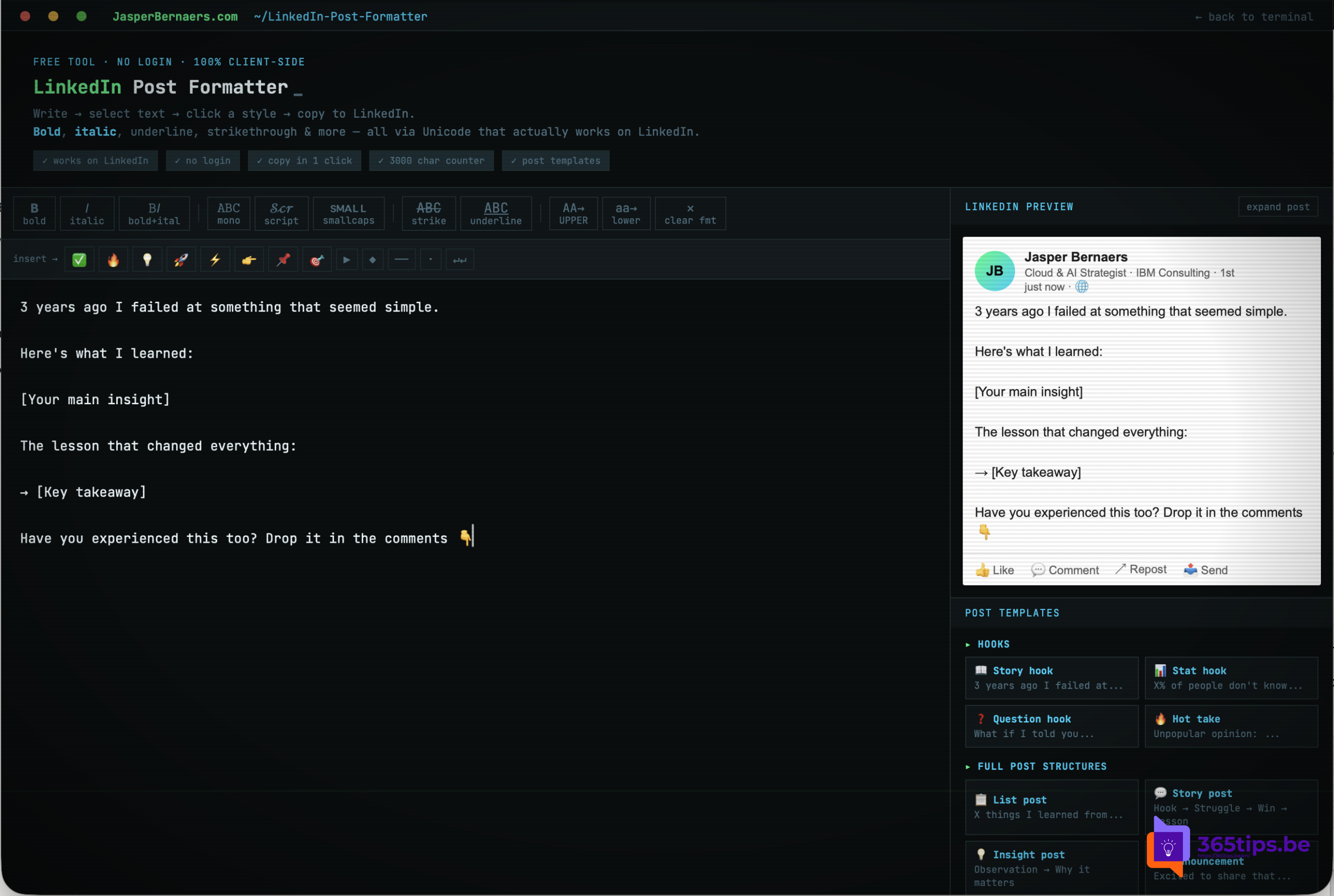
- LinkedIn Post Formatter: paste text from Claude, ChatGPT or Copilot, make words bold, italic or underlined with Unicode styles, add bullets and see right away how your post looks up to "…more". No more fiddling with line breaks.
- Online notepad: a full text editor with tabs, syntax highlighting and find and replace that works on any computer without installing anything.
- Free AI in your browser: open AI models that run entirely on your own PC, with no account and without your text leaving your device.
- Azure naming convention generator: correct names for Azure resources following Microsoft's Cloud Adoption Framework.
- KQL example generator: ready-made KQL queries for Microsoft Sentinel and Defender.
- Hand-tracking instrument: make music with your hands in front of your webcam.
None of these tools is earth-shatteringly complex. But a few years ago each of them would have taken weeks. Now you build a first working version in an evening and refine it over the following days.
Microsoft Copilot Cowork: the AI that does the work for you
While we design faster, Microsoft goes a step further. On March 9, 2026 Microsoft announced Copilot Cowork: a part of Microsoft 365 Copilot that doesn't just answer, but also carries out tasks. Microsoft built it in close collaboration with Anthropic, based on the technology behind Claude Cowork.
How it works:
- You describe the outcome, not the steps. For example: "Create a briefing and a presentation for my customer meeting on Thursday."
- Cowork makes a plan and completes it in the background, with checkpoints where you can steer, pause or approve. You approve changes before they are applied.
- It works with your own work context: emails, meetings, Teams messages, files and Excel data, within your organization's permissions and policies.
- It runs in the cloud, so the task keeps going when you switch devices or close your laptop.
Availability: first as a preview for a limited number of customers, from March 30, 2026 through the Frontier program, and since June 16, 2026 generally available for customers with a Microsoft 365 Copilot license. Cowork is also billed per task in Copilot Credits, and an admin has to turn it on first: it's off by default. So it's not a free feature for everyone, but a step for organizations that already work with Microsoft 365 Copilot. Read more about the license in what a Microsoft 365 Copilot license costs.
Get started yourself: 5 tips
- Start small and concrete. Don't ask "build a website", but "build one page that does X for Y". Small requests give better results.
- Describe the outcome, not the technology. Explain who will use it and what it should deliver. The AI picks the technique.
- Work in rounds. The first version is never the last. Test, say what should improve, and let the AI adjust it.
- Check facts and figures yourself. AI always sounds confident, even when it's wrong. What you publish remains your responsibility.
- Mind your data. Don't paste confidential company or customer data into a public chatbot. Use the AI your organization approved, or a model that runs locally in your browser.
Why wait when you can do it now?
The core message of 2026 is simple: speed is the new standard. You don't have to depend on expensive software or a development team to create something professional. Whether it's a razor-sharp LinkedIn post, a handy tool for your team or a fully worked-out presentation via Copilot Cowork, the distance between a good idea and a tangible result has never been this small.
AI is no longer something for later. It's the engine that lets you create more with less effort today. Get started, try the free tools on jasperbernaers.com and discover how fast your workflow can become.
What have you made in a few minutes that supports your daily work? Let me know on LinkedIn, I'm curious.
Also see what is Microsoft 365 Copilot and the Microsoft 365 Copilot license.
Nederlandstalige versie: De snelheid van creatie: waarom je vandaag een ontwerper bent (met een beetje hulp van AI)