Want to keep an important email in a project folder, or send it along later as an attachment with another message? Then save the email as a file. This article shows how in classic and new Outlook.
In classic Outlook
- Drag: drag the email from your inbox to your desktop or a folder in File Explorer. Outlook creates a .msg file.
- Save As: open the email, go to File > Save As and choose the type Outlook Message Format (.msg).

In new Outlook and Outlook on the web
- Open the email and select More actions (...).
- Choose Save as or Download. The email is saved as an .eml file.
Send an email as an attachment
- Drag the saved file into a new message, or select Attach file.
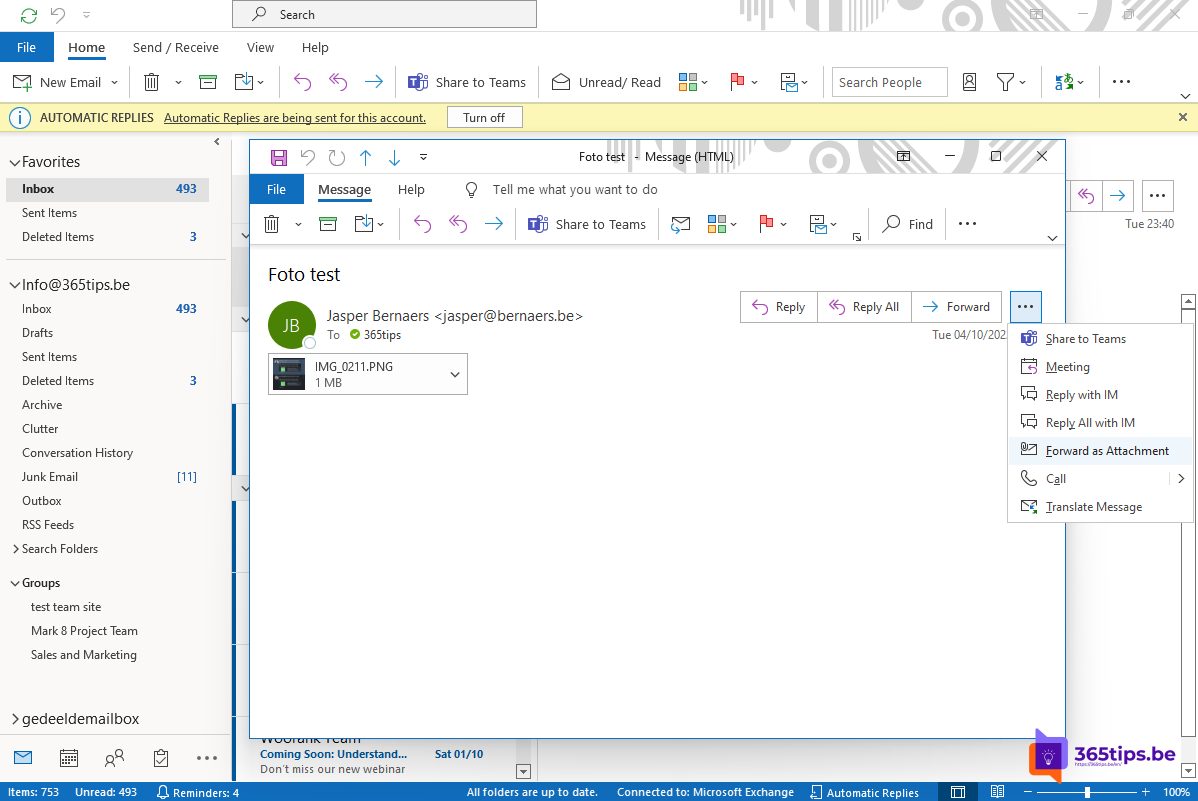
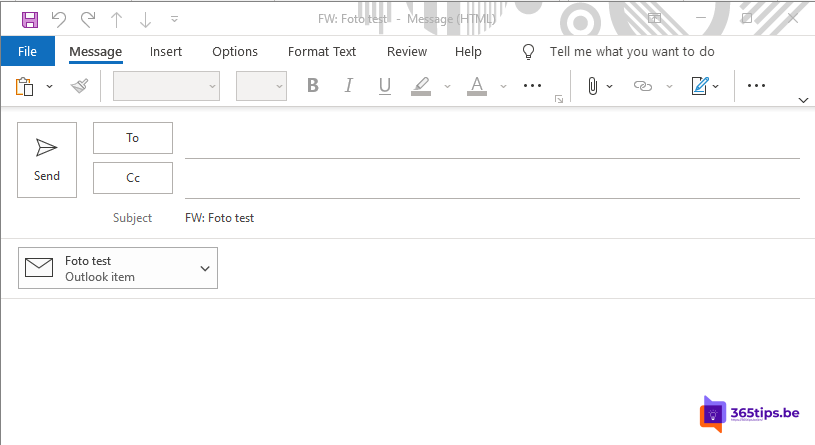
- Faster: select More actions > Forward as attachment on the email. No need to save anything.
- In classic Outlook you can also drag an email straight from the list into a new message.
Tip
Keep emails for a project in the team's files in Teams or SharePoint instead, so everyone can reach them. See email a Teams channel and export emails to a PST file.
Nederlandstalige versie: Outlook-e-mails opslaan als bestand en meesturen als bijlage
Related articles
▸Download and export all emails to a PST file in OutlookExport your email, contacts and calendar to a PST file in classic Outlook, save a single email as a file, or…
▸Share an email from Outlook in Microsoft TeamsShare an Outlook email in a Teams chat or channel with Share to Teams, a channel email address, or as an…
▸The most useful tips for email in Microsoft OutlookRules, pinning, snoozing, delay send, search and more: tips to work faster with email in Outlook.
▸The new Outlook for Windows: switching and what changesSwitch to the new Outlook for Windows, see what's new and what to watch out for with add-ins and PST files.
▸Share an Outlook email to a Teams chat or channelShare an email with attachments from Outlook straight into a Teams chat or channel with Share to Teams, or…