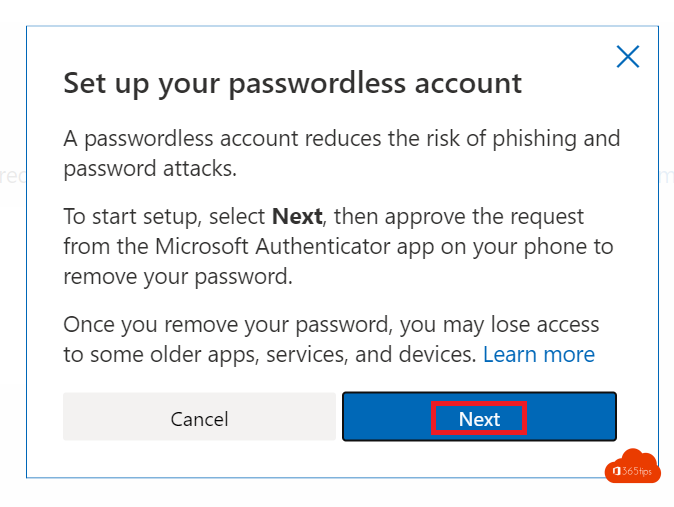
Your personal Microsoft account (for Outlook.com, Xbox, OneDrive or Windows) can go without a password. You then sign in with the Microsoft Authenticator app, Windows Hello, a passkey or a code by email or text. Without a password, there's nothing to steal.
Prepare
- Install Microsoft Authenticator on your phone and add your personal Microsoft account.
- Or set up a passkey with Windows Hello, your phone or a security key.
Remove your password
- Go to account.microsoft.com and sign in.
- Choose Security > Advanced security options (or Manage how I sign in).
- Turn on Passwordless account.
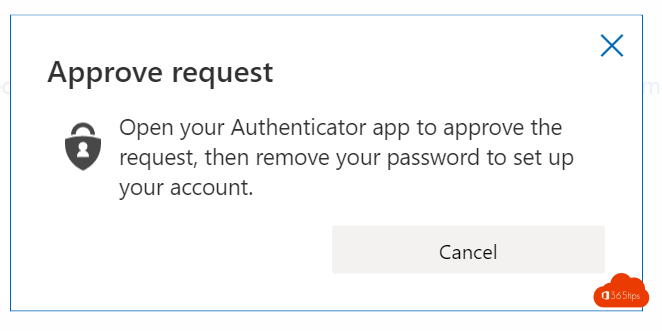
- Approve the notification in the Authenticator app.


What to watch out for
- Make sure you have a recovery method: a second email address or phone number, or a second passkey.
- Some older apps and devices still ask for a password. Use an app password there.
- Want to go back? You can set a password again later.
And at work?
For work accounts, your admin turns on passwordless sign-in. Read passwordless sign-in in Microsoft 365. Microsoft now makes new personal accounts passwordless by default and encourages passkeys. Also see what is MFA?
Read also
Enable passwordless sign-in in Microsoft 365 in 3 steps
What is Multi-Factor Authentication (MFA)?
Create a free Microsoft account or Outlook.com address
Nederlandstalige versie: Je persoonlijke Microsoft-account gebruiken zonder wachtwoord
More in English
▸Check where and when your Microsoft account was signed inReview your recent sign-ins with location and device in Microsoft 365 or your Microsoft account, and what to…
▸How to remove a device from your Microsoft account or Microsoft 365 accountRemove a device from your personal Microsoft account or work account, sign out of Office on an old device,…
▸Have I Been Pwned: check whether your email is in a data breachCheck on Have I Been Pwned whether your email address or password is in a data breach, and what to do if it…
▸App passwords in Microsoft 365: create, delete and replace themWhen do app passwords still work in Microsoft 365? Create or delete one, what the end of SMTP AUTH basic…