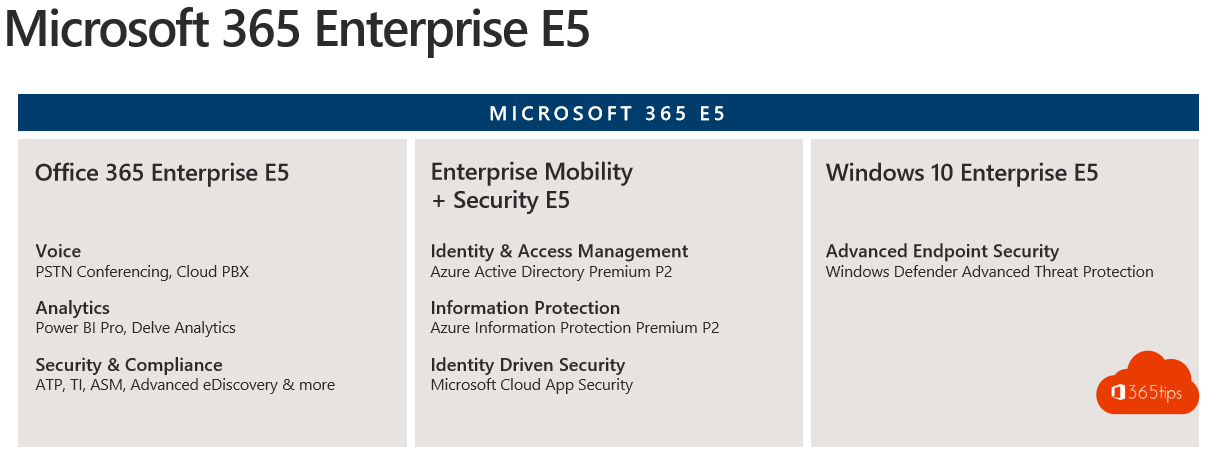
For organizations with more than 300 users, Microsoft 365 E3 and E5 are the standard choice. Together they build a complete digital workplace: Office, collaboration, management, security and compliance. But what's the difference, and when do you choose E5?
Microsoft 365 E3
- Office apps on desktop, web and mobile.
- Exchange Online with a large mailbox and archive, OneDrive and SharePoint.
- Intune and Entra ID P1 for device management and Conditional Access.
- Windows Enterprise.
- Core Purview features, such as sensitivity labels and retention.
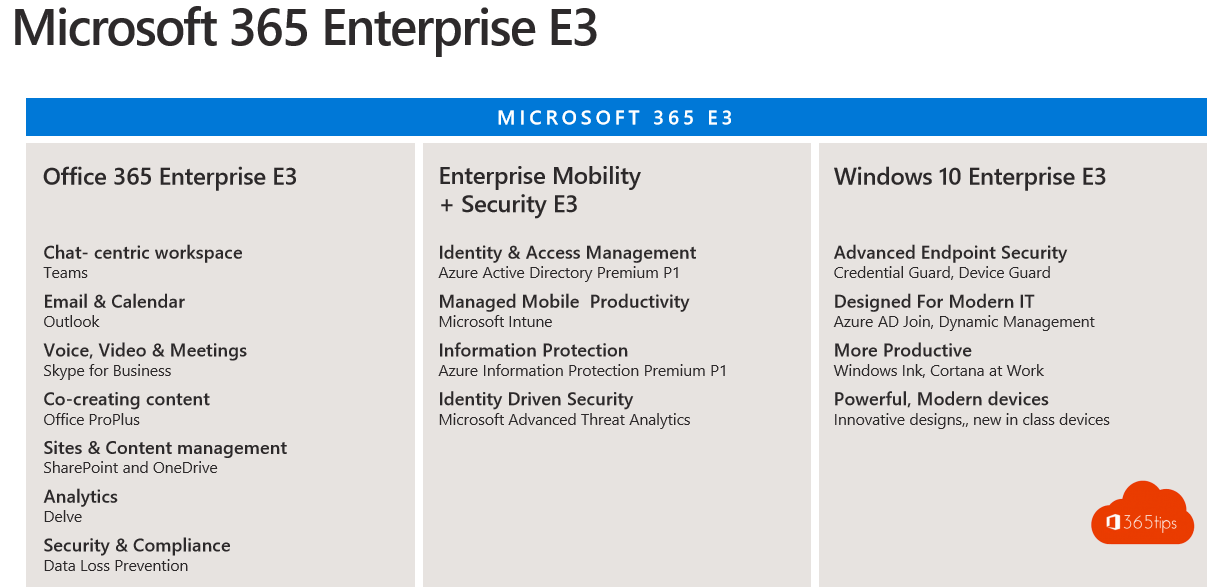
Microsoft 365 E5
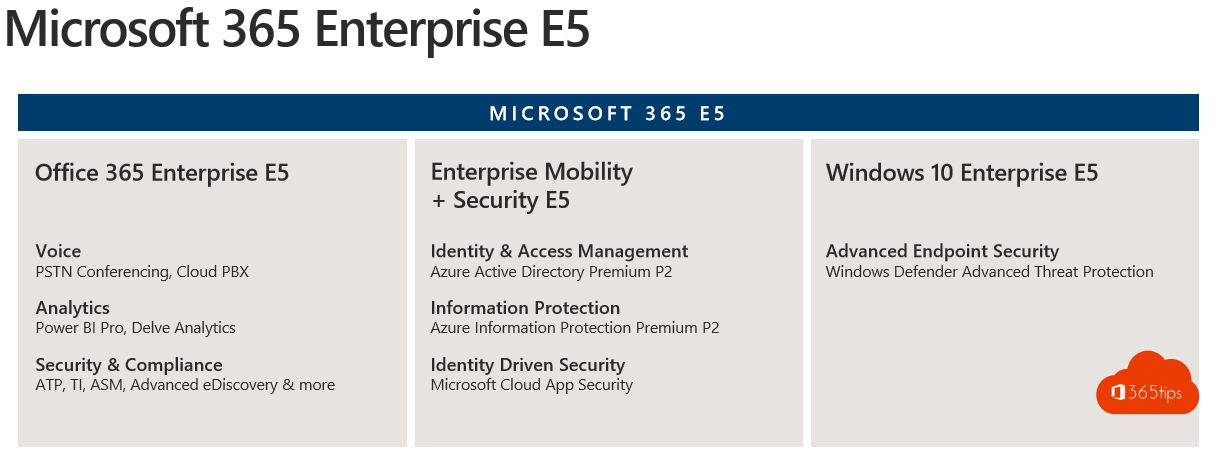
Everything in E3, plus:
- Security: Defender for Endpoint P2, Defender for Office 365 P2, Defender for Identity and Defender for Cloud Apps.
- Identity: Entra ID P2, with Identity Protection and Privileged Identity Management.
- Compliance: advanced Purview features, such as auto-labeling, eDiscovery (Premium) and Insider Risk Management.
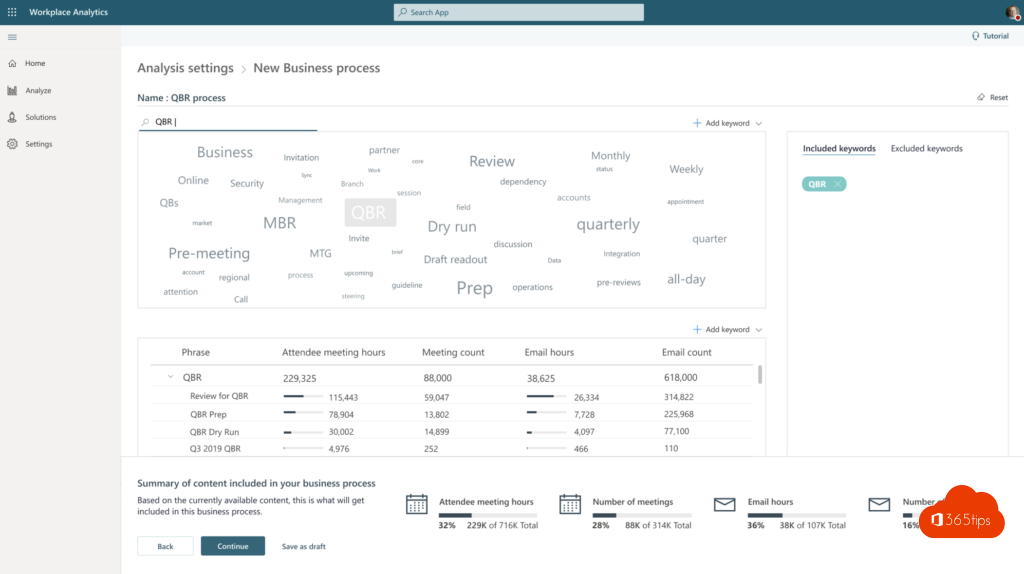
- Analytics and voice: Power BI Pro and Teams Phone.
E3 or E5?
- Choose E3 if you want a solid foundation and use other tools for security.
- Choose E5 if you want security and compliance fully from Microsoft, or would buy the separate add-ons (such as Defender or Teams Phone) anyway.
- Mixing works: E3 for most users and individual E5 components for those who need them.
In many countries E3 and E5 are now sold without Teams; you then buy Teams separately. Also see Microsoft 365 licenses compared and risky sign-ins with Entra ID Protection.
Read also
Microsoft 365 licenses compared: which one do you need?
Five reasons to start with Microsoft 365 Business Premium
Detect risky sign-ins and users with Microsoft Entra ID Protection
Nederlandstalige versie: Microsoft 365 E3 of E5: wat is het verschil en wat kies je?
More in English
▸Search the Microsoft 365 audit log with PurviewSearch the audit log for who deleted, shared or changed permissions on something, export the results and…
▸Set up Data Loss Prevention (DLP) in Microsoft Teams with PurviewProtect sensitive data in Teams chats and channels with a DLP policy in Microsoft Purview. Licensing,…
▸Phone calls with Microsoft Teams: everything you need to knowWhat do you need to call regular numbers with Teams? Calling, transferring, forwarding and voicemail…
▸Run a phishing simulation with Attack simulation trainingTest who clicks a realistic phishing email and give users instant training with Attack simulation training in…