Microsoft 365 comes in many subscriptions: Business, Enterprise, Frontline, Education and separate add-ons. Which features are in which plan? This article helps you compare plans in a focused way and points you to the best overviews.
Plan names and contents change regularly: Azure AD is now Microsoft Entra ID, Endpoint Manager is now Intune, and in Europe Teams is sold separately from some suites. Always check Microsoft's current product pages before you decide.
M365 Maps: compare visually
Aaron Dinnage maintains a visual overview of Microsoft 365 licenses at m365maps.com. For each plan you see which services it contains, and you can put two plans side by side to see the differences. It's a community project, not an official Microsoft source, but it is actively updated.
Microsoft 365 Business (up to 300 users)
Business Basic, Standard and Premium are aimed at smaller organizations. Business Premium adds management and security, such as Intune, Entra ID P1 and Defender for Business.

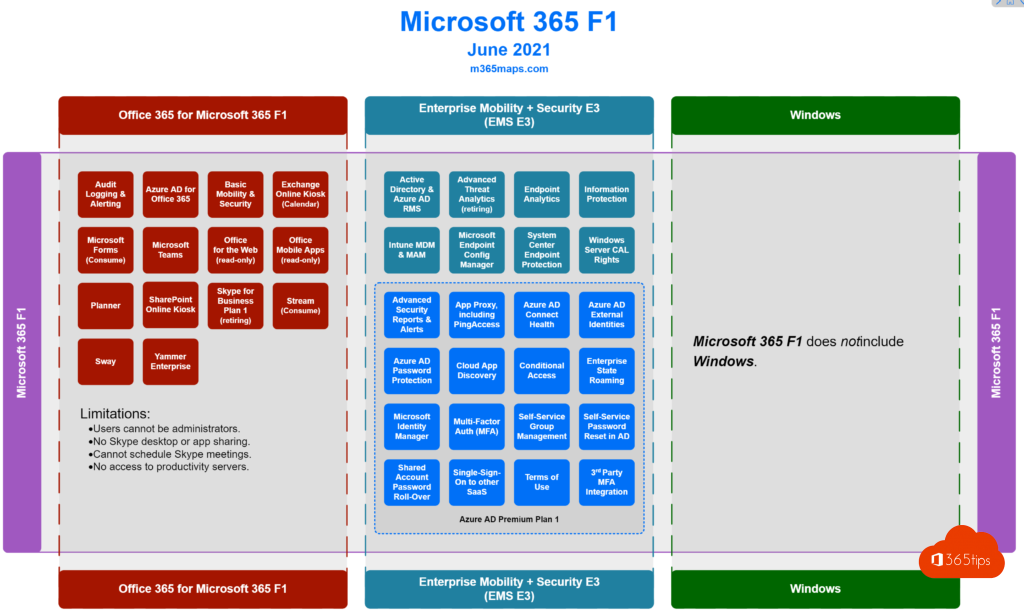
Microsoft 365 Frontline (F1 and F3)
For workers in retail, healthcare or on the shop floor who mainly use a shared device or a smartphone. F1 is more limited than F3; F3 includes, among other things, the web versions of the Office apps.
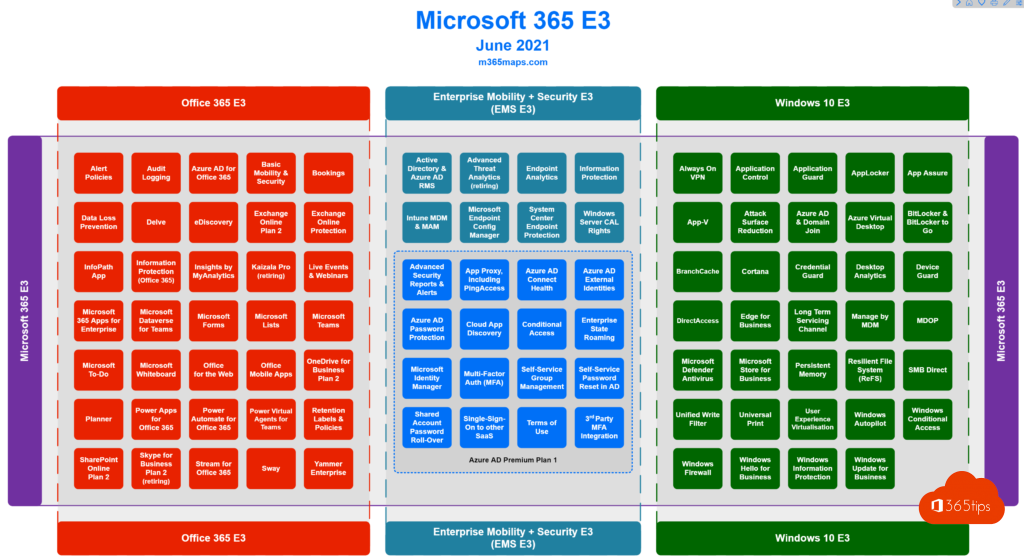
Microsoft 365 E3
For knowledge workers in larger organizations: the full Office apps, Exchange, SharePoint, OneDrive, Intune, Entra ID P1 and core compliance features.
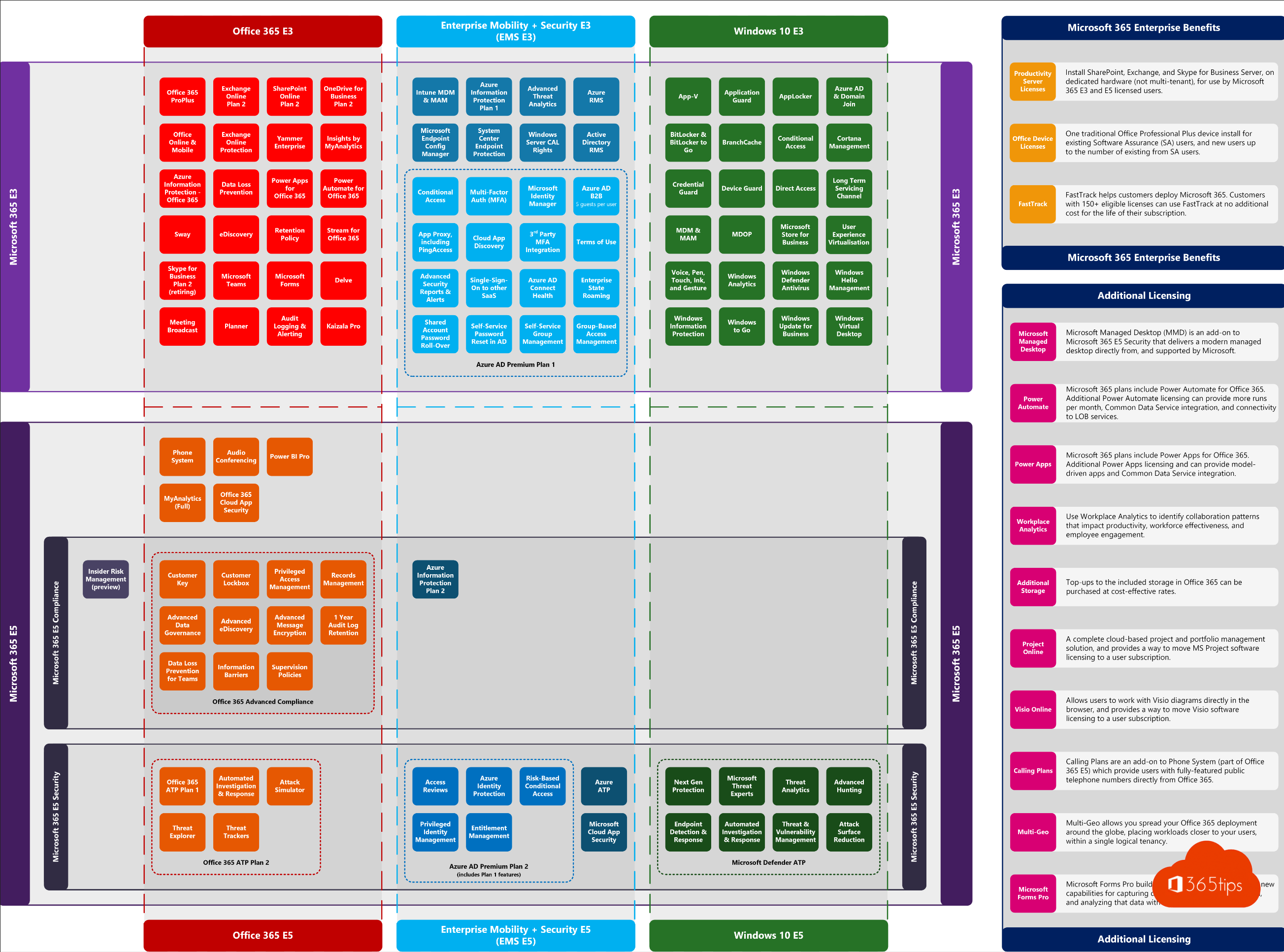
Microsoft 365 E5
E5 adds advanced security and compliance, such as Microsoft Defender XDR, Entra ID P2, advanced eDiscovery, and phone and analytics features (depending on the variant).

What to look at when comparing
| Area | Question to ask |
|---|---|
| Office apps | Do you need the desktop apps, or are the web and mobile versions enough? |
| What mailbox size and archive do you need? | |
| Storage | How much OneDrive and SharePoint storage do you get? |
| Security | Is Intune, Conditional Access (Entra ID P1/P2) or Defender included? |
| Compliance | Do you need retention, sensitivity labels, DLP or eDiscovery? |
| Phone | Do you want to call via Teams Phone, and is it included or an add-on? |
| Copilot | Microsoft 365 Copilot is a separate add-on on top of an eligible plan. |
Tips
- Mix plans: not everyone needs E5. For example, combine E3 for office staff with F3 for frontline workers.
- First check which licenses you already have in the Microsoft 365 admin center.
- Use group-based licensing to assign licenses automatically.
Also see check your Microsoft 365 license and Microsoft 365 Business plans compared.
Read also
Which Microsoft 365 licence do I have? How to check
Microsoft 365 licenses compared: which one do you need?
Assign Microsoft 365 licenses automatically with groups in Entra ID
Nederlandstalige versie: Microsoft 365-plannen vergelijken: welke functies zitten in welk plan?