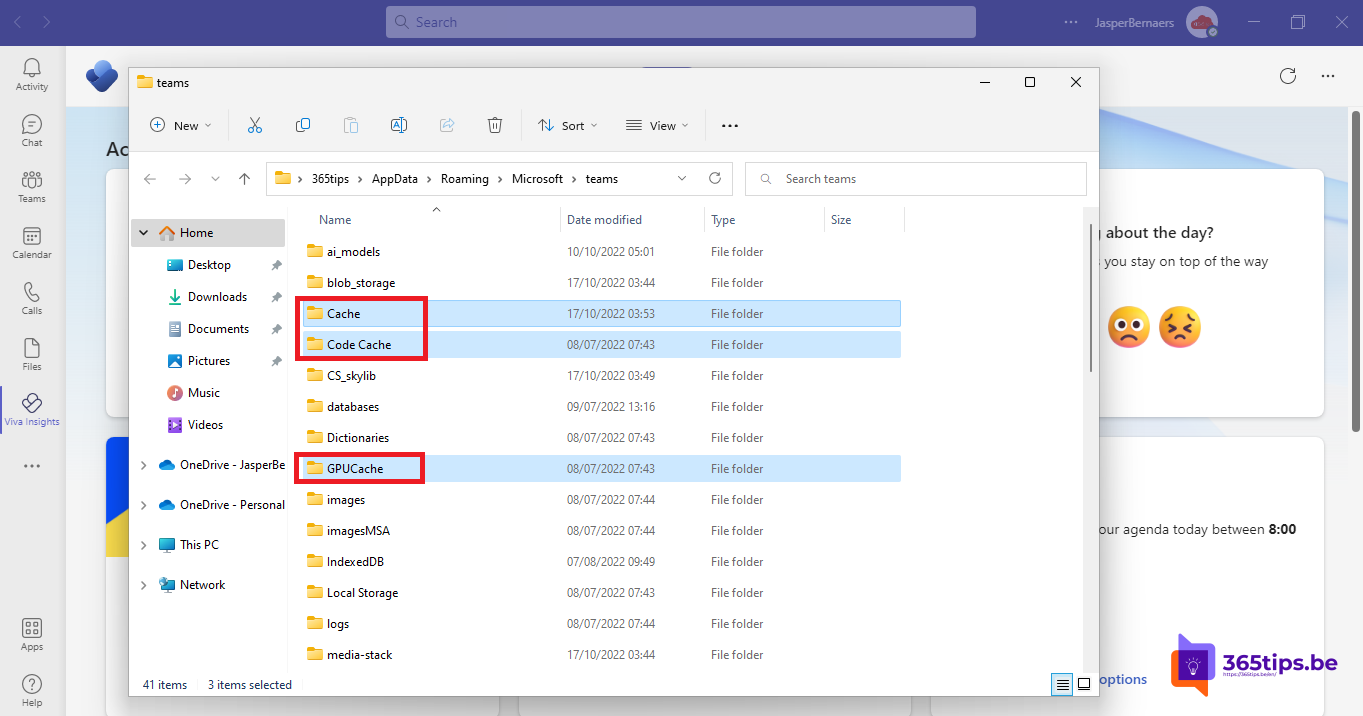
Teams loads slowly, shows old profile pictures, a meeting hangs or you keep getting a sign-in error? Clearing the Teams cache, the temporary files Teams keeps locally, often helps. You don't lose chats, files or settings, because those live in the cloud. This article shows how to clear the new Teams cache on Windows and Mac, and what to try next.
Note. The new Teams stores its cache in a different place than classic Teams. These steps are for the new Teams.
Windows: through Settings (easiest)
- Quit Teams completely: right-click the Teams icon near the clock and choose Quit.
- Open Settings > Apps > Installed apps.
- Find Microsoft Teams, select ... > Advanced options.
- Select Repair. If that doesn't help, select Reset.
- Start Teams again and sign in.
Windows: empty the cache folder manually
- Quit Teams completely.
- Press Windows + R and paste:
%userprofile%\appdata\local\Packages\MSTeams_8wekyb3d8bbwe\LocalCache\Microsoft\MSTeams
- Delete all files and folders in that folder.
- Start Teams again.
Still on classic Teams? Its cache is in %appdata%\Microsoft\Teams. Classic Teams is no longer supported; switch to the new one.

Mac
- Quit Teams with Cmd + Q.
- Open Finder > Go > Go to Folder and open:
~/Library/Group Containers/UBF8T346G9.com.microsoft.teams
~/Library/Containers/com.microsoft.teams2
- Move the contents of both folders to the Trash.
- Start Teams again.
When does it help?
- Teams starts slowly or hangs on a white or black screen.
- Old profile pictures, names or statuses stick around.
- Tabs, apps or the calendar don't load.
- Sign-in problems after a password change.
Didn't help?
- Check that Teams is up to date: ... > Settings > About Teams.
- Try Teams in the browser at teams.microsoft.com. If it works there, the problem is your installation.
- Uninstall and reinstall Teams. See uninstall Teams in Windows 11.
- Screen sharing problems? See black screen when sharing in Teams.
Read also
Black screen when sharing your screen in Microsoft Teams: causes and fixes
Disable, uninstall or block Microsoft Teams in Windows 11
Change the folder where Microsoft Teams downloads files
Nederlandstalige versie: De cache van Microsoft Teams wissen op Windows en Mac
More in English
▸Black screen when sharing your screen in Microsoft Teams: causes and fixesDo others see a black screen when you share in Teams? Fixes for Windows, Mac and the browser: screen…
▸Change the folder where Microsoft Teams downloads filesPick a different download folder in Teams or have Teams ask where to save each file. Plus when you're better…
▸Disable, uninstall or block Microsoft Teams in Windows 11Stop Teams starting at boot, uninstall the free or work version in Windows 11, and block it on all PCs with…
▸Install and use Microsoft Teams on Ubuntu and LinuxThe Teams app for Linux is retired. Install Teams as a web app in Edge or Chrome on Ubuntu, see what works,…