Is Microsoft Teams in English when you'd prefer Dutch, or the other way round? You can change the Teams app language yourself. This article shows how, and how to set your keyboard language, spell check and message translation too.
Change the app language
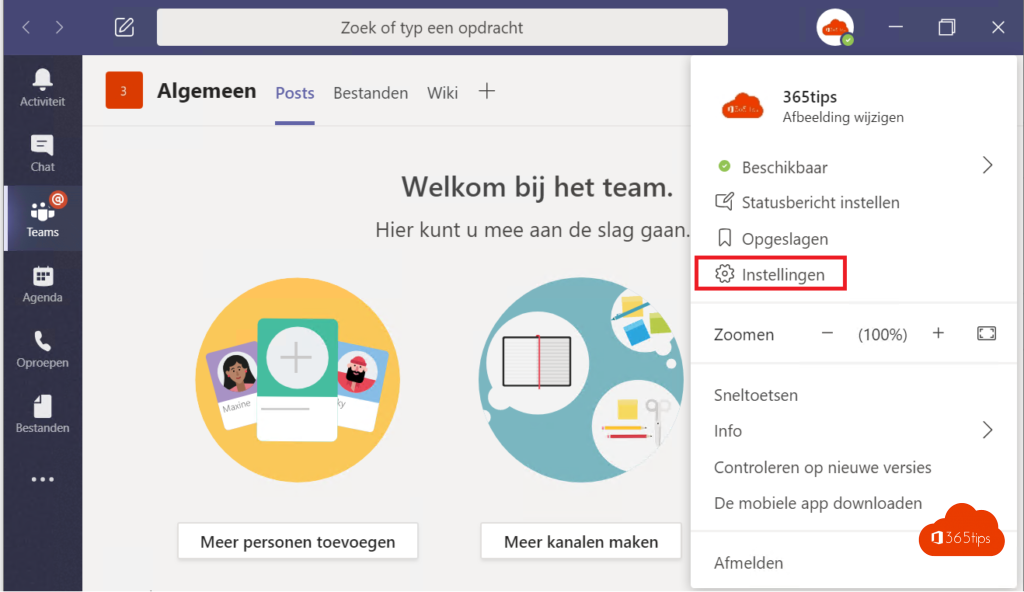
- Select the three dots next to your profile picture > Settings.
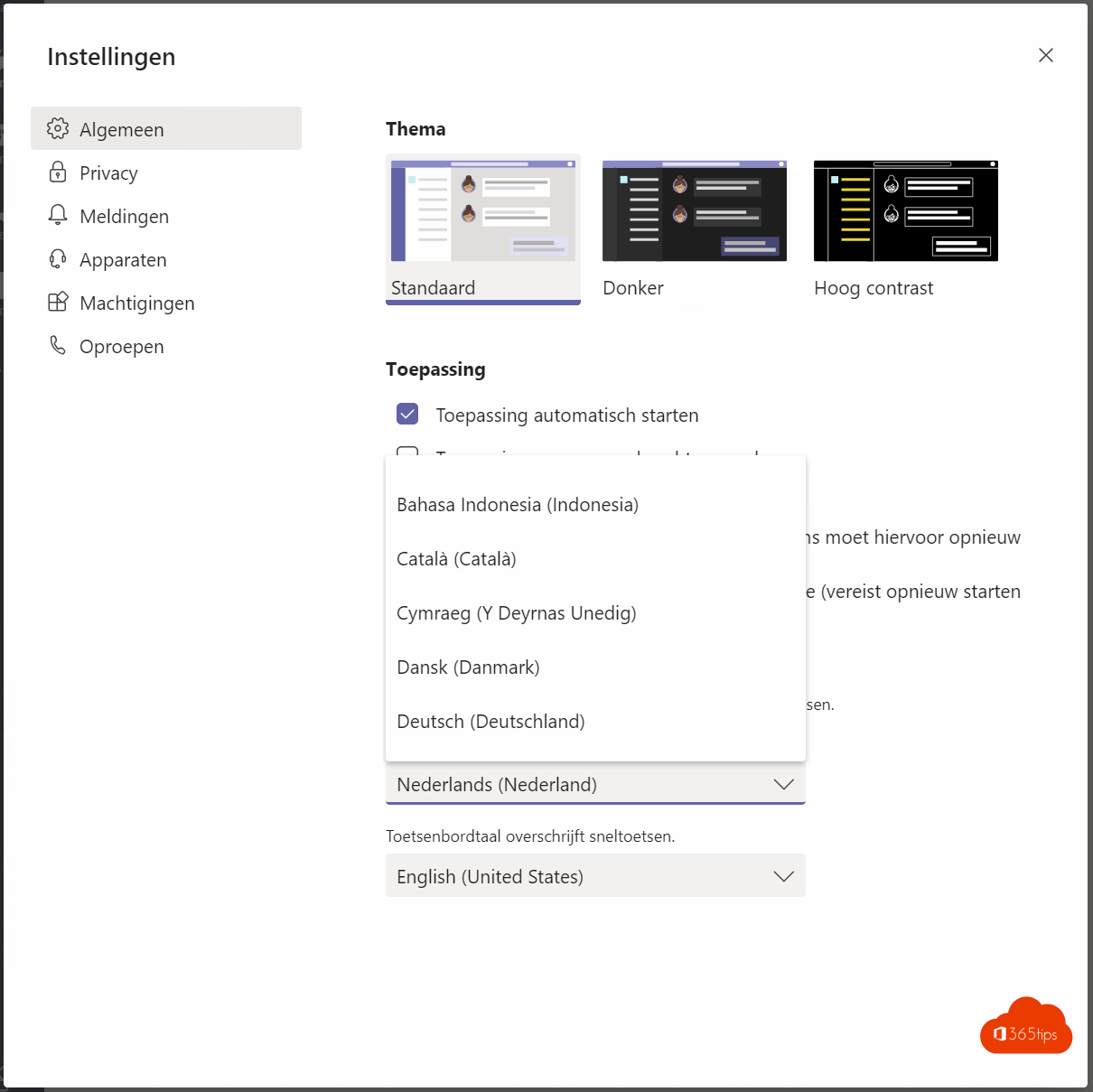
- Open General and find Language.
- Choose the app language, or let Teams follow your operating system's language.
- Also choose the keyboard language. It determines shortcuts and spell check.
- Select Save and restart.
Teams on the web and mobile
- Teams on the web follows the language set in your Microsoft 365 account: in Microsoft 365, select your profile picture > My account > Settings & Privacy > Language.
- Teams mobile follows your phone's language.
Translate messages and meetings
- Hover over a message in another language > More options > Translate.
- Under Settings > General > Translation, choose your preferred language and whether Teams translates automatically.
- In meetings, use live translated captions.
Windows in another language too?
Read change the Windows display language and change your keyboard layout.
Read also
Use live translated captions in Microsoft Teams meetings
Change the Windows display language, region and keyboard
Change or fix your keyboard layout in Windows 11 (QWERTY, AZERTY)
Nederlandstalige versie: De taal van Microsoft Teams wijzigen
More in English
▸Use live translated captions in Microsoft Teams meetingsTurn on live captions in a Teams meeting, set the spoken language and translate captions into your own…
▸Set your status in Microsoft Teams: available, busy or do not disturbSet your Teams status to Available, Busy, Do not disturb or Appear away, with a duration, a status message…
▸The most useful Microsoft Teams keyboard shortcuts for Windows and MacThe most useful shortcuts for the new Teams app: navigation, chat, mute, camera, raise hand and screen…
▸Clear the Microsoft Teams cache on Windows and MacClear the new Teams cache on Windows 11 or Mac to fix slow starts, frozen screens and sign-in problems,…