Spammers love sending emails that look like they come from your domain. With DKIM (DomainKeys Identified Mail), every outgoing email gets a digital signature. The receiving server checks that signature via DNS and knows the email really comes from your organisation and wasn't altered on the way. This article shows how to enable DKIM for your own domain in Microsoft 365.
Why DKIM?
- Without DKIM on your own domain, Microsoft 365 signs with the onmicrosoft.com domain. That isn't enough for DMARC.
- Emails with a valid DKIM signature are less likely to land in spam. Gmail and Outlook.com now require authentication for bulk senders.
- DKIM is needed before you can set a strict DMARC policy.
Enable DKIM
- Go to security.microsoft.com > Email & collaboration > Policies & rules > Threat policies > Email authentication settings > DKIM tab.
- Select your own domain. Choose Create DKIM keys if that hasn't happened yet.
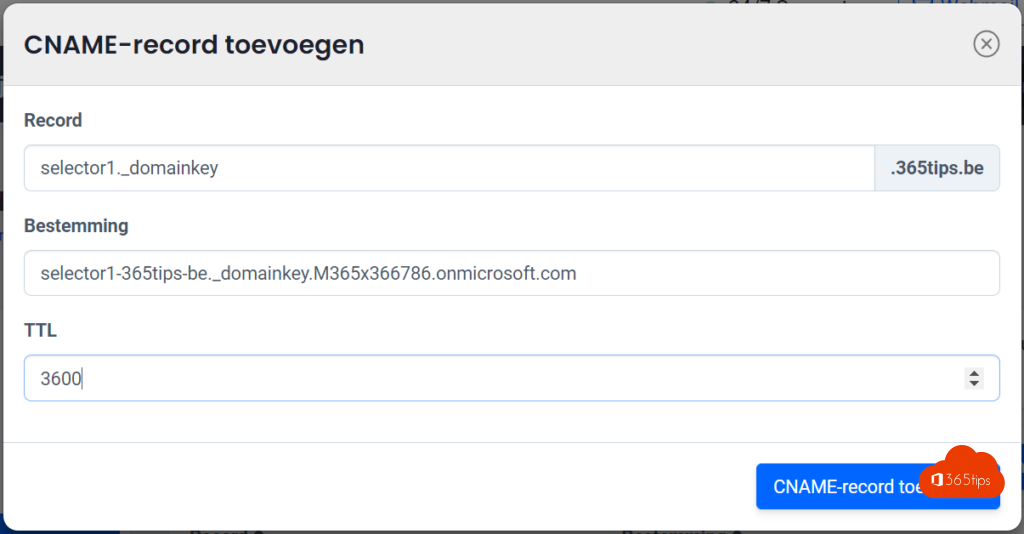
- You get two CNAME records: selector1._domainkey and selector2._domainkey. Copy the target values exactly from the portal.
- Add both records at your DNS provider.
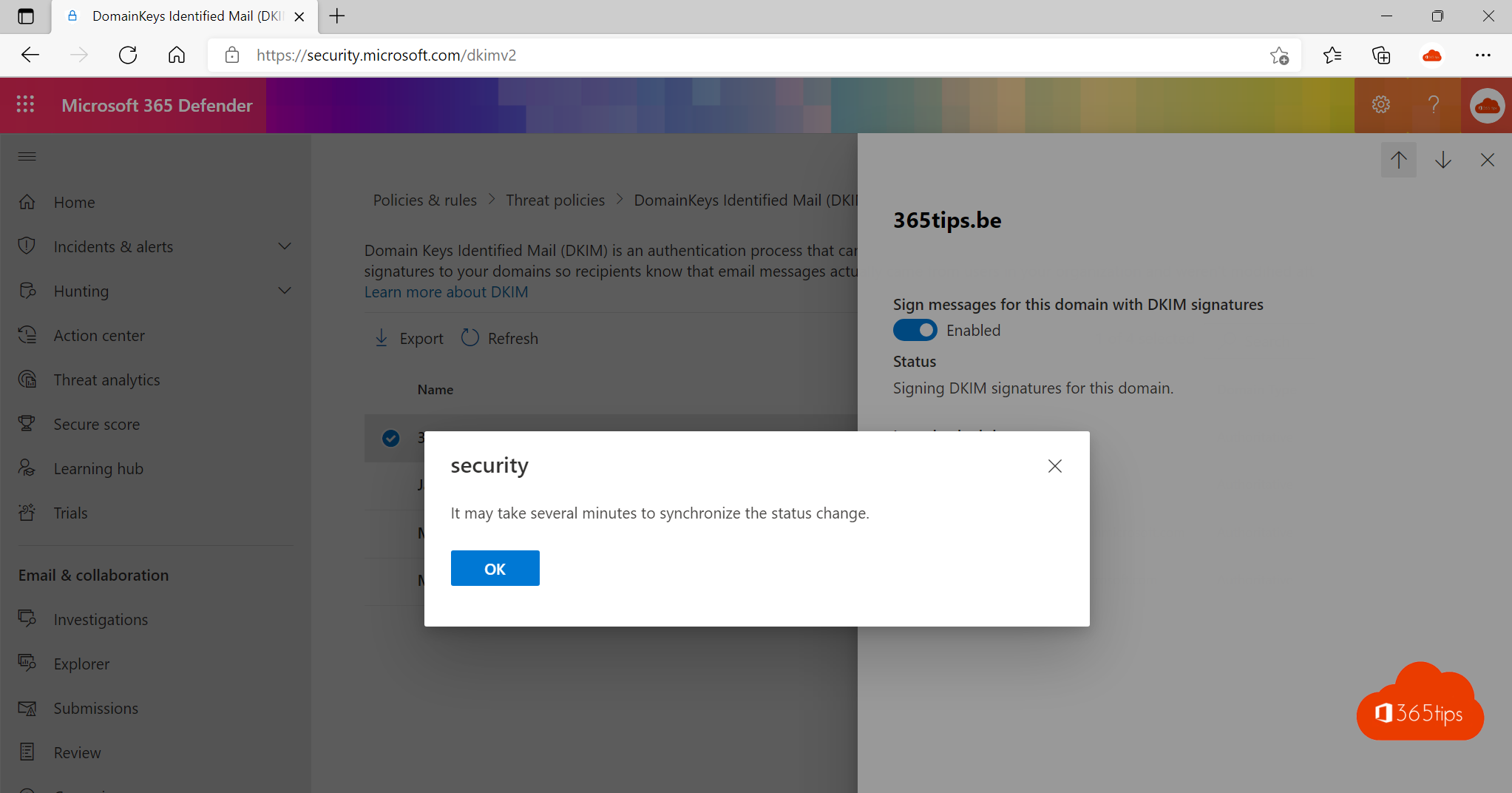
- Wait until the DNS change is visible (usually under an hour) and turn on Sign messages for this domain with DKIM signatures.

With PowerShell
Connect to Exchange Online and use New-DkimSigningConfig -DomainName contoso.com -Enabled $false to create keys, Get-DkimSigningConfig -Identity contoso.com | Format-List Selector1CNAME, Selector2CNAME to get the records and Set-DkimSigningConfig -Identity contoso.com -Enabled $true to enable signing.
Verify
Send an email to an external address and look at the message headers. Under Authentication-Results you should see dkim=pass with header.d= your own domain.

Together with SPF and DMARC
- SPF: a TXT record with v=spf1 include:spf.protection.outlook.com -all, plus any other services that send on your behalf.
- DMARC: start with p=none and reporting, then move to quarantine or reject.
- Don't forget services like your newsletter tool or CRM: they need their own DKIM records too.
Related: block automatic email forwarding and encrypt email in Outlook.
Read also
Block automatic forwarding and outgoing email in Microsoft 365
How to encrypt or protect an e-mail in Outlook and Microsoft 365
Set up Data Loss Prevention (DLP) in Microsoft Teams with Purview
Nederlandstalige versie: Zo activeer je DKIM in Microsoft 365 voor je eigen domein